Cleaning Engine Screen Guard
Model Z425
The Z425 engine incorporates a removable guard over the rotating flywheel cover at the top of the engine. The guard should be removed to check for and remove any debris daily in conjunction with checking engine oil level.
-
Locate rotating screen guard (A) at top of engine, and the two retaining tabs (B), embossed with a finger symbol.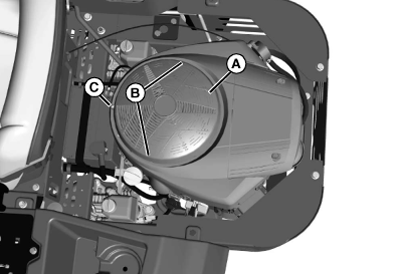
MXAL47094-UN-16APR13 -
Remove screw (C) (if equipped). Push in on the two retaining tabs (B) and lift off guard (A).
-
Clean guard and flywheel cover of debris.
-
Install guard after cleaning.
Models Z435, and Z625
Removal of engine screen guard is not necessary.
Models Z445, Z465, Z645, Z655, and Z665
-
MXT005350-UN-31JUL13
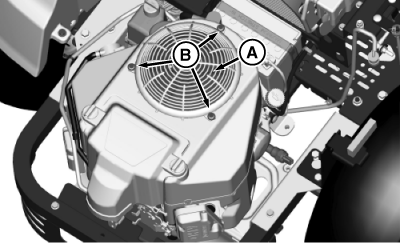
Locate rotating screen guard (A) at top of engine. Remove three rivets (B) by prying up using a screwdriver under head until it pops up. Lift off screen guard.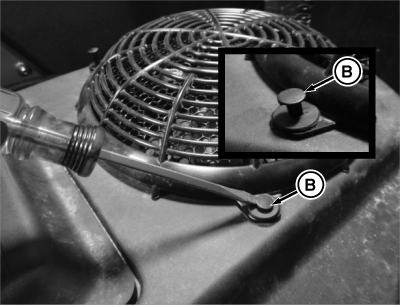
MXT005379-UN-31JUL13 -
Clean guard, flywheel cover, and the rotating flywheel screen of debris.
-
Install guard after cleaning. Rivets can be reinstalled by pushing them into the fastened position.
|
OUO2004,0000A7B-19-20140917 |