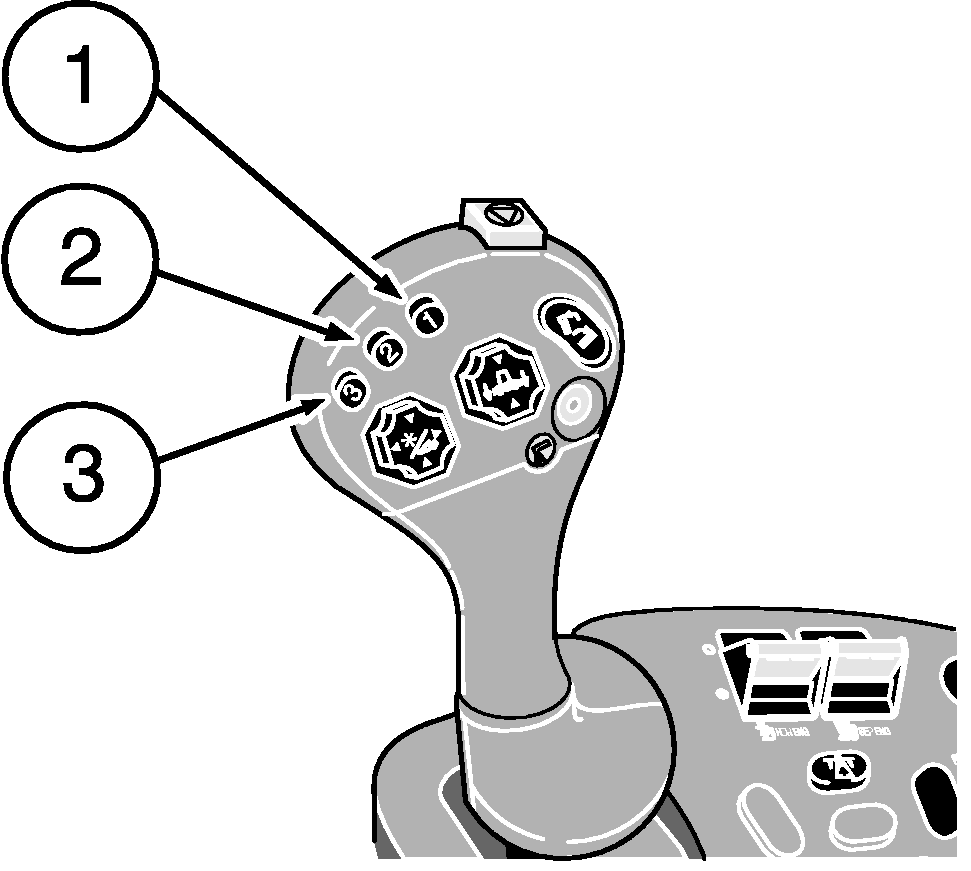
Header Height Resume (Optional)Header Height Resume control allows the operator to select the position of the feeder house relative to the combine and return to that position automatically. The feeder house stays in that position until a new position is selected or it is manually raised or lowered. The Header Height Resume system must be calibrated for each header that is used with the combine (See "CALIBRATION PROCEDURES" section). Activation buttons 1, 2 and 3 located on the multi-function handle, are used for selecting three different header heights. NOTE: If both Header Height Resume and Header Height Sensing are enabled activation button 1 will activate Header Height Resume. Activation buttons 2 and 3 will be assigned to Header Height Sensing. Operation: The Header Height Resume mode can be activated only when: 1.
A properly equipped header is connected to the combine.
|
|
AG,OUO1035,573 -19-06MAY99-1/2 |
|
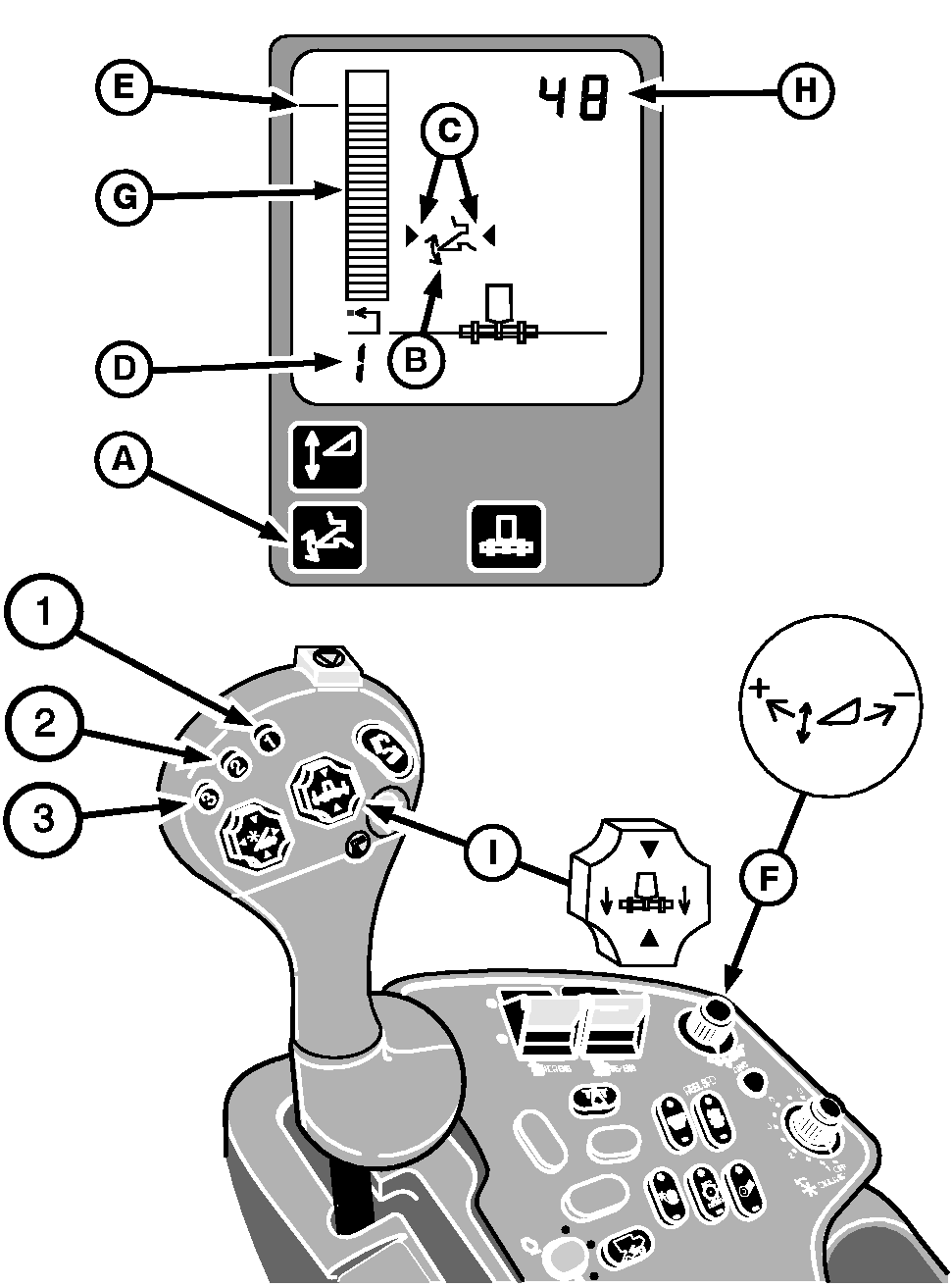
The Header Height Resume system is enabled by pressing switch (A) on the corner post display unit (if equipped). The Header Height Resume symbol (B) will appear on the display. If not equipped with optional corner post display, the Header Height Resume function is enabled when the engine is running, operator is seated and the header is engaged. Activate the Header Height Resume system by pressing one of the activation buttons 1,2 or 3 on the multi-function handle. Arrows (C) on each side of the symbol indicate that the system is active. The number (D) in the lower left corner of the display indicates which activation button was pushed. To change the height setpoint (E) of any of the activation buttons, press the desired button and adjust the height using the ACTIVE HEADER CONTROL (AHC) ™ dial (F) to move the height setpoint. Turning the dial towards the (+) symbol will raise the header. Turning the dial towards the (-) symbol will lower the header. Bar graph (G) and number display (H) show the relative position of the header, based on the Header Height Resume sensor linked to the feeder house. Manually adjusting the header height with switch (I) on the multi-function handle will deactivate the Header Height Resume system. Pressing any of the activation buttons will re-activate the system and the header will move to the pre-selected height. The Header Height Resume system can be disabled by pressing switch (A). |
|
|
ACTIVE HEADER CONTROL is a trademark of Deere & Company | AG,OUO1035,573 -19-06MAY99-2/2 |