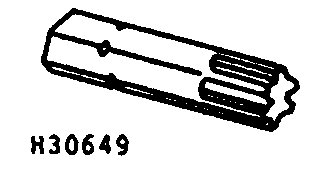
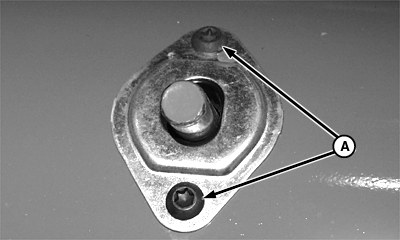
Replacing Auger Fingers and Retainers1. Use JDC-3 driver to remove two finger guide screws (A) and guide. NOTE: Order JDC-3 from your John Deere dealer. Use driver with 1/4 to 3/8-in adapter.
|
|
OUO6035,0000090 -19-13NOV00-1/5 |
|
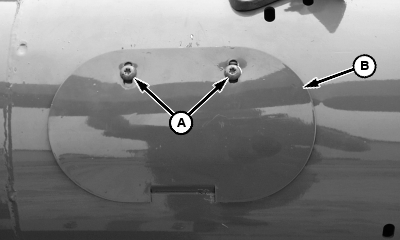
2. Loosen TORX ® screws (A), slide screws to inside of slots and remove access hole cover (B).
|
|
|
TORX is a trademark of Camcar/Textron | OUO6035,0000090 -19-13NOV00-2/5 |
|
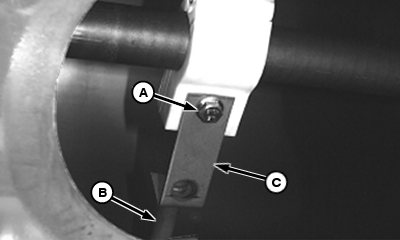
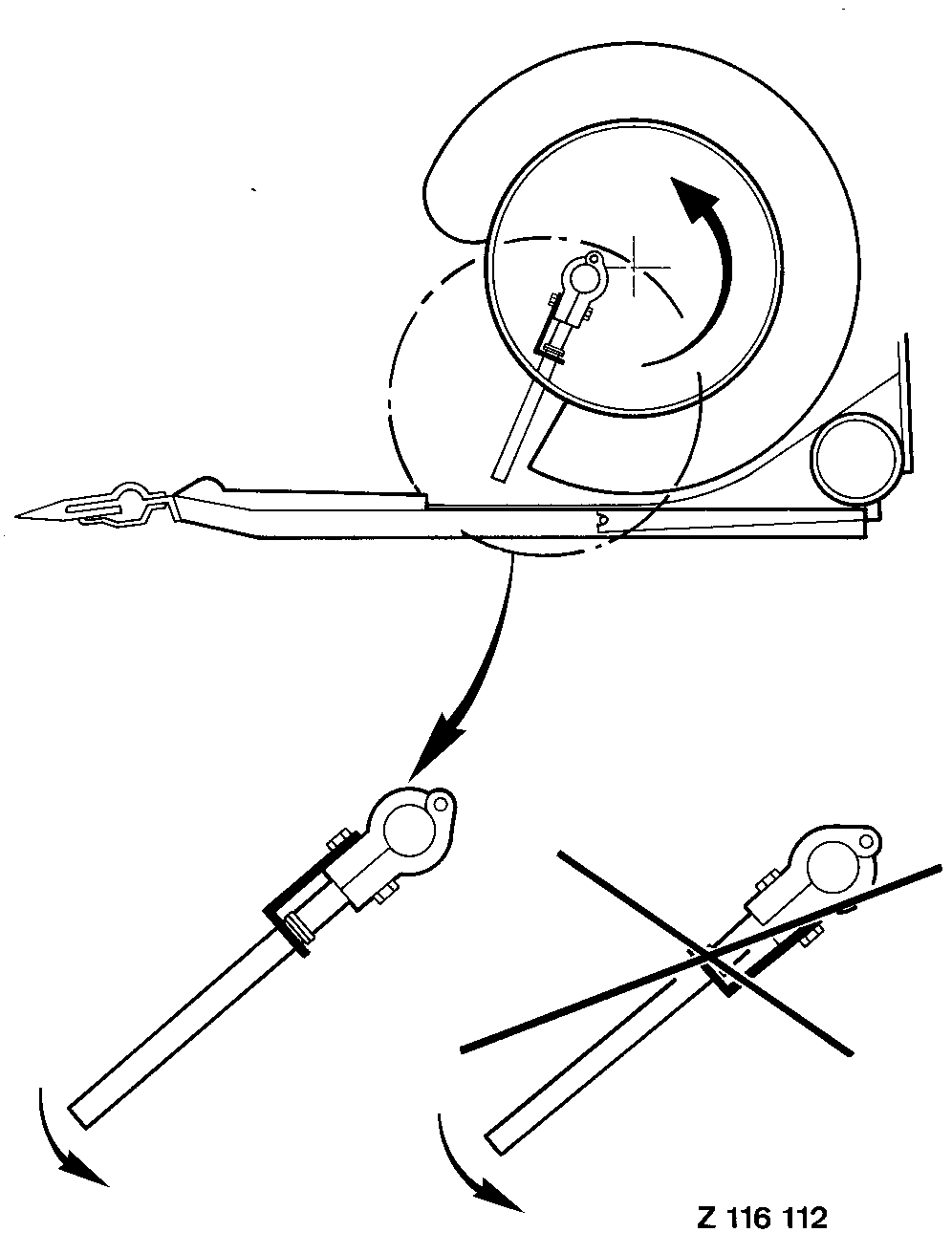
3. Remove cap screw (A), auger finger (B) and retainer (C). Remove broken parts. IMPORTANT: Replace auger finger retainers (C) when replacing auger fingers (B). Install retainer with open side of bend facing direction of auger rotation (see illustration). 4. Install new parts and tighten cap screw to specification. Specification
|
|
OUO6035,0000090 -19-13NOV00-3/5 |
|
5. Install access hole cover (B), slide TORX screws (A) to outside of slots and tighten.
|
|
OUO6035,0000090 -19-13NOV00-4/5 |
|
6. Install guide and retain with auger finger guide screws (A).
|
|
OUO6035,0000090 -19-13NOV00-5/5 |