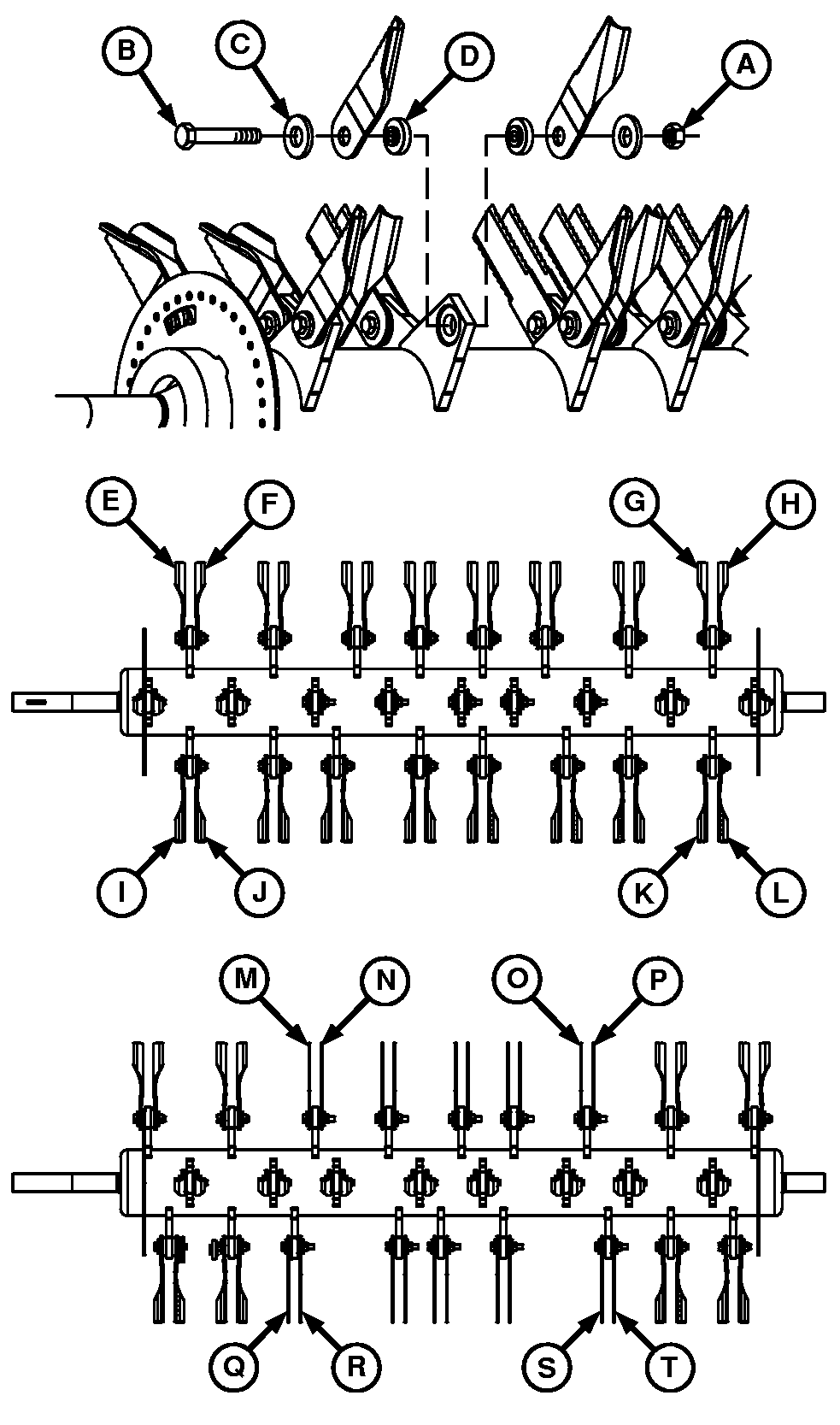
Remove and Replace Straw Chopper BladesNOTE: Rotor shown illustrates blade replacement examples for both paddle and straight blades. Always maintain original factory provided blade pattern. 1. Remove lock nut (A), cap screw (B), washers (C) and bushings (D). NOTE: If removing blades or bushings for inspection purposes, be certain to reinstall blades on SAME support from which they were removed. This must be done to maintain balance. It is a good practice to individually mark each blade before removal. 2. Inspect blade bushings (D) while replacing blades. Replace worn bushings. See your John Deere dealer for replacement parts. IMPORTANT: Chopper balance MUST be maintained. Replace BOTH blades on single support and BOTH blades on opposite support (180°). Also, replace the four blades at the other end of the rotor, at the same axial distance from the balance ring. Eight blades MUST be installed to replace one broken blade, or all the blades can be replaced at one time. This MUST be done to keep vibration to a minimum. For example: If paddle blade (E) is broken, replace paddle blades (E-L). If straight blade (M) is broken, replace straight blades (M-T). 3. Replace blade and install cap screw (B), washer (C), bushing (D) and lock nut (A). Tighten nut to specification. Specification
|
|
OUO6075,0001EFB -19-04APR02-1/2 |
|
IMPORTANT: Verify clearance between rotor blades and stationary knives, by rotating rotor by hand, before running chopper. |
OUO6075,0001EFB -19-04APR02-2/2 |