HYDRAFLEX™ Operation With DIAL-A-MATIC™ Sensor on 9000 and 10 Series MachinesNOTE: Use Position 1 on DIAL-A-MATIC whenever possible since this position gives the maximum use of the float range (closest cut) and best feeding (sheet is flattest and cutterbar is closer to reel in this position). 9000 and 10 series combines and the HYDRAFLEX platform require conversion bundles to allow DIAL-A-MATIC to operate (see your John Deere dealer). Setup HYDRAFLEX platform for optimum results: 1.
Verify proper cutterbar angle (see Wedge Kit in Attaching Platform to Pre 60 Series Combines section).
|
|
HYDRAFLEX is a trademark of Deere & Company | OUO6091,00017F5 -19-29MAR04-1/3 |
|
2.
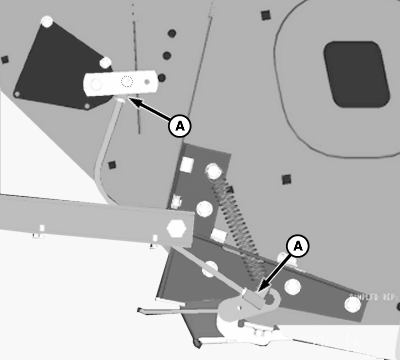
Verify the DIAL-A-MATIC linkage is properly adjusted so that a raised signal can be obtained in Position 1.
Operating the HYDRAFLEX platform: 1.
Use Position 1 on DIAL-A-MATIC.
|
|
OUO6091,00017F5 -19-29MAR04-2/3 |
|
2.
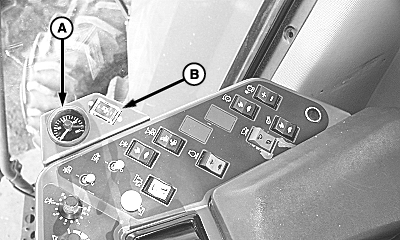
Set the HYDRAFLEX pressure at 9,000 kPa (1,300 psi) on gauge (A).
|
|
OUO6091,00017F5 -19-29MAR04-3/3 |