VISIONTRAK Performance Monitor-Operating
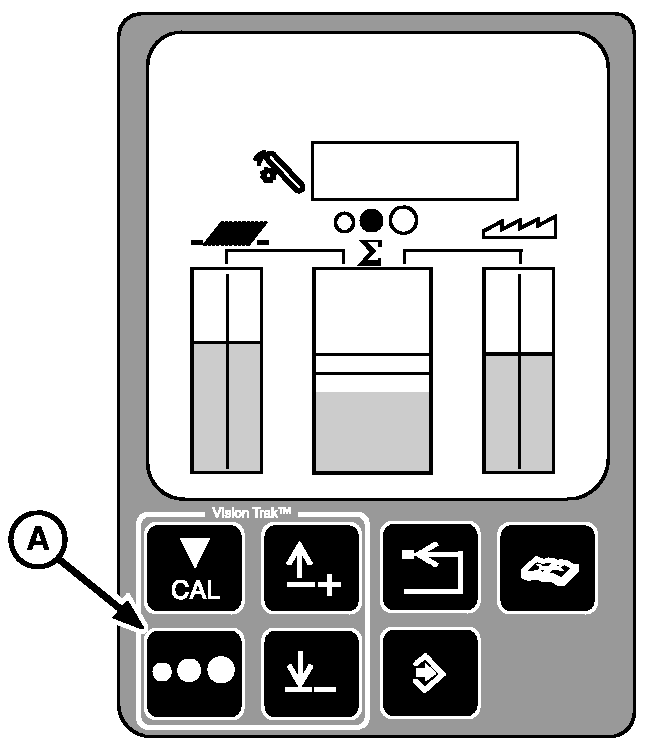
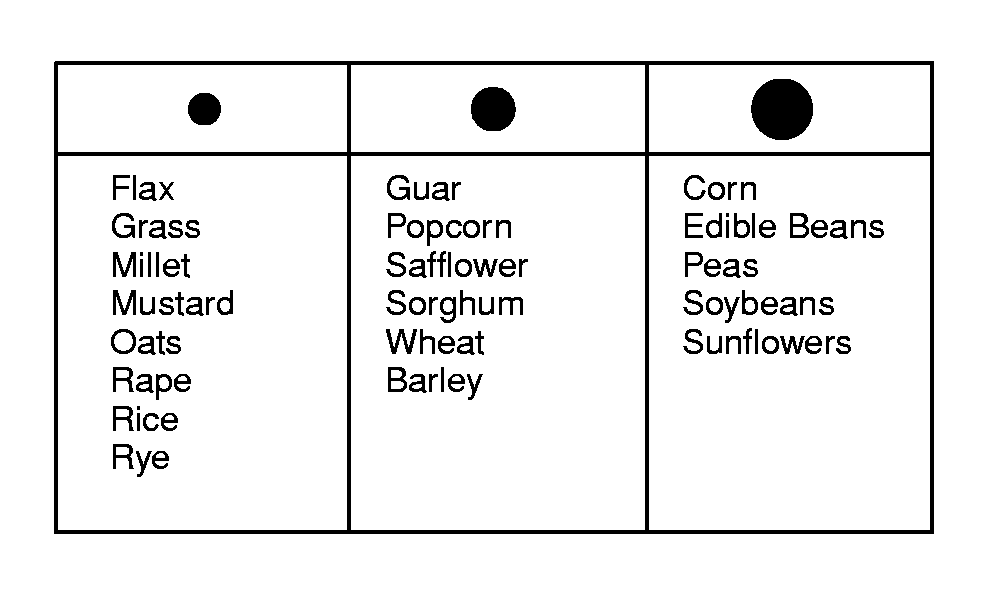
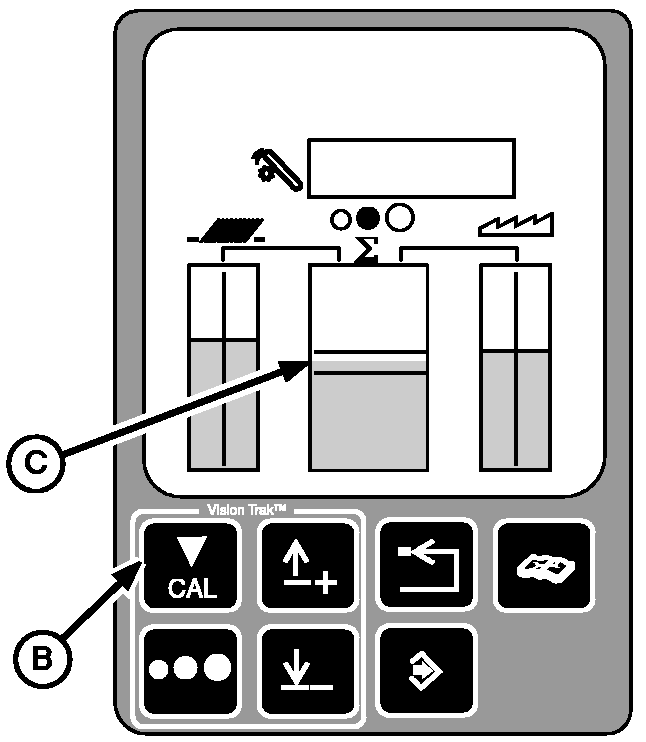
The system will operate only when the 2. Adjust combine and header to an acceptable loss level for the particular crop and condition. Ignore the center bar graph on the VISIONTRAK display at this time. 3. Operate the combine at the acceptable loss level. 4. Pressing and releasing the calibration switch (B) will place the total loss display in the center of the acceptable area on the display (C). The bar graph shows the combine is operating at the total loss level that was acceptable to the operator in step 3. The center bar graph is now a visual guide the operator can refer to periodically to know when there is an increase or decrease in the total loss amount. More detailed monitoring can be obtained by monitoring the loss levels of the shoe and separator.
|
|
OUO6075,0002850 -19-18MAR03-1/2 |
|
5.
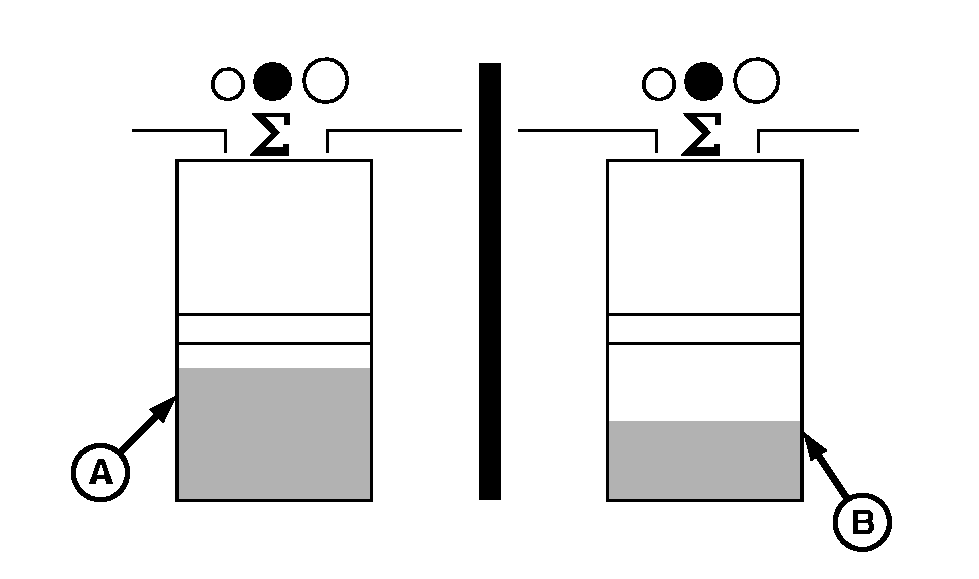
If the center bar graph moves downward (A), the combine is not operating at maximum productivity. The combine is either incorrectly adjusted for an acceptable loss level or is moving at too slow a ground speed. Make combine and/or header adjustments as necessary or increase ground speed to bring the bar graph back into the middle of the acceptable area on the display.
6. If the bar graph moves upward (B), the combine is either incorrectly adjusted for an acceptable loss level or is moving too fast a ground speed. Make combine and/or header adjustments as necessary or reduce ground speed to bring the bar graph back into the middle of the acceptable area on the display. 7. When crop conditions change during the day (straw moisture, dew, etc.), make an occasional loss check to determine if readjustment is necessary. NOTE: When the combine encounters a "slug", the middle bar graph will fluctuate upward (for about 15 to 20 seconds) and return to previous reading. Ignore these fluctuations. |
|
OUO6075,0002850 -19-18MAR03-2/2 |