Customizing Visible Crop Settings for TOUCHSET Automatic Combine Adjust (ACA) System
Preparations For Customizing Crop Settings:
-
Battery is Connected.
-
Key Switch is in "ON" position.
|
|
|
|
OUO6075,0003140 -19-14OCT03-1/8
|
|
1.
Press diagnostic switch. dIA will appear on the triple display tachometer.
|
|
|
|
OUO6075,0003140 -19-14OCT03-2/8
|
|
2.
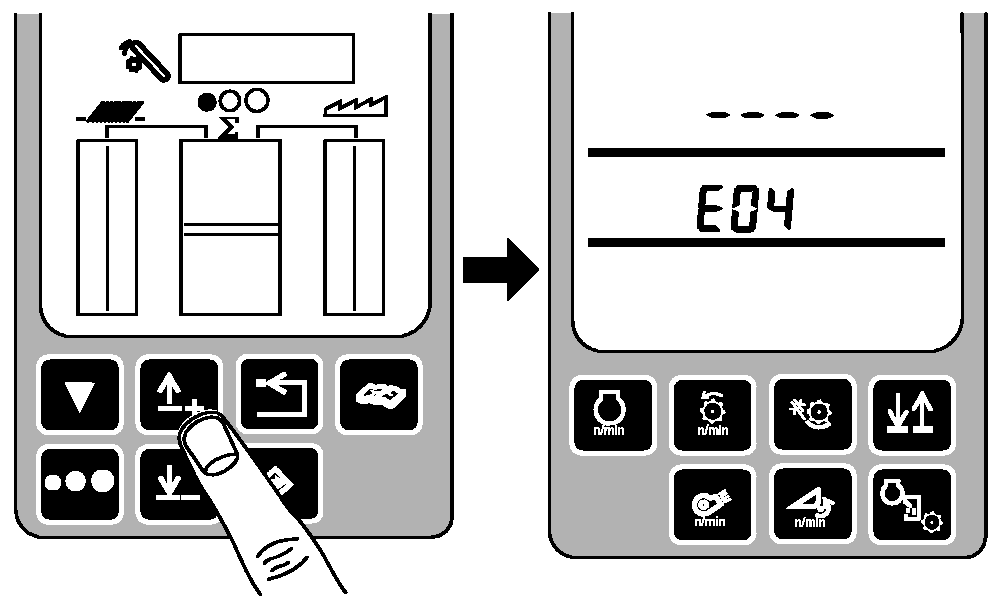
Press up or down arrow switch to obtain E04 address.
|
|
|
|
OUO6075,0003140 -19-14OCT03-3/8
|
|
3.
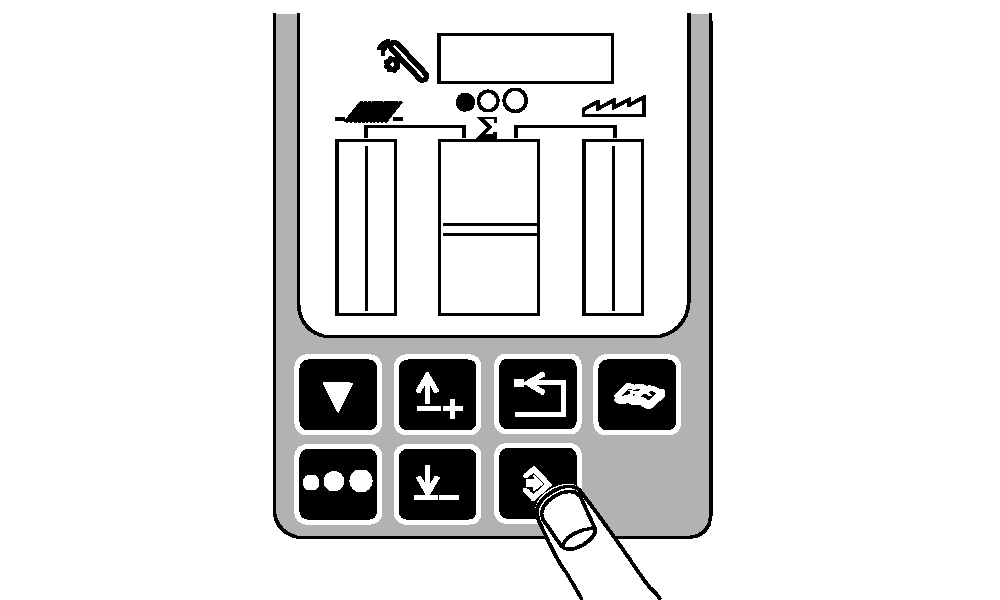
Press the enter switch.
|
|
|
|
OUO6075,0003140 -19-14OCT03-4/8
|
|
NOTE:
When 1 is displayed on cornerpost, the desired crop is visible to the operator. To change this crop from being visible to hidden, change 1 to 0 on desired crops.
4.
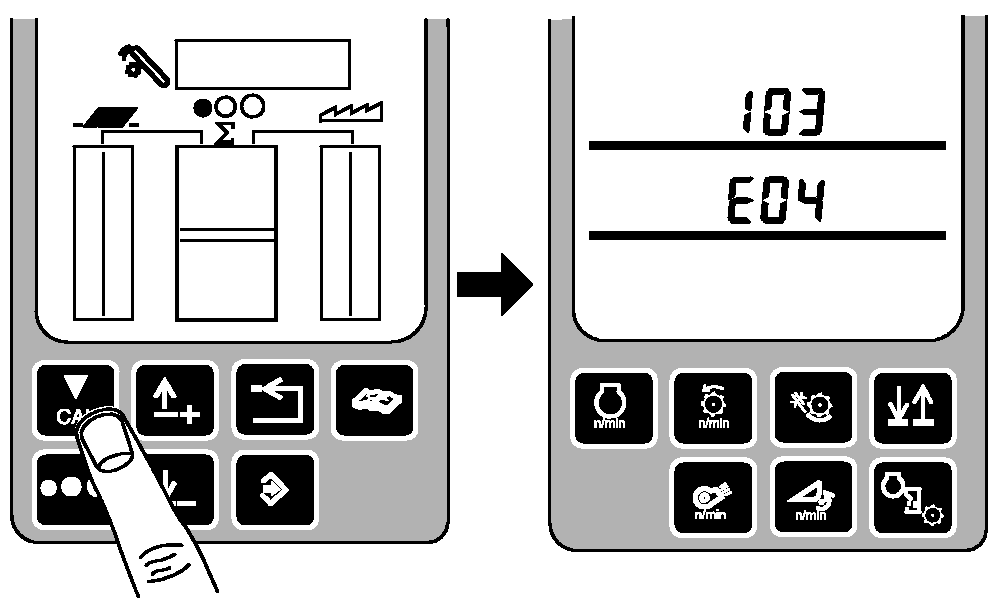
Press up or down arrow switch until desired address is displayed. See following table for Address / Crop Type information.
|
|
| Address 103 Crops |
Address 104 Crops |
| Address |
Line 2 |
Line 3 |
Address |
Line 2 |
Line 3 |
| Wheat Normal 1 |
1xxx |
|
Peas 1 |
1xxx |
|
| Wheat Difficult |
x1xx |
|
Soybeans 1 |
x1xx |
|
| Barley 1 |
xx1x |
|
Sunflower 1 |
xx1x |
|
| Rye 1 |
xxx1 |
|
Corn Dry 1 |
xxx1 |
|
| Oats 1 |
|
1xxx |
Corn Wet 1 |
|
1xxx |
| Rape 1 |
|
x1xx |
Rice 1 |
|
x1xx |
| Grass Seed 1 |
|
xx1x |
Sorghum 1 |
|
xx1x |
| Linseed 1 |
|
xxx1 |
Lupines 1 |
|
xxx1 |
| Address 105 Crops |
Address 106 Crops |
| Clean 1 |
1xxx |
|
Linseed 2 |
1xxx |
|
| Wheat Normal 2 |
x1xx |
|
Peas 2 |
x1xx |
|
| Wheat Difficult 2 |
xx1x |
|
Soybeans 2 |
xx1x |
|
| Barley 2 |
xxx1 |
|
Sunflower 2 |
xxx1 |
|
| Rye 2 |
|
1xxx |
Corn Dry 2 |
|
1xxx |
| Oats 2 |
|
x1xx |
Corn Wet 2 |
|
x1xx |
| Rape 2 |
|
xx1x |
Rice 2 |
|
xx1x |
| Grass Seed 2 |
|
xxx1 |
Sorghum 2 |
|
xxx1 |
| Address 107 Crops |
|
|
|
| Lupines 2 |
x1xx |
|
|
|
|
| Clean 2 |
xx1x |
|
|
|
|
| Crop 1 |
xxx1 |
|
|
|
|
| Crop 2 |
|
1xxx |
|
|
|
| Crop 3 |
|
x1xx |
|
|
|
| Crop 4 |
|
xx1x |
|
|
|
| Crop 5 |
|
xxx1 |
|
|
|
|
|
OUO6075,0003140 -19-14OCT03-5/8
|
|
5.
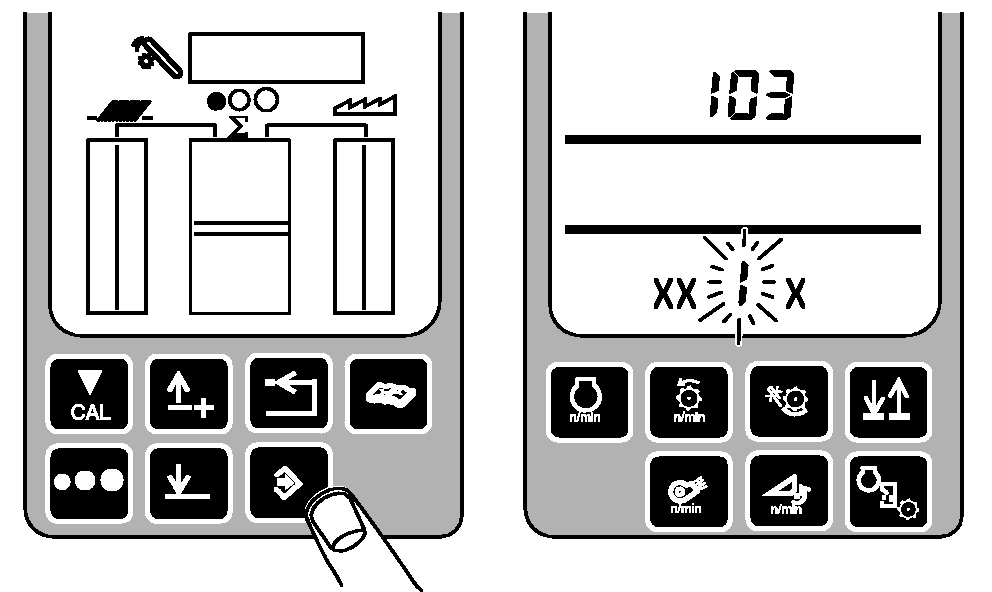
Press enter button. The first available number will flash.
6.
Press the up or down arrow switch on the display to increase or decrease the value of the flashing digit.
1= Crop Visible
0= Crop Hidden
7.
When the desired value is flashing, press the calibration button to move to the next digit.
8.
Continue until desired value for address is displayed.
|
|
|
|
OUO6075,0003140 -19-14OCT03-6/8
|
|
9.
Once the desired crops have either been turned "ON" or "OFF", press enter button to enter new value into memory.
|
|
|
|
OUO6075,0003140 -19-14OCT03-7/8
|
|
10.
Press back arrow switch three times to return to normal operation.
|
|
|
|
OUO6075,0003140 -19-14OCT03-8/8
|
|