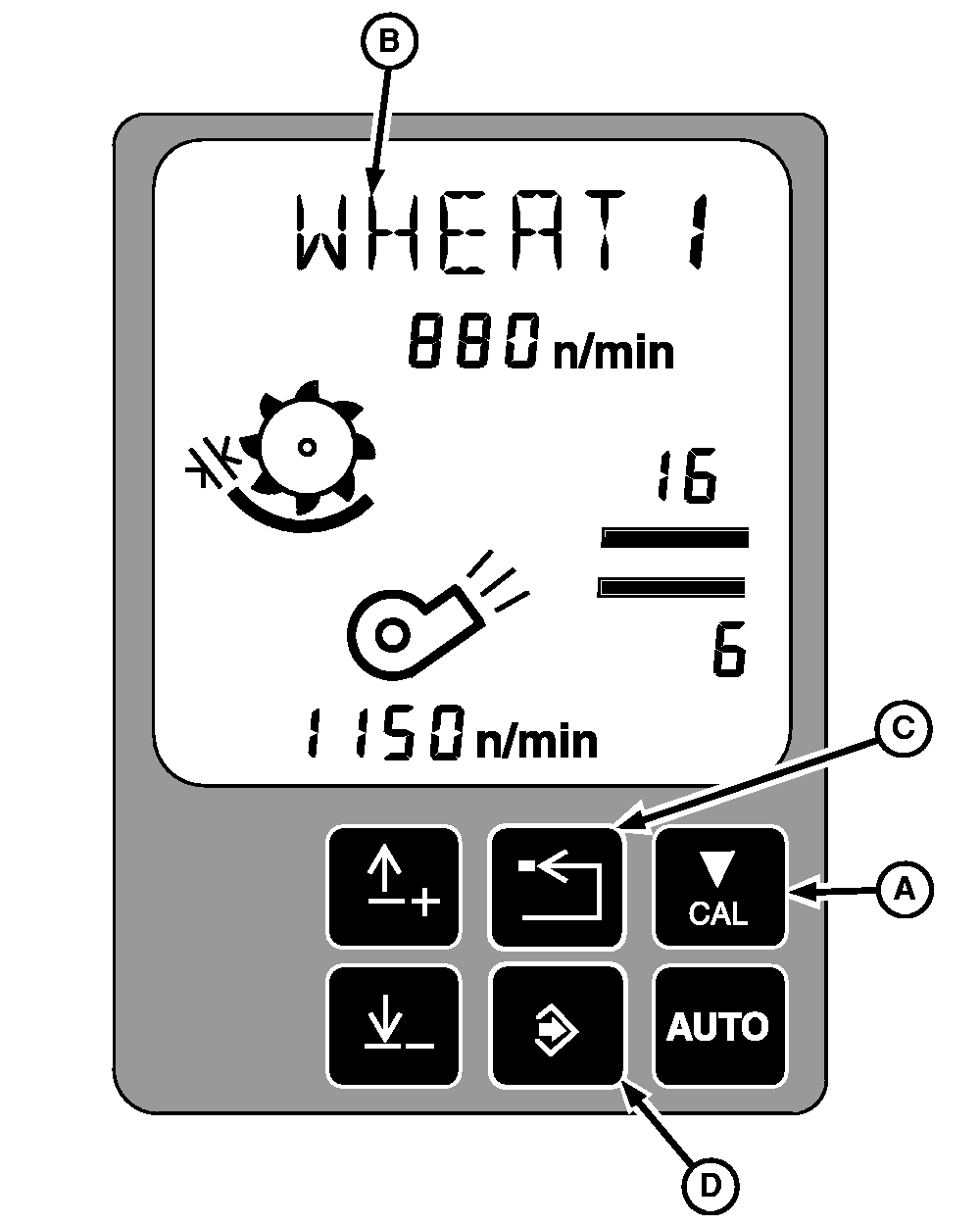
Factory Crop 2 (WHEAT 2) and Personal CROP1 - CROP5 Setting Changes (Automatic Calibration)NOTE: Factory crop will be displayed as WHEAT 2, etc. Personal crop settings will be displayed as CROP1-CROP 5, etc, or a specified name. Personalizing the threshing speed, concave clearance, fan speed, chaffer clearance and sieve clearance will not override the factory one settings, because the system will automatically default to factory two settings. 1. To save crop settings using automatic calibration, the header is engaged, separator is engaged, and engine is at high idle.2. Press calibration button (A). 3. The text display will alternate between the crop name (B) and EOC. 4. Press the enter button (D) to save the current settings to the selected crop. 5. Press the back button (C) to not save settings. |
|
OUO6075,0002481 -19-19NOV02-1/1 |