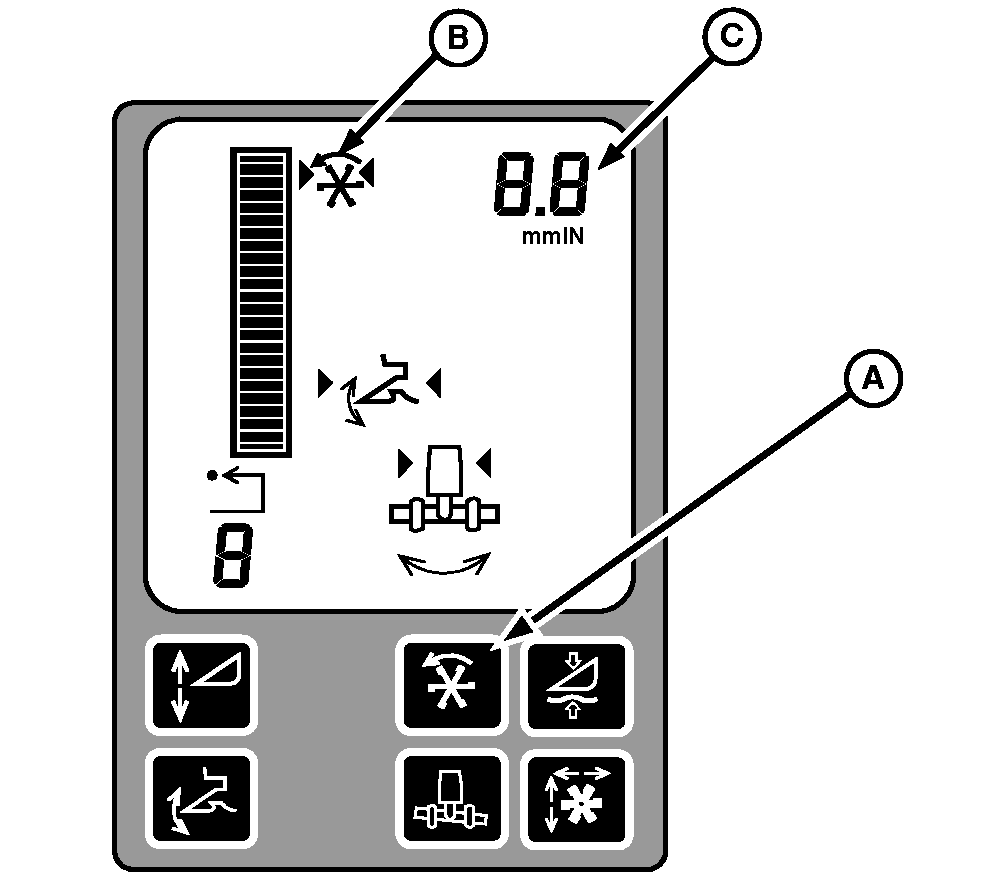
Reel DIAL-A-SPEED™ Dial (Black)Operate Reel SpeedReel DIAL-A-SPEED controls the ratio of the reel speed or the belt pickup to the machine ground speed. Start engine and drive forward with separator and header engaged. Press Reel DIAL-A-SPEED button (A) on Active Header Control display and Reel DIAL-A-SPEED icon (B) will appear. Turn Reel DIAL-A-SPEED dial and watch cornerpost display for desired speed setting (C). Watch speed of reel or belt pickup and adjust dial until desired ratio to ground speed is reached.
|
|
|
DIAL-A-SPEED is a trademark of Deere & Company | OUO6091,0001828 -19-28JUN04-1/2 |
|
Change Minimum Reel Speed
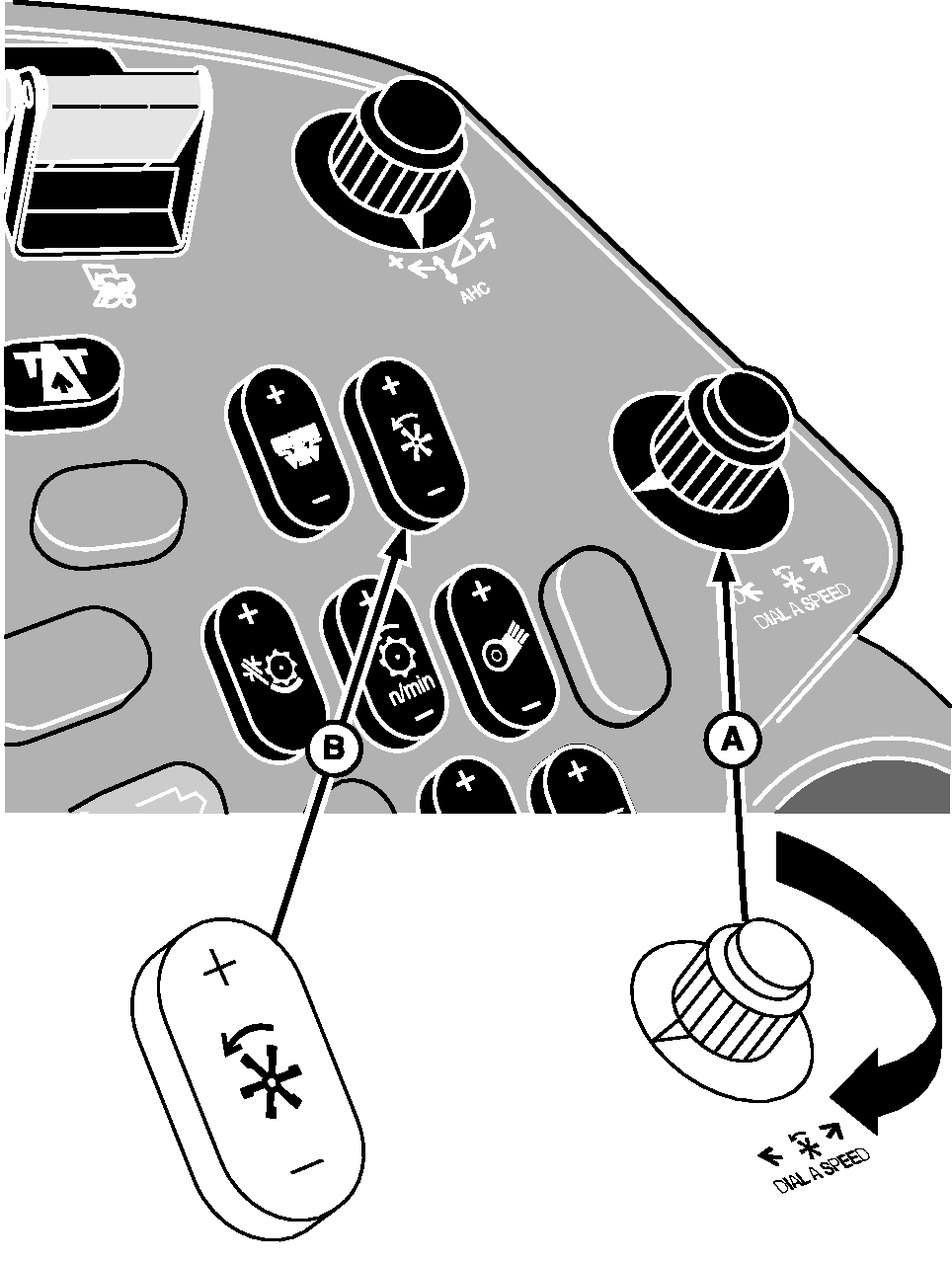
Turn Reel DIAL-A-SPEED dial (A) until zero appears on display. Press manual reel speed switch (B) to get minimum reel or belt pickup speed desired. Return Reel DIAL-A-SPEED dial to prior setting and continue operating.
|
|
OUO6091,0001828 -19-28JUN04-2/2 |