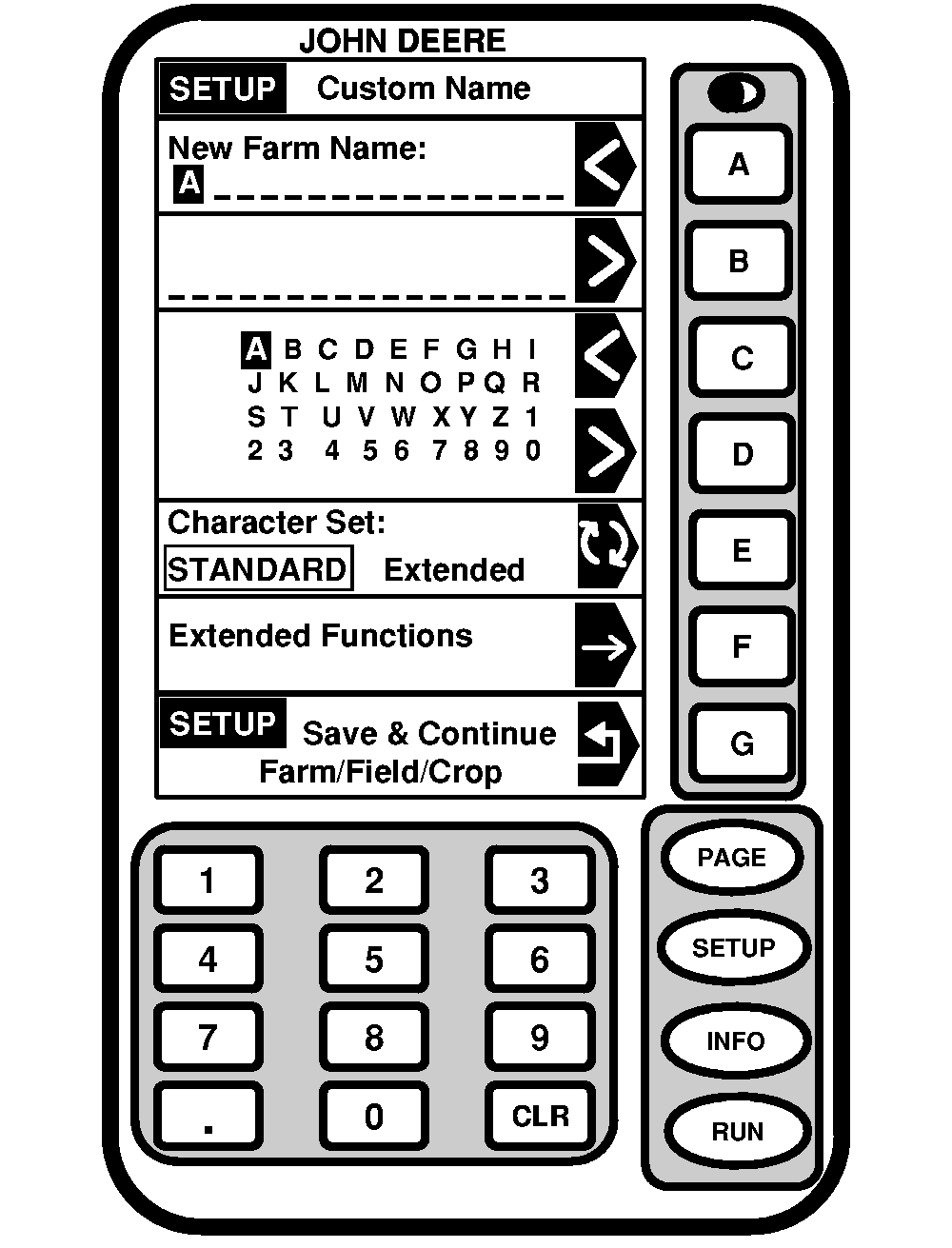
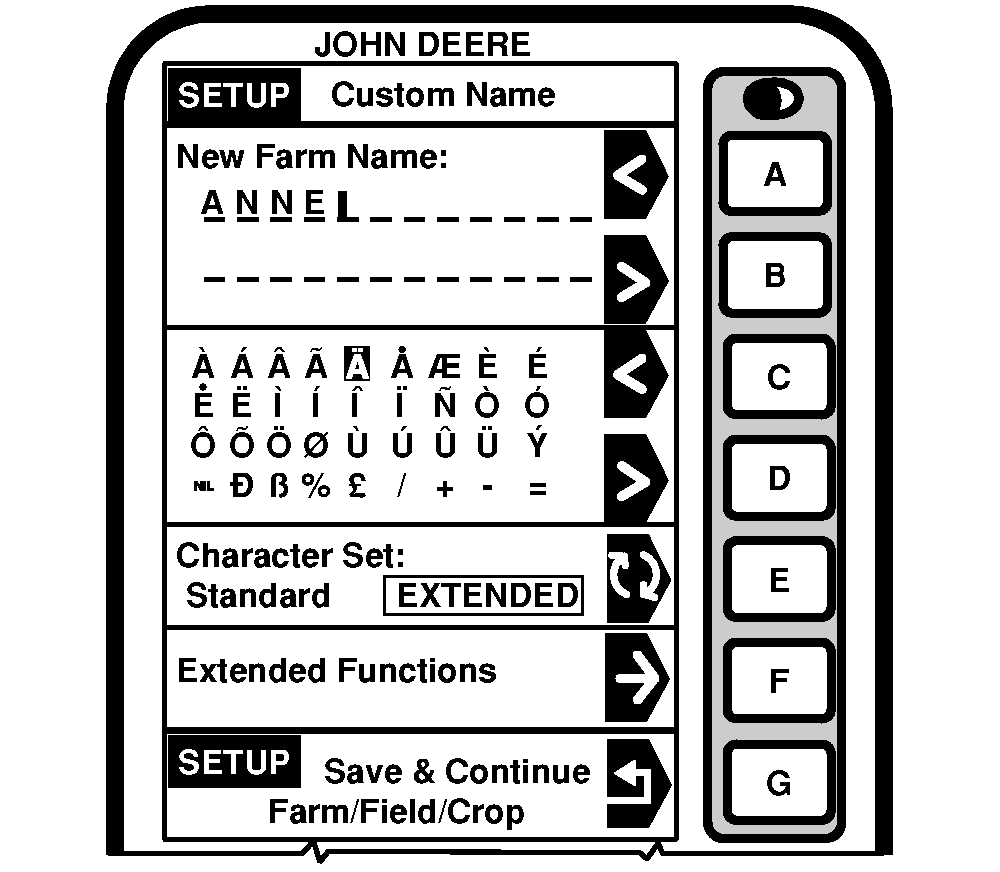
Setup Custom Name Standard/Extended Character Set
|
|
|
Press Letter button next to "Character Set" to toggle between "Standard" and "Extended". Selection will appear boxed in capital letters. Extended characters are shown in the second cell. |
Select desired characters. To access "Extended Functions": Press letter button next to "Extended Functions". |
OUO6075,000302B -19-26AUG03-1/2 |
|
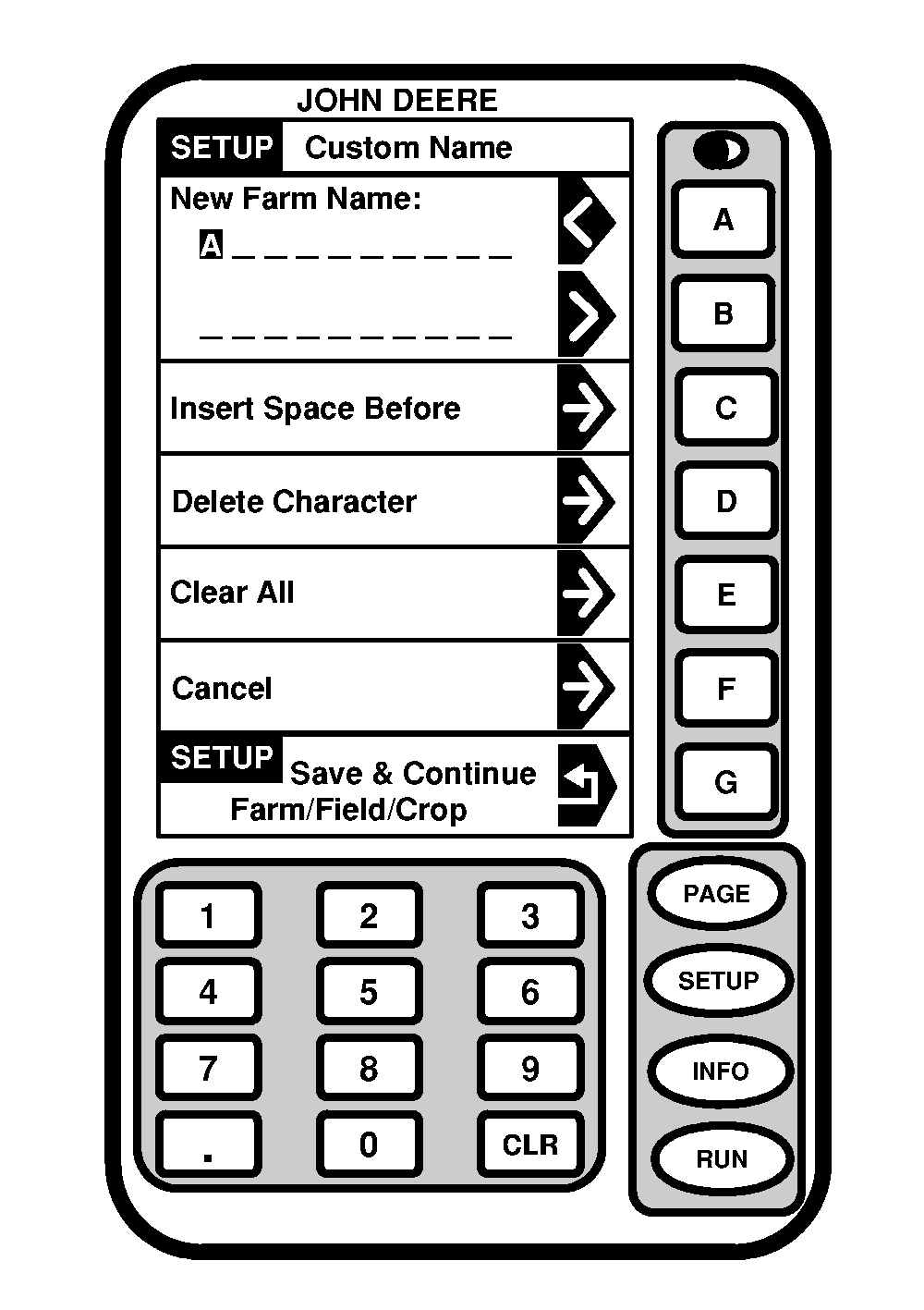
This screen allows the operator to use extended functions for customizing. Press "<" or ">" symbol to select desired letters. Press letter button next to "SETUP Save & Continue Farm/Field/Crop" to save and return to SETUP - Farm/Field/Crop screen. Press letter button next to "Insert Space Before" to insert a space between the desired location. To delete characters, press letter button next to "Delete Character". To clear all characters, press letter button next to "Clear All". To cancel, press letter button next to "Cancel". Press either RUN, SETUP or INFO button to exit without saving custom name. |
|
OUO6075,000302B -19-26AUG03-2/2 |