Concave Sensor Zero CalibrationConcave calibration procedure must be performed before first use, replacing any of the sensors, or changing concaves. This procedure calibrates the concave position sensor. NOTE: If sensor has been replaced, be certain concave and separator are clear of crop material. Prepare header for calibration:
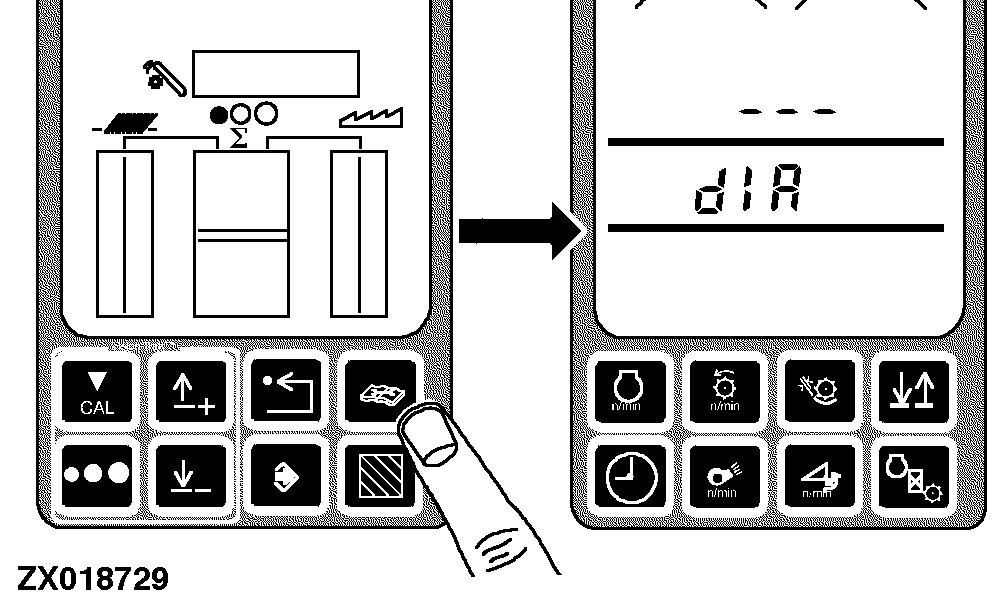
Press diagnostic button. dIA will be displayed. |
|
OUO6075,0003AC8 -19-07OCT04-1/7 |
|
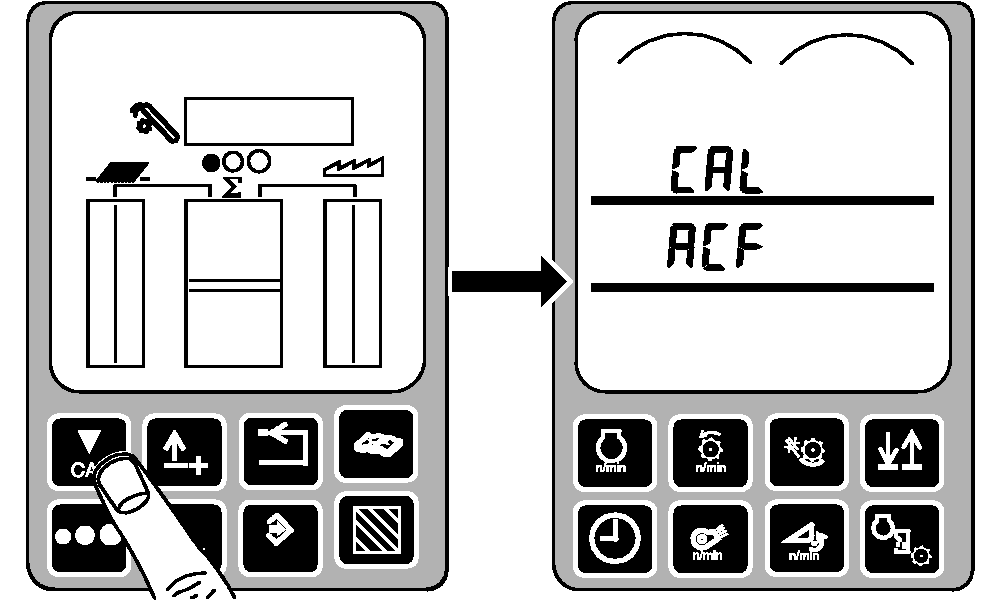
Press calibration button. CAL and ACF will be displayed. |
|
OUO6075,0003AC8 -19-07OCT04-2/7 |
|
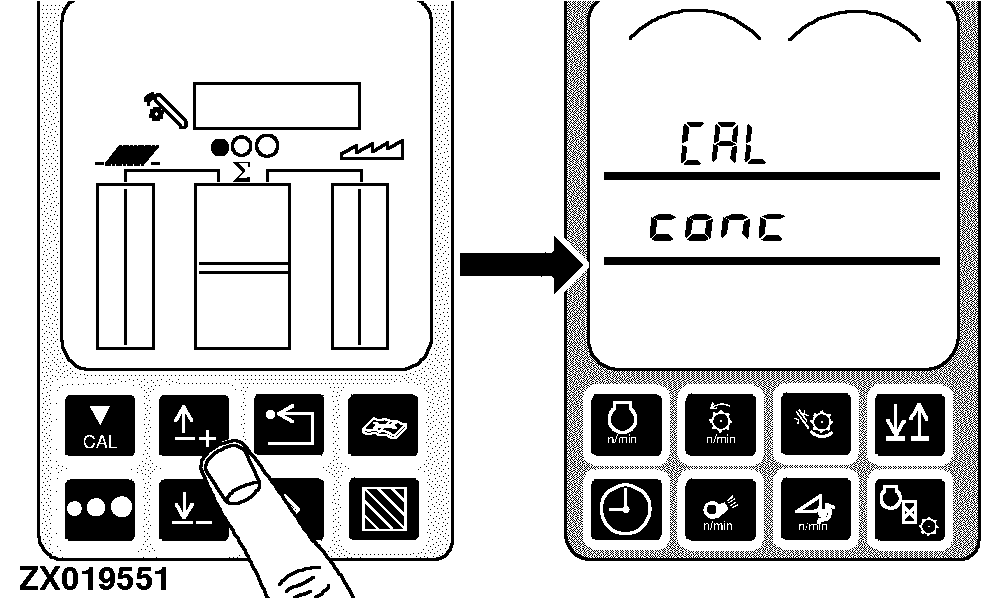
Press up or down arrow button until CAL and conc appear on display. |
|
OUO6075,0003AC8 -19-07OCT04-3/7 |
|
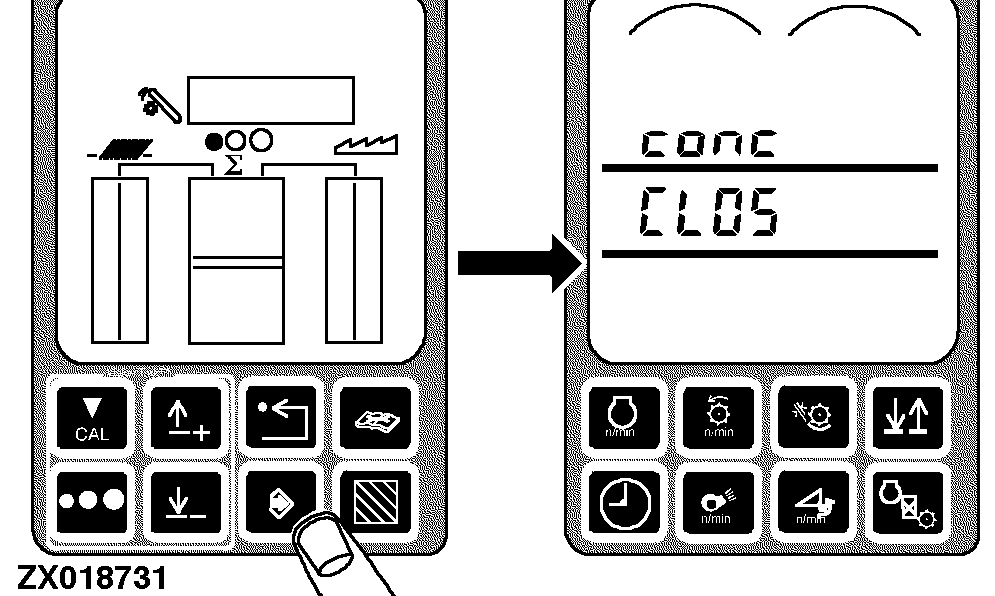
Press enter button. conc and CLOS will be displayed. |
|
OUO6075,0003AC8 -19-07OCT04-4/7 |
|
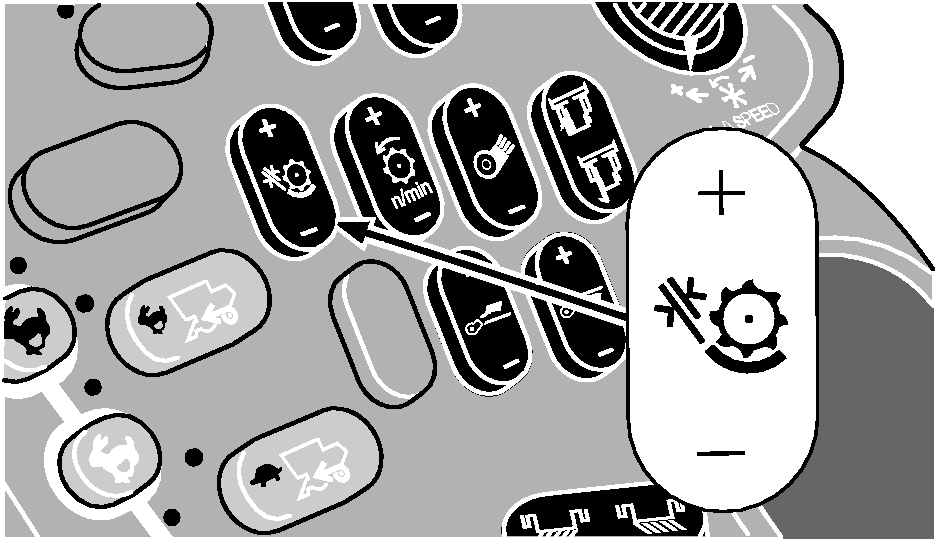
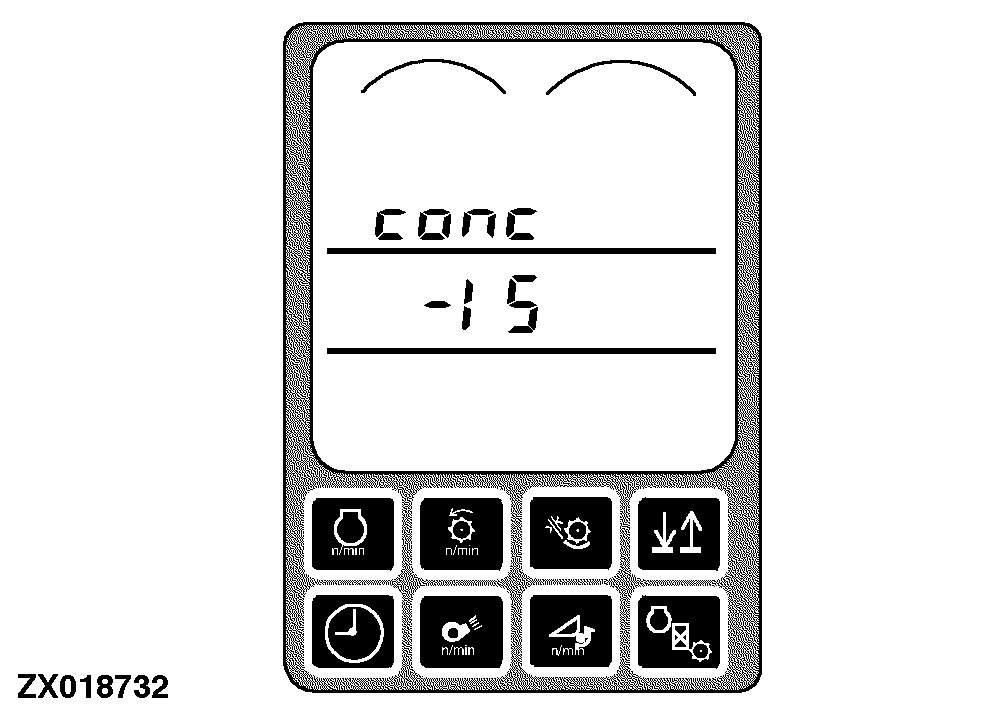
To set zero setting: Press and hold the minus (-) symbol on the concave clearance switch until the concave is completely closed (clicking sound will be heard). As the minus (-) symbol is pressed, the numbers in middle line of the display will decrease until the concave is completely closed. |
|
OUO6075,0003AC8 -19-07OCT04-5/7 |
|
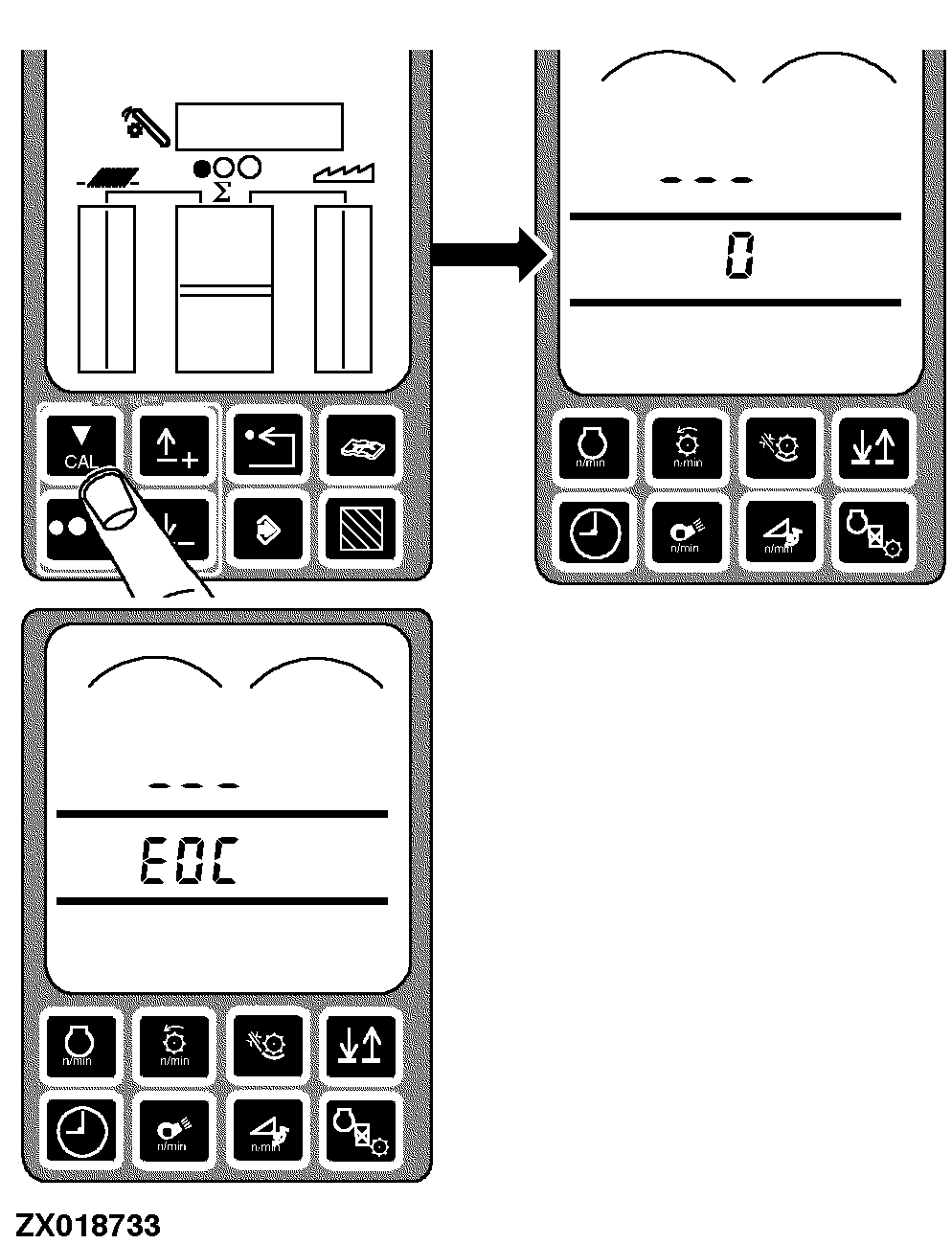
Press calibration button. Zero (0) will be displayed for two seconds until EOC is displayed. |
|
OUO6075,0003AC8 -19-07OCT04-6/7 |
|
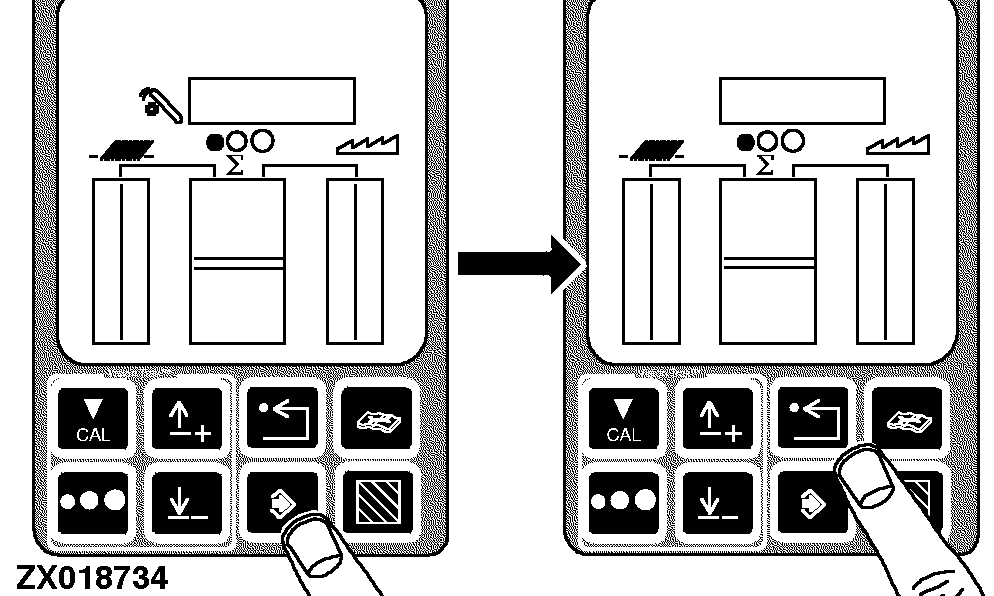
Press enter button to store calibration value or press back arrow button to abort calibration (not save values). Press back arrow button to return to normal operation. |
|
OUO6075,0003AC8 -19-07OCT04-7/7 |