Header Calibration
Header calibration must be performed when header is first used with combine or when any of the Stubble Height Sensor or Pressure Sensors are replaced.
If header has no height sensors, this procedure can be used to set the Feeder House Angle at which the header is on the ground, to calibrate the display for Return-to-Cut operation. (See Angle Sensor calibration procedure for calibrating the Tilt Angle Sensor.)
Prepare header for calibration:
-
Attach header to combine and connect header harness
-
Make sure that stubble height sensors are operating
-
Start combine and drive onto a level firm surface
|
|
|
|
OUO6075,0003AC9 -19-07OCT04-1/12
|
|
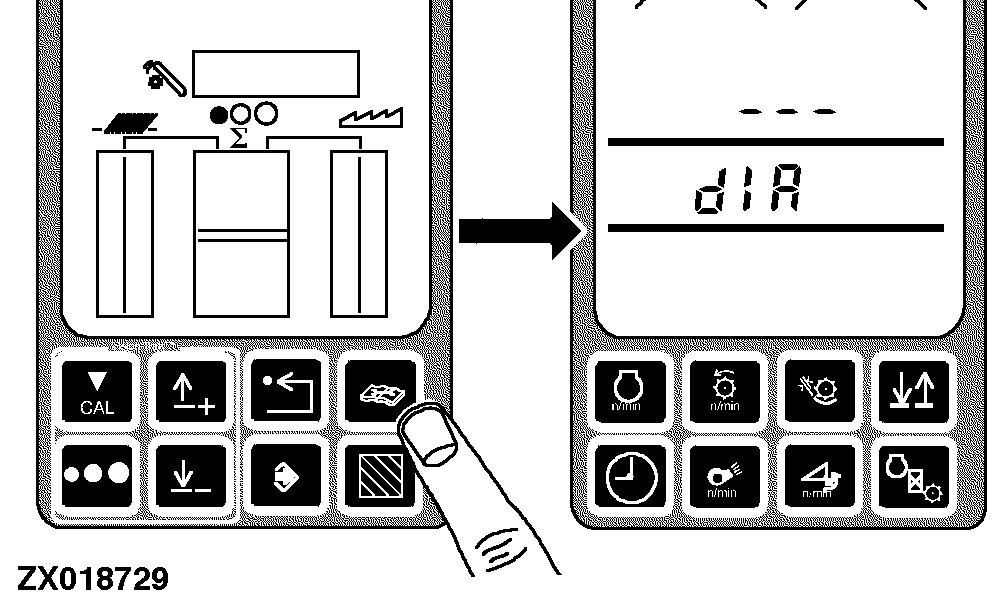
1.
Press diagnostic button. dIA will be displayed.
|
|
|
|
OUO6075,0003AC9 -19-07OCT04-2/12
|
|
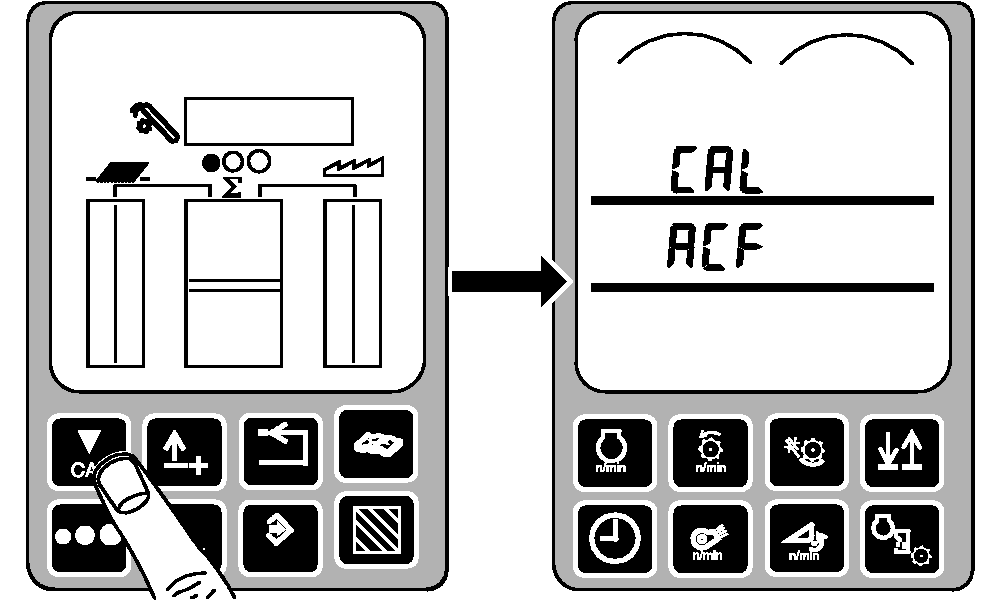
2.
Press calibration button. CAL and ACF will be displayed.
|
|
|
|
OUO6075,0003AC9 -19-07OCT04-3/12
|
|
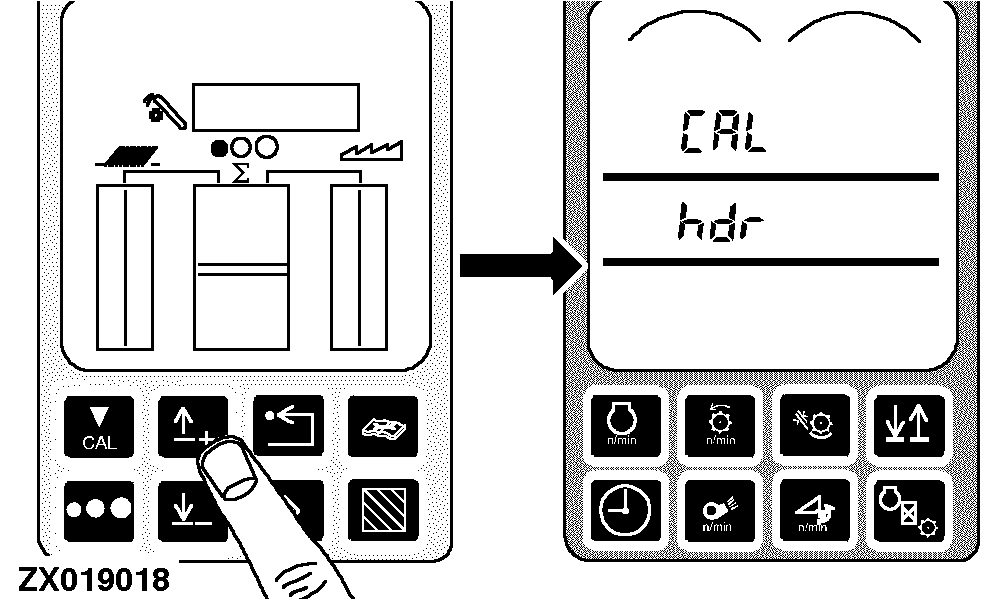
3.
Press up or down arrow button until CAL and hdr appear on display.
|
|
|
|
OUO6075,0003AC9 -19-07OCT04-4/12
|
|
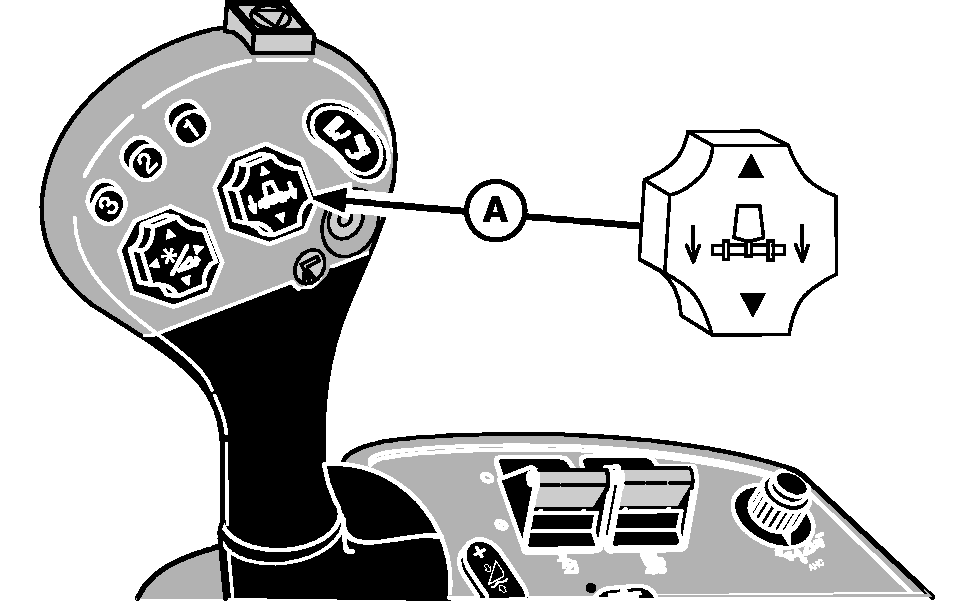
4.
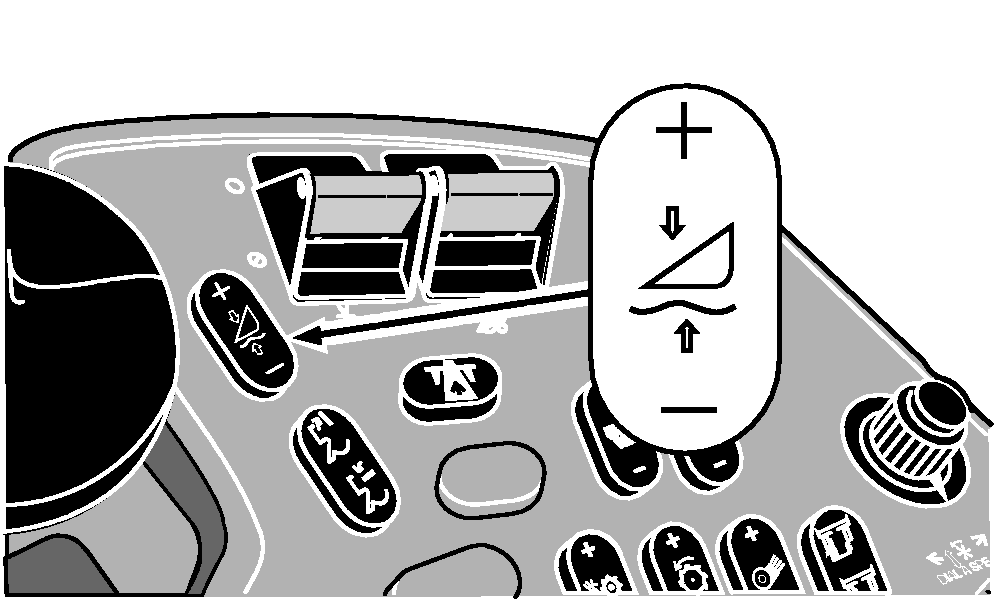
Lower and tilt header with header raise/lower and HEADERTRAK tilt switch (A) until header rests flat on the ground.
A-Header Raise/Lower and HEADERTRAK Tilt Switch
|
|
|
|
OUO6075,0003AC9 -19-07OCT04-5/12
|
|
5.
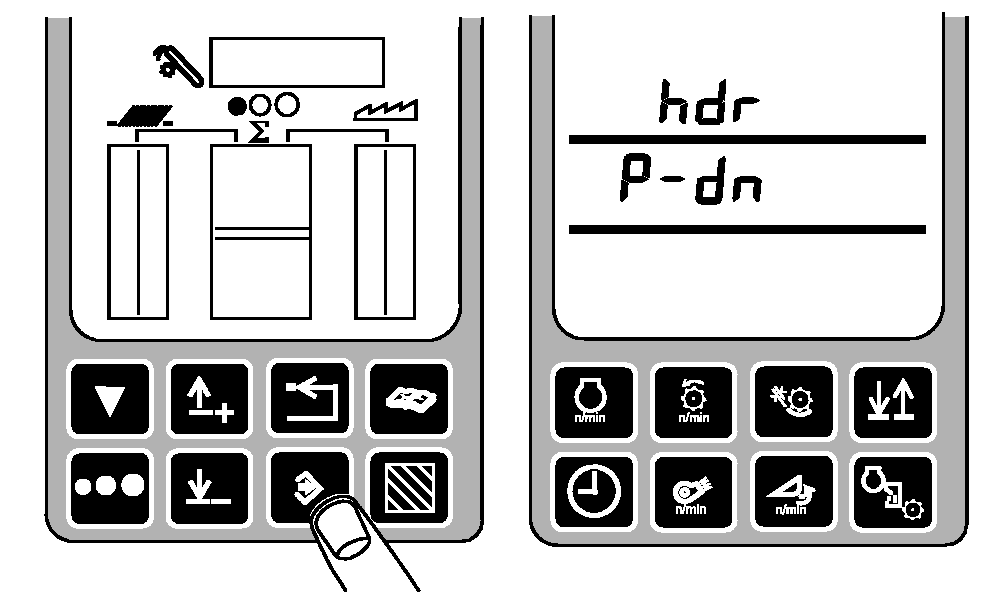
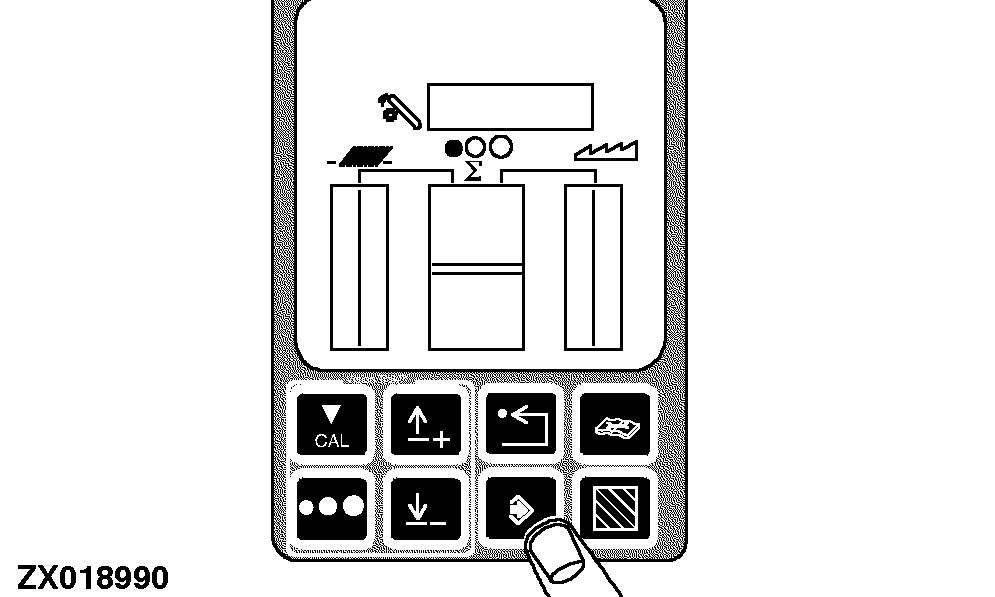
Press enter button to access header calibration mode. hdr and H-dn (P-dn will appear for a HYDRAFLEX head that has pressure in it) will be displayed.
|
|
|
|
OUO6075,0003AC9 -19-07OCT04-6/12
|
|
6.
If H-dn is displayed, go to step 9.
If P-dn is displayed, decrease HYDRAFLEX pressure by pressing (-) symbol on HYDRAFLEX button until pressure is below 1000 psi (6900 kPa) (69 bar).
7.
HYDRAFLEX pressure will be displayed as the pressure is lowered.
8.
H-dn will appear when pressure is below 1000 psi (6900 kPa) (69 bar).
|
|
|
|
OUO6075,0003AC9 -19-07OCT04-7/12
|
|
9.
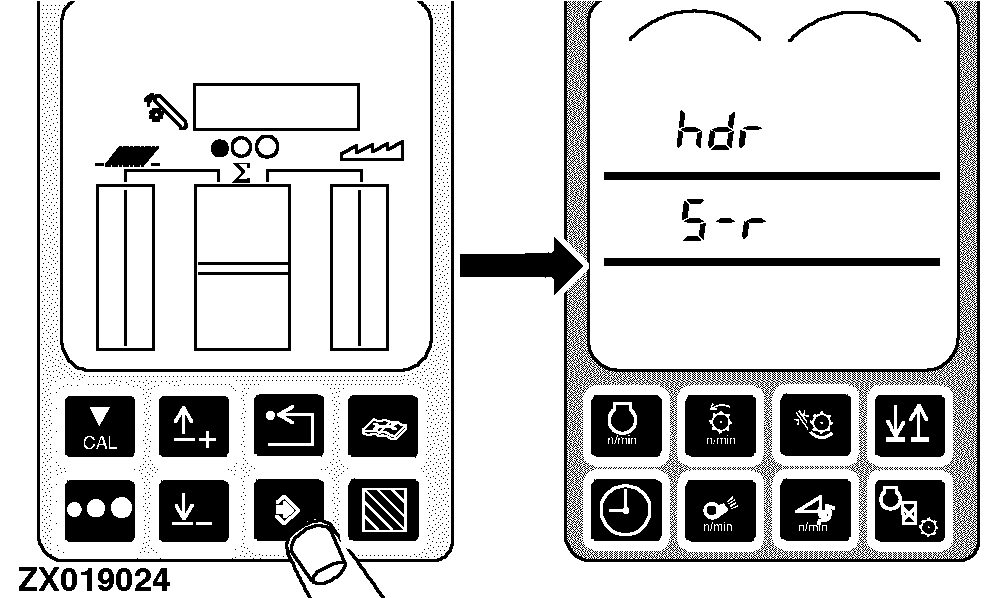
Press enter button. hdr and S-r will be displayed.
If header has no height sensors and is being calibrated for Return to Cut only, go to step 10. Otherwise skip step 10 and go to step 11.
|
|
|
|
OUO6075,0003AC9 -19-07OCT04-8/12
|
|
10.
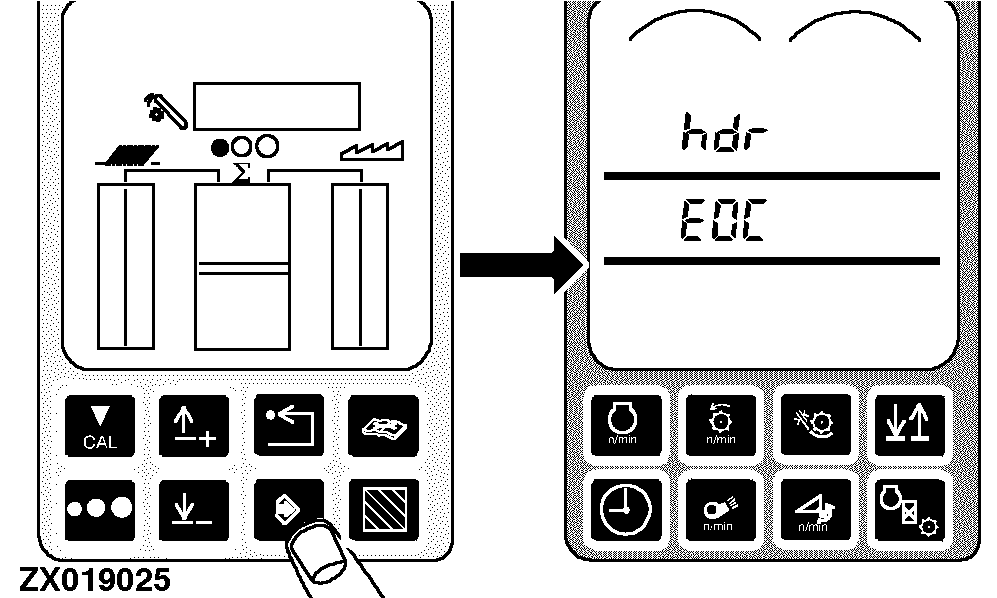
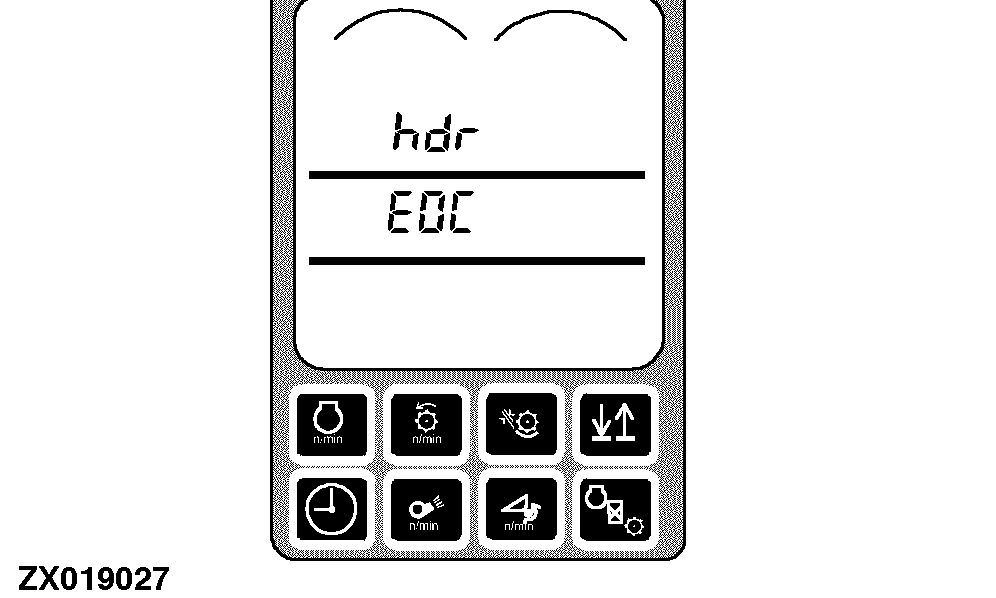
Press enter button. hdr and EOC will be displayed.
Skip to step 13.
|
|
|
|
OUO6075,0003AC9 -19-07OCT04-9/12
|
|
11.
Raise header completely with header raise/lower switch (A) (slow raise).
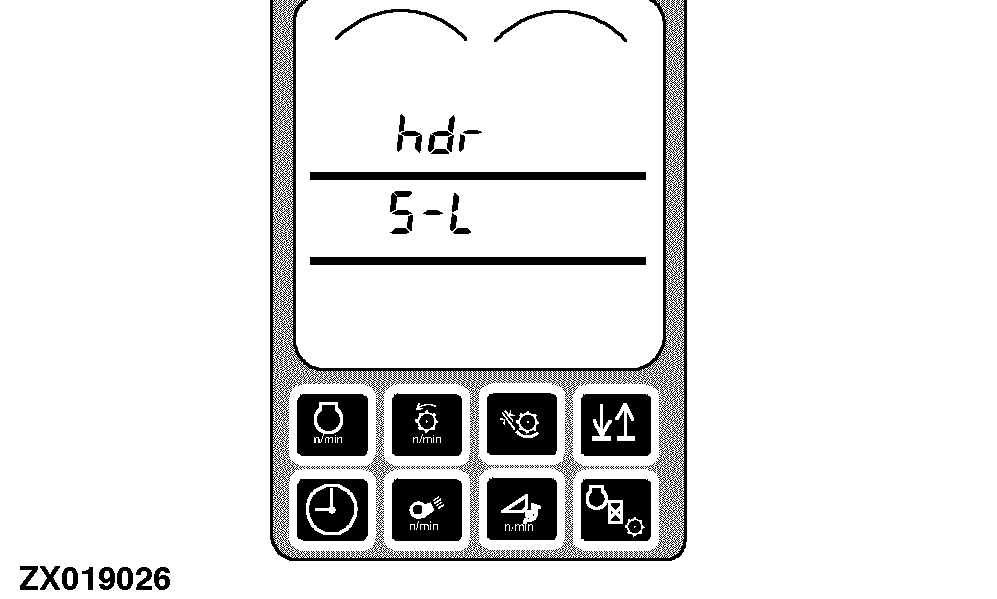
Header will slowly rise until height sensors lose contact with ground. After header stops moving, hdr and S-L will be displayed.
A-Header Raise/Lower Switch
|
|
|
|
OUO6075,0003AC9 -19-07OCT04-10/12
|
|
12.
Lower header completely with header raise/lower switch (A) (slow lower).
Header will lower until it rests on ground. After header stops moving hdr and EOC will be displayed.
A-Header Raise/Lower Switch
|
|
|
|
OUO6075,0003AC9 -19-07OCT04-11/12
|
|
13.
Press enter button to store all end of calibration (EOC) values which did not have errors.
If no errors occurred during calibration, the following will be displayed:
-
EOC
-
Er00
-
xxxx cylinder pressure during raise (kPa or psi)
-
xxxx cylinder pressure during lower (kPa or psi)
-
END
If any errors occurred during calibration, previous calibration values are kept and the following will be displayed:
Press back arrow button to return to normal operation.
|
|
|
|
OUO6075,0003AC9 -19-07OCT04-12/12
|
|