Clock CalibrationClock calibration must be performed if battery was disconnected or battery switch was moved to the OFF position. Prepare machine for calibration:
|
OUO6075,0003AD2 -19-07OCT04-1/8 |
|
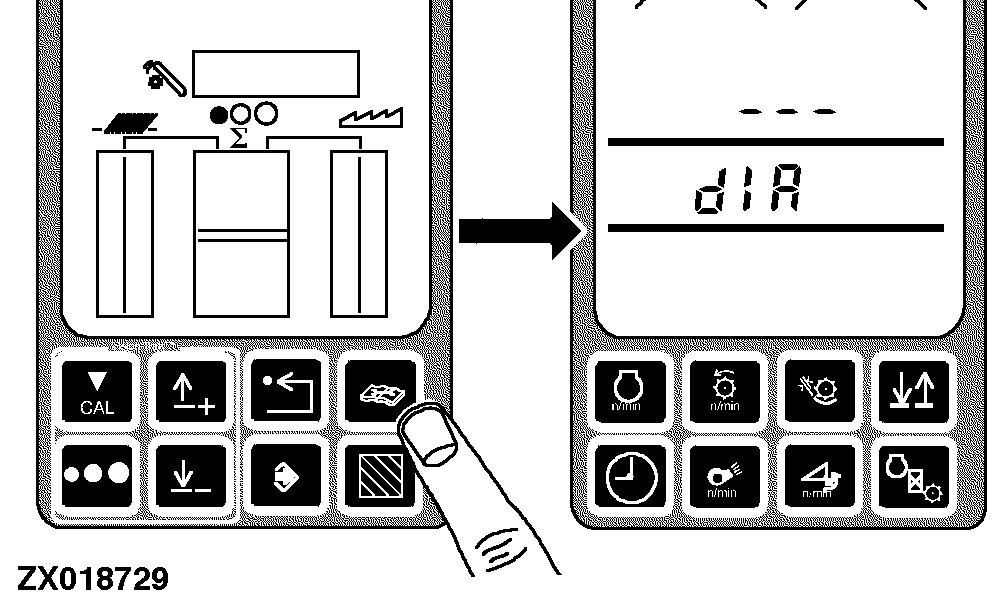
Press diagnostic button. dIA will be displayed. |
|
OUO6075,0003AD2 -19-07OCT04-2/8 |
|
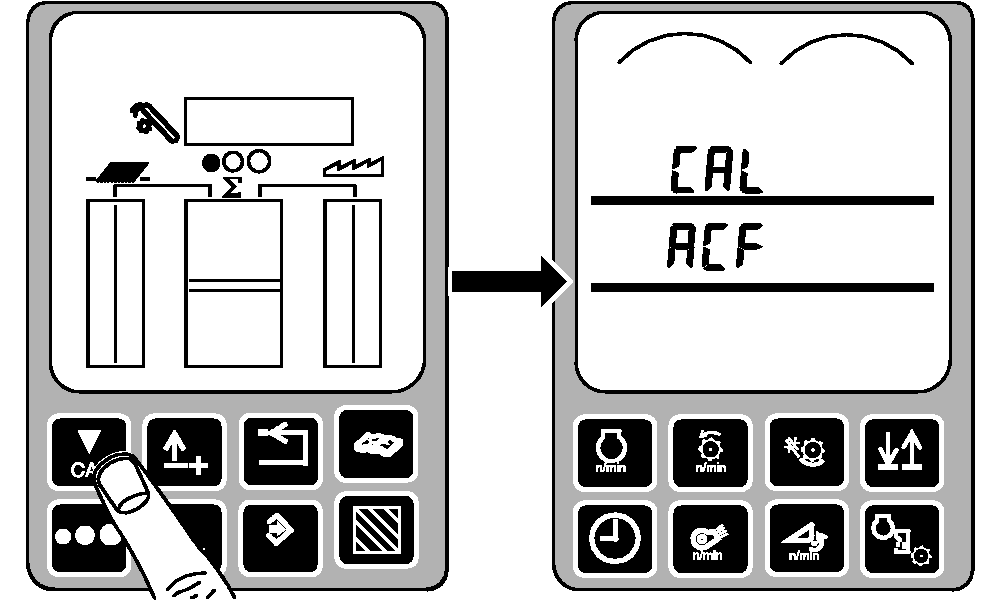
Press calibration button. CAL and ACF will be displayed. |
|
OUO6075,0003AD2 -19-07OCT04-3/8 |
|
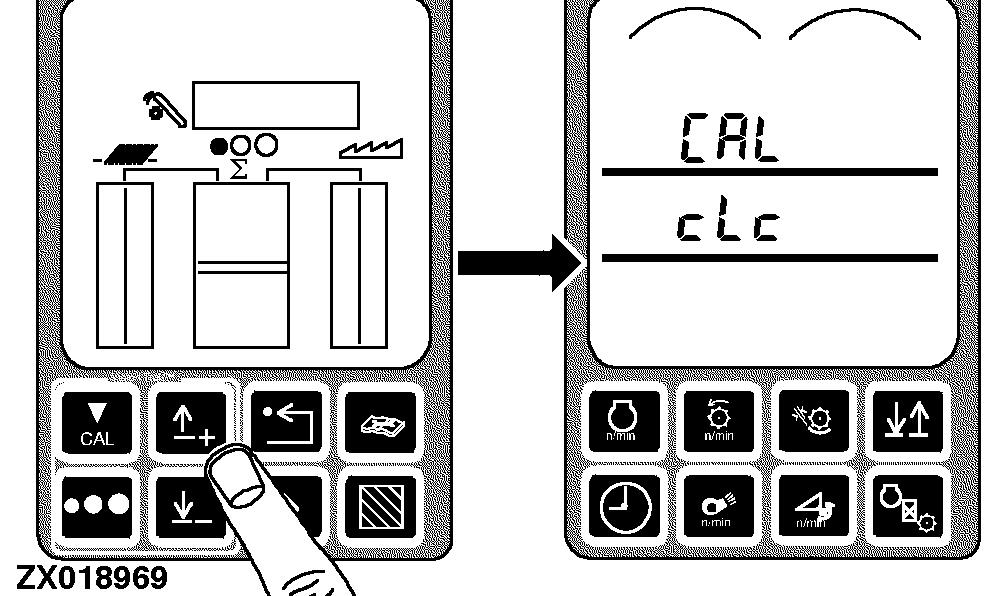
Press up or down arrow button until CAL and cLc is displayed. |
|
OUO6075,0003AD2 -19-07OCT04-4/8 |
|
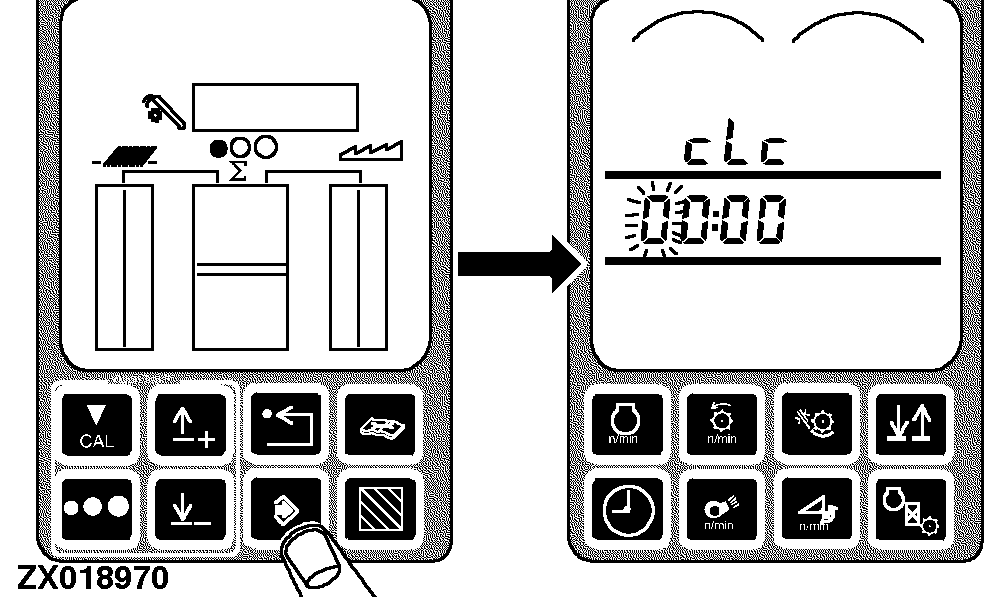
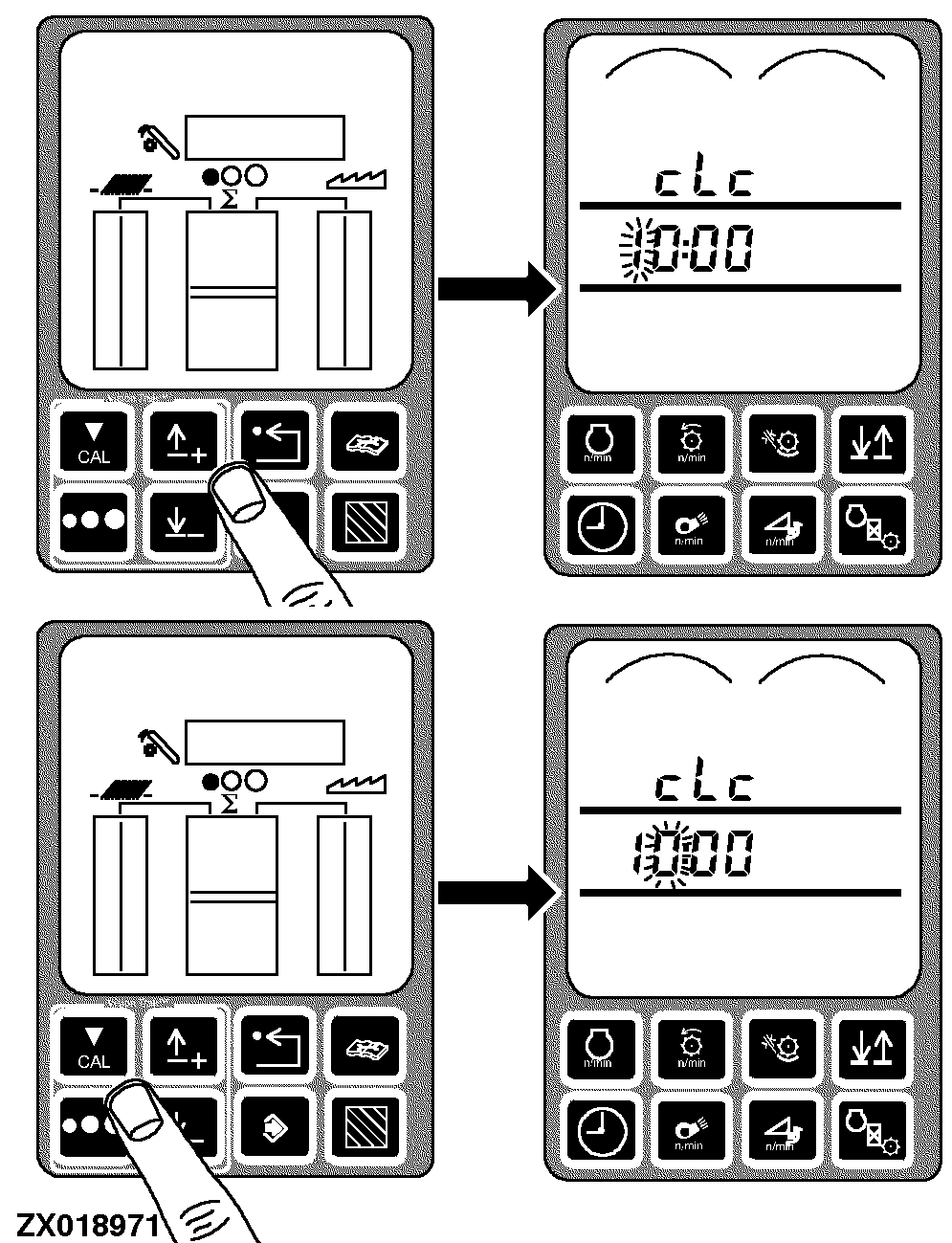
Press enter button. cLc and 00:00 will be displayed and first digit will flash. |
|
OUO6075,0003AD2 -19-07OCT04-5/8 |
|
Press up or down arrow button to adjust clock. Press calibration button. cLc and second digit will flash. Press up or down arrow button to adjust clock. |
|
OUO6075,0003AD2 -19-07OCT04-6/8 |
|
Press calibration button. cLc and third digit will flash. Press up or down arrow button to adjust clock. Press calibration button. cLc and fourth digit will flash. Press up or down arrow button to adjust clock. Press calibration button. EOC will appear on triple display tachometer. |
|

OUO6075,0003AD2 -19-07OCT04-7/8 |
|
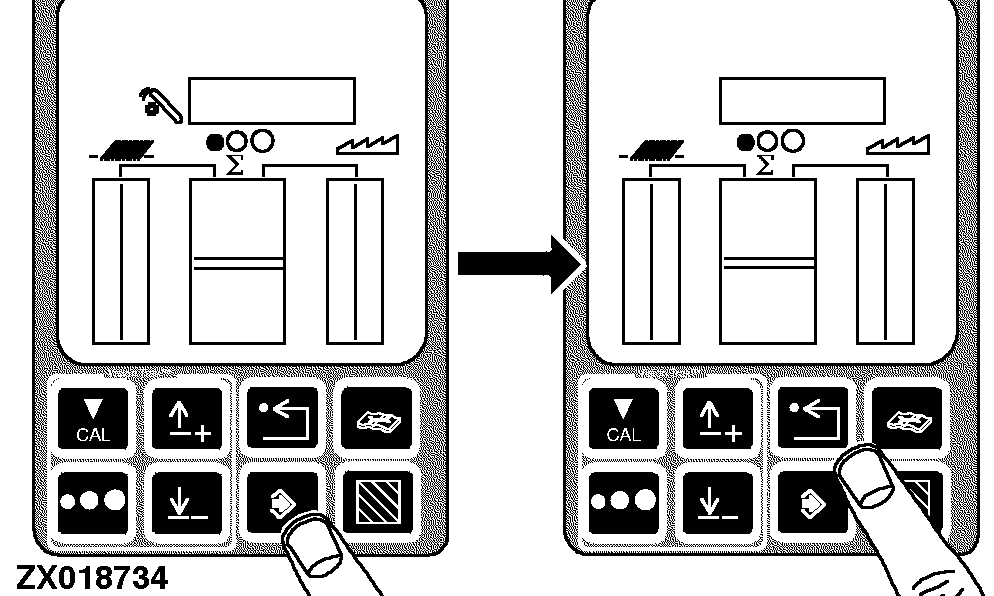
Press enter button to store calibration value or press back arrow button to abort calibration (not save values). Press back arrow button to return to normal operation. |
|
OUO6075,0003AD2 -19-07OCT04-8/8 |