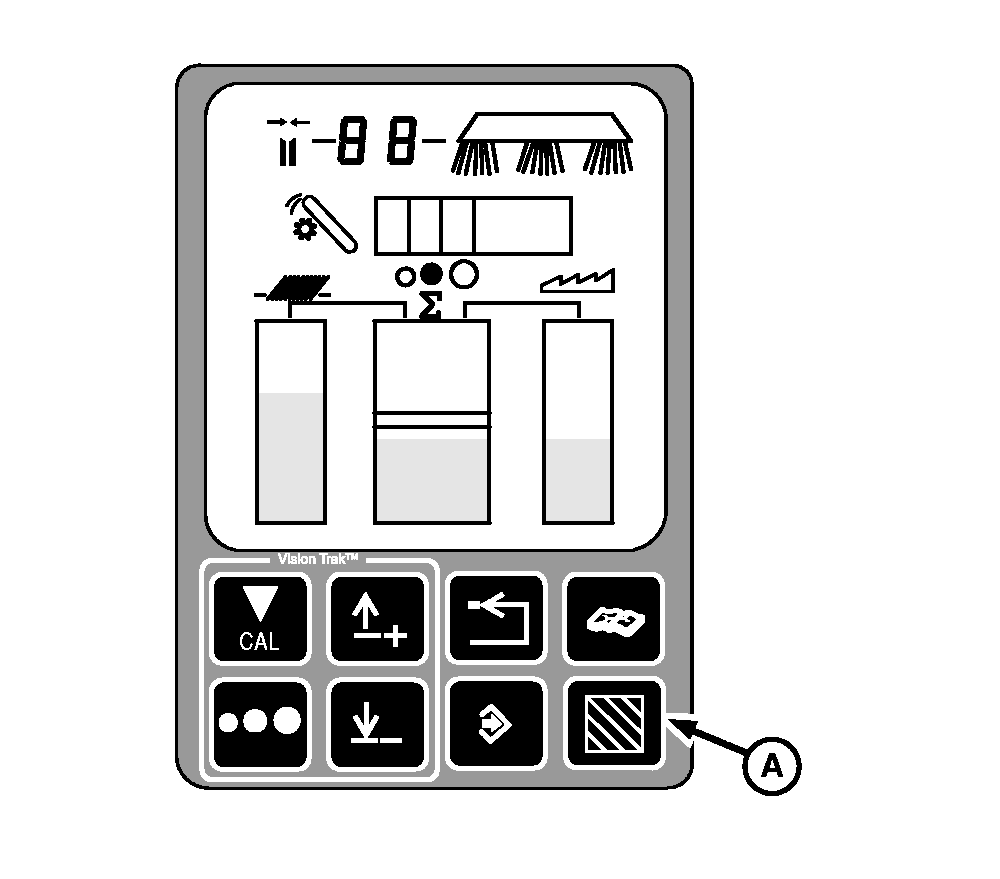
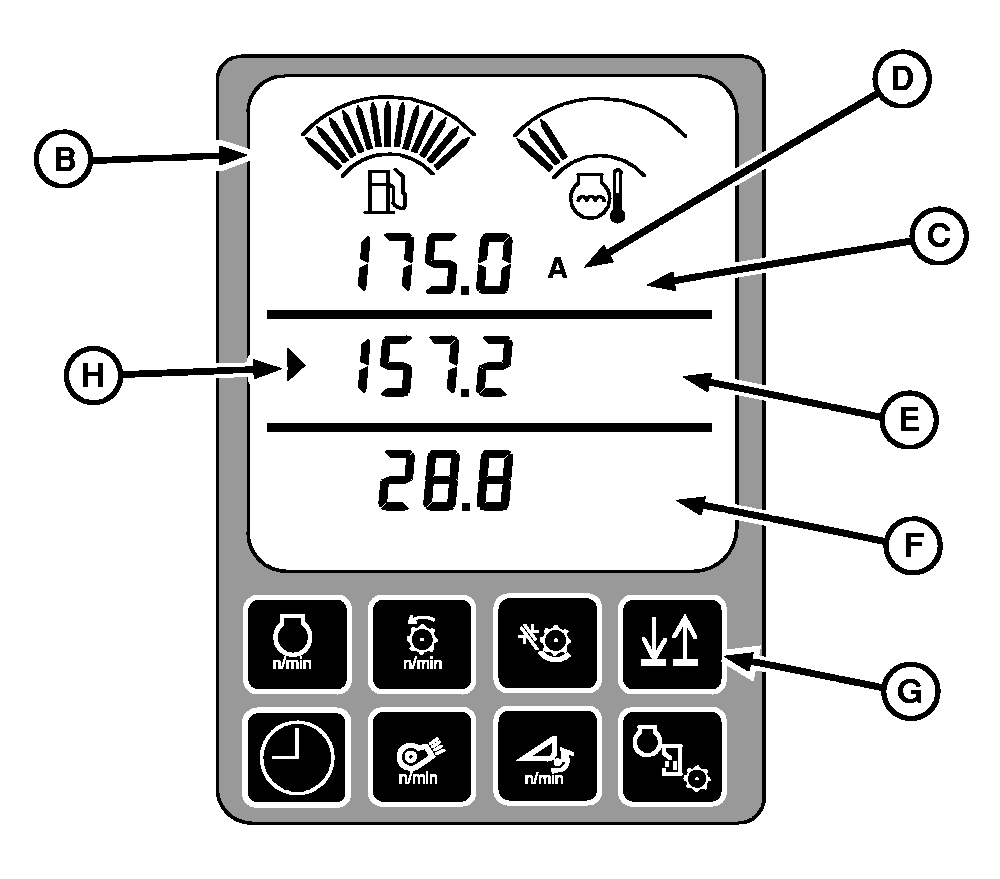
Area Counter Operation DisplayPress Area Counter button (A) to activate Area Counter display (B). Deactivate Area Counter and return to normal display by pressing Area Counter button (A). Metric system will show ha (hectares). English system will show A (acres).
The currently active Area Counter is selected by pressing up or down arrow button (G) and indicated by arrow (H). Area will only be accumulated and shown for the currently active area and the total area. Area counting starts and stops based upon machine harvesting status message received from header controller. To set Machine Harvesting Threshold, (see Calibration Procedures section). Area is displayed to the nearest 1/10 of a unit (XXX.X) until a value of 999 units is reached. Then the display will only show area to the nearest whole units (XXXX). If Area Counter is not cleared prior to reaching 9999 the next accumulated unit of the counter will roll over to 0 and will continue to display whole units, indicating that a number greater than 9999 exists. The counter is cleared through calibration procedure (ACFt), (see Calibration Procedures section). |
|
OUO6075,0003ADF -19-11OCT04-1/1 |