Before You Start

NOTE: There is no power ON/OFF switch for the display. Power is applied when combine is turned on.

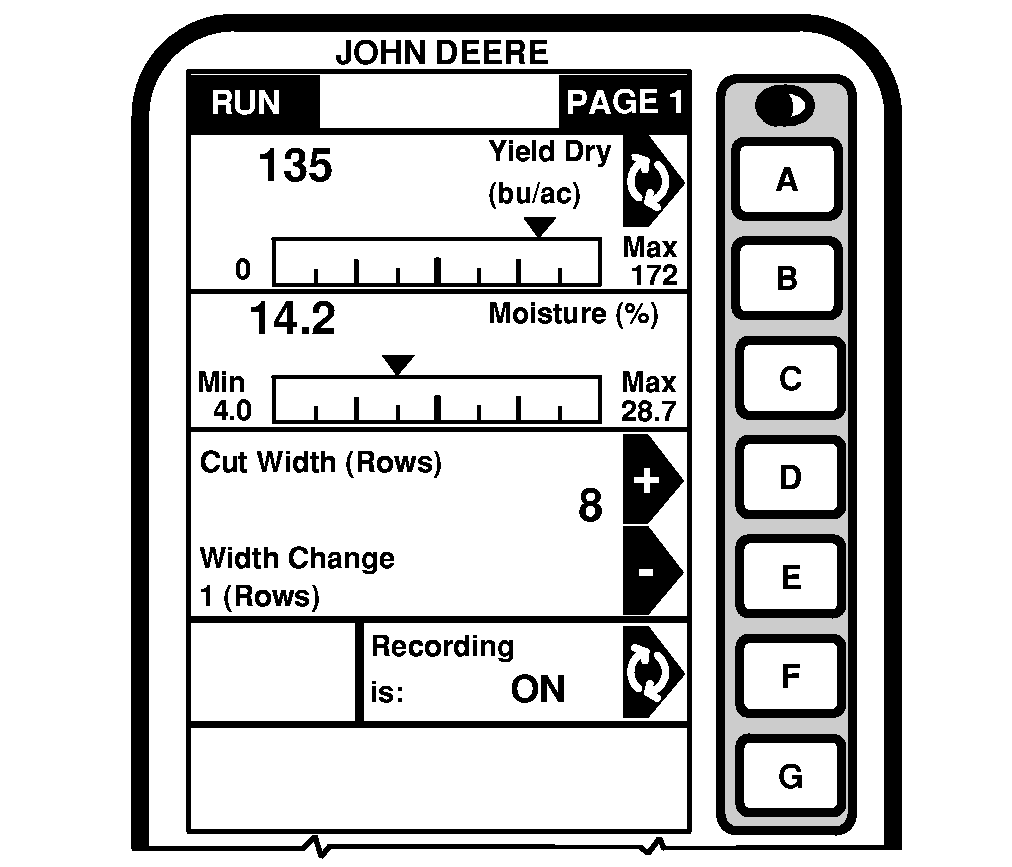
At initial startup, the display will show RUN - PAGE 1 screen. To view additional pages, press PAGE button to advance to the next screen.

Each information display cell is either active or inactive. Active cells display information that can be changed and are highlighted by a black arrow. Inactive cells display information that cannot be changed.

Pressing the alpha button to the right of an active cell results in one of the following:

  • Data in cell may be changed using numeric keypad.
  • Toggle status of relevant segment.
  • New menu will appear.
  • Process will be started or stopped.
H78397

OUO6075,0003E09 -19-16FEB05-1/2


IMPORTANT: The software version of the display needs to be version PF303155P or higher.

ICON DEFINITION

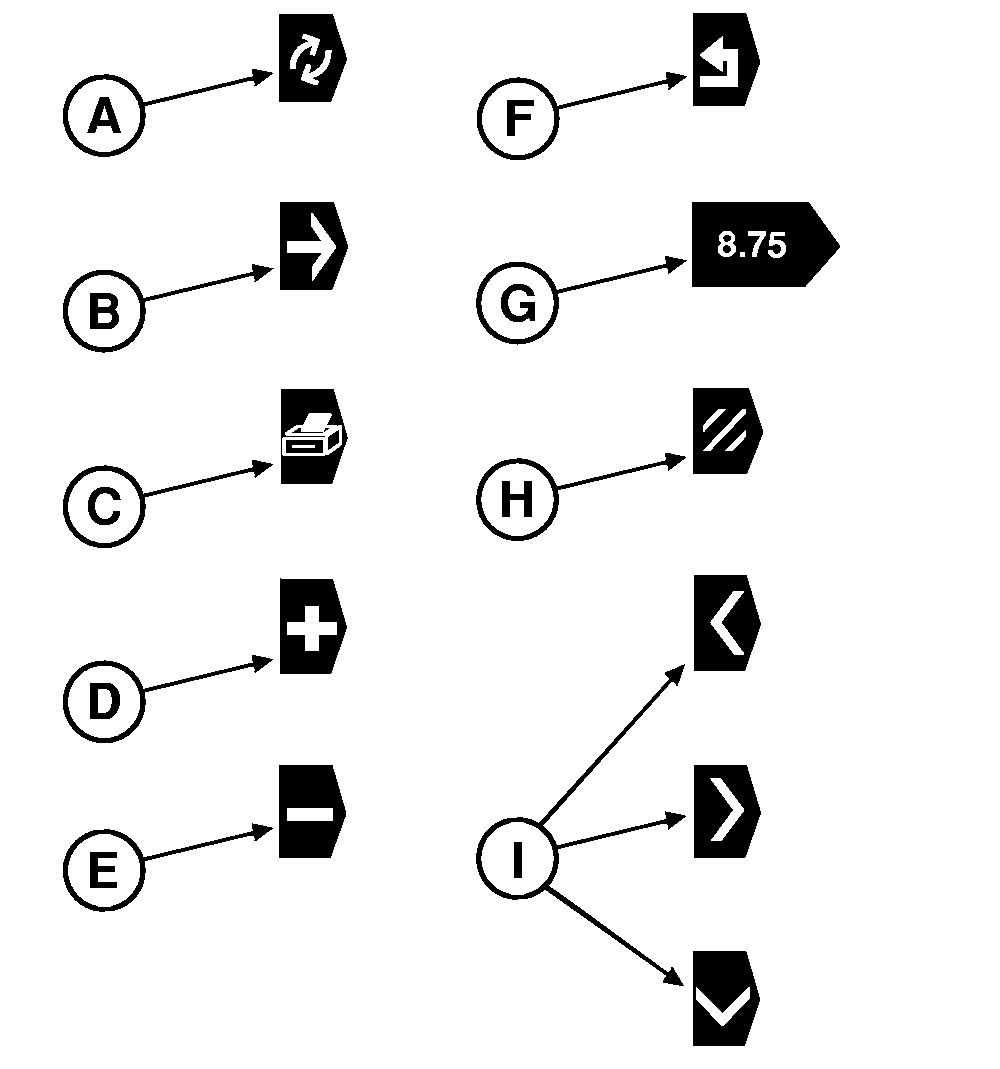
To become familiar with the monitor operation, refer to the following icon definition:

  • Icon (A) indicates that status of relevant cell can be toggled (e.g. ON/OFF, Active/Inactive).
  • Icon (B) indicates that action defined within relevant cell can be selected and a new screen appears.
  • Icon (C) is displayed under "INFO" screens and allows the operator to print data.

    NOTE: Icon (C) appears only if a printer is available to the system.

  • Icon (D) indicates that the value displayed within relevant cell can be increased.
  • Icon (E) indicates that the value displayed within relevant cell can be decreased.
  • Icon (F) is displayed under "RUN", "SETUP" and "INFO" screens and allows the operator to go back to previous screen.
  • Icon (G) indicates that value can be modified using numeric keypad.
  • Icon (H) is displayed under "RUN" and "INFO" screens and allows the operator to reset/clear cell values.
  • Icons (I) are displayed under "SETUP" and allow the operator to select a character to be inserted when editing a RUN Page layout profile name, a farm name or a field name.
H82499


A-Toggle
B-Selection
C-Print
D-Increase
E-Decrease
F-Return
G-Changeable value
H-Reset/Clear
I-Text editor character selection (Left-Right-Down)

OUO6075,0003E09 -19-16FEB05-2/2