Moisture Calibration
|
|
|
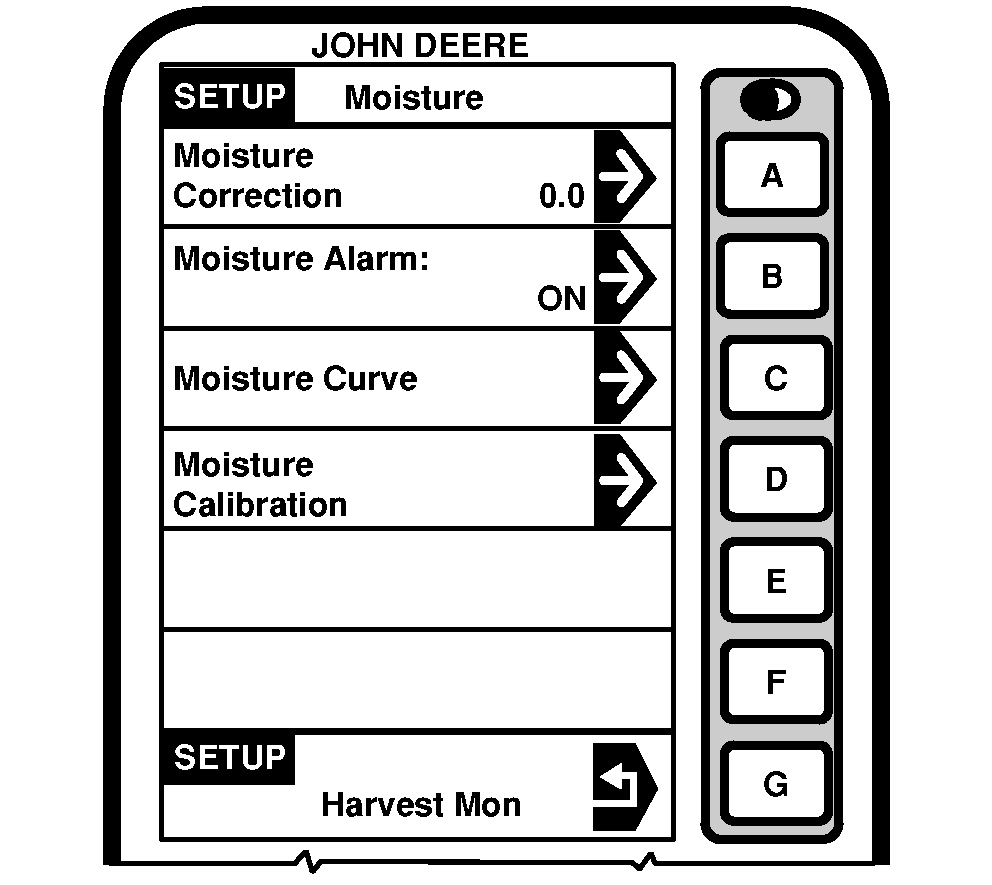
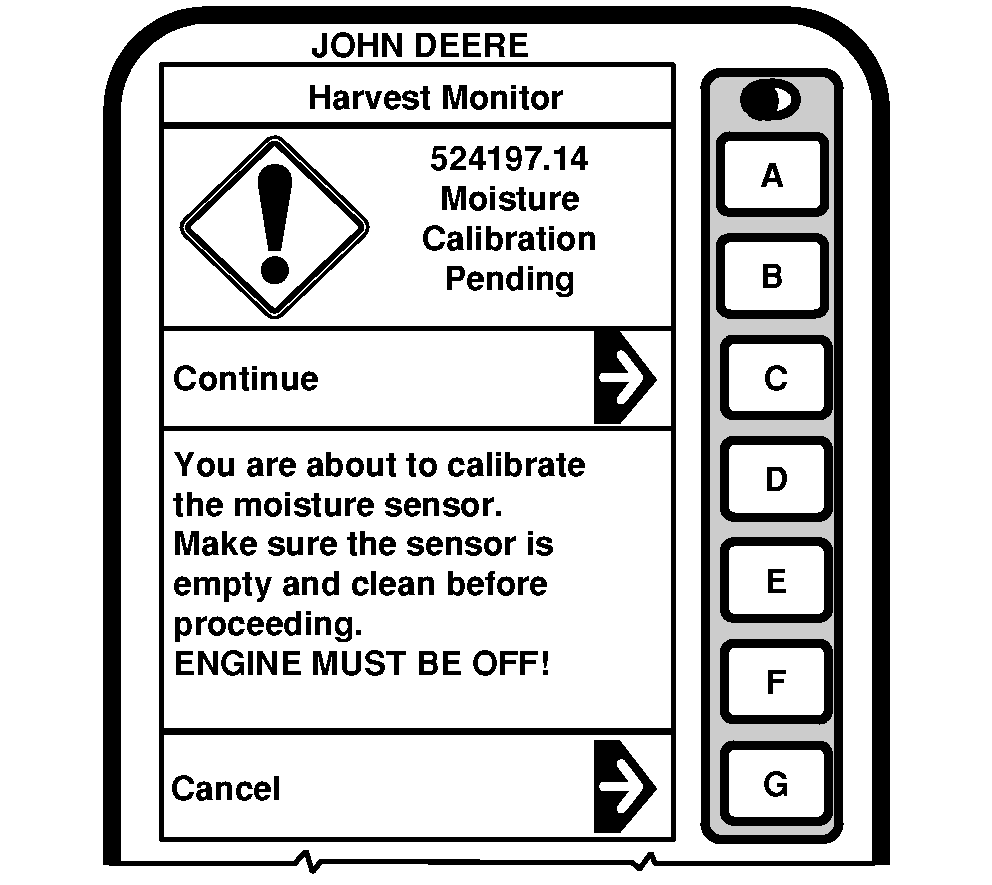
NOTE: Make sure engine is not running and moisture sensor is not filled with grain during this calibration procedure. 1. Press letter button next to "Moisture Calibration" on SETUP - Moisture screen and "Moisture Calibration Pending" will appear. |
NOTE: Press letter button next to "Cancel" will take you to the previous SETUP - Moisture screen. 2. Press letter button next to "Continue" to proceed with calibration procedure. |
OUO6075,0003E0F -19-16FEB05-1/3 |
|
|
|
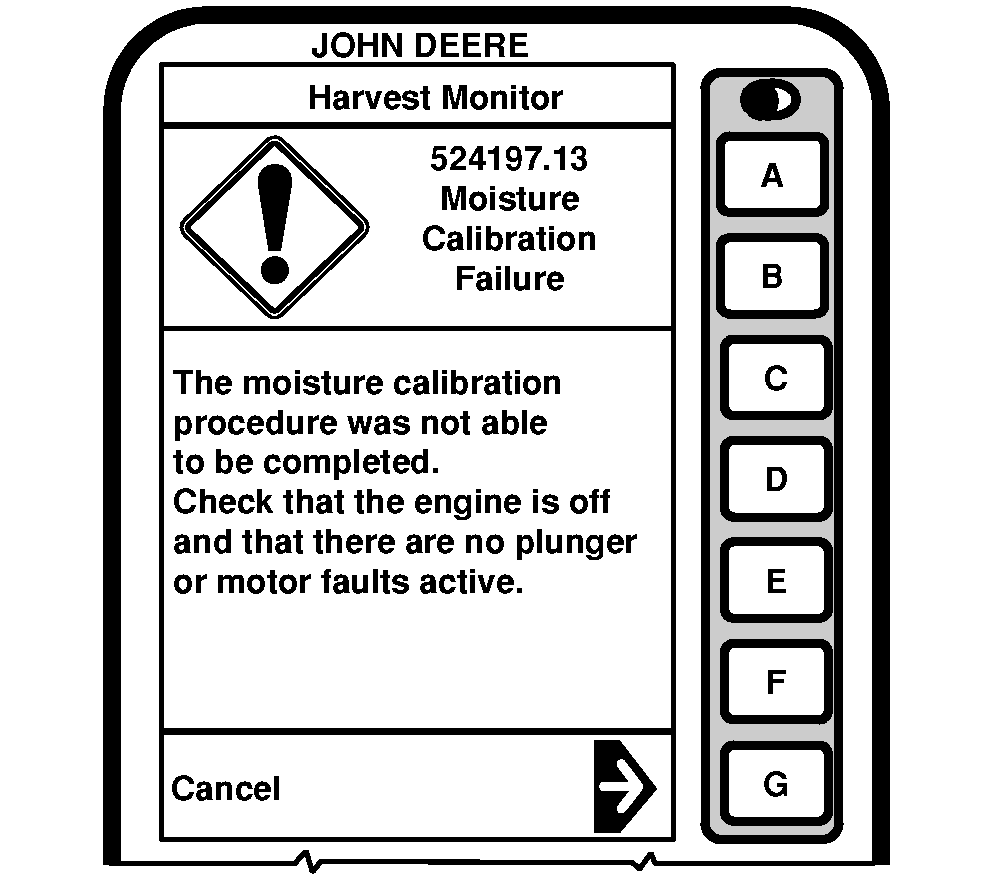
NOTE: If error code 524197.13 is displayed with a warning message the calibration could not be completed. Make sure engine is not running or moisture sensor is not disabled. |
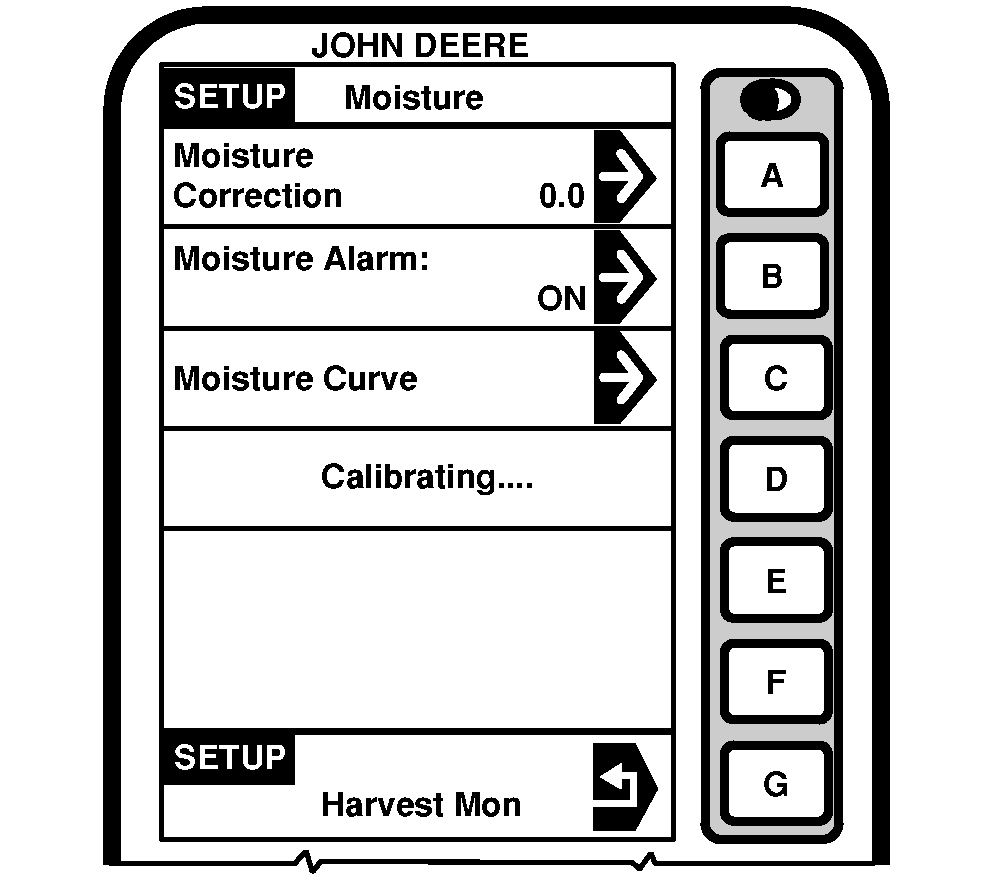
3. SETUP - Moisture screen will display "Calibrating". |
OUO6075,0003E0F -19-16FEB05-2/3 |
|
|
|
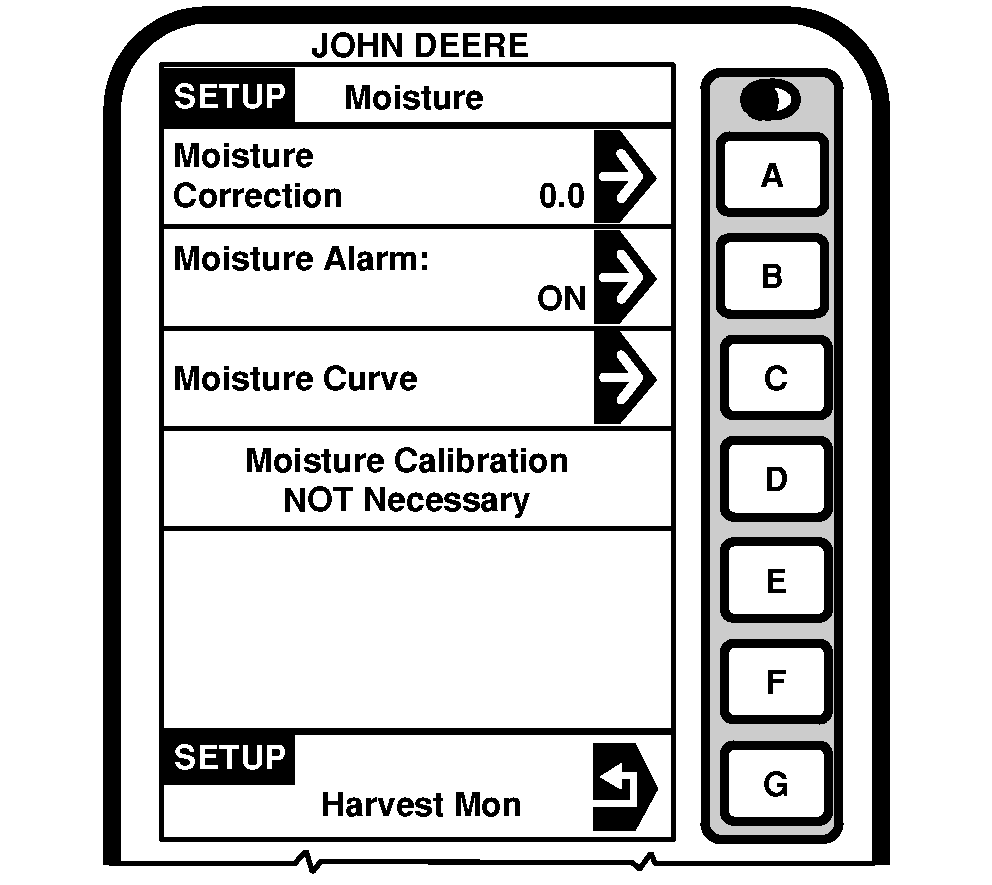
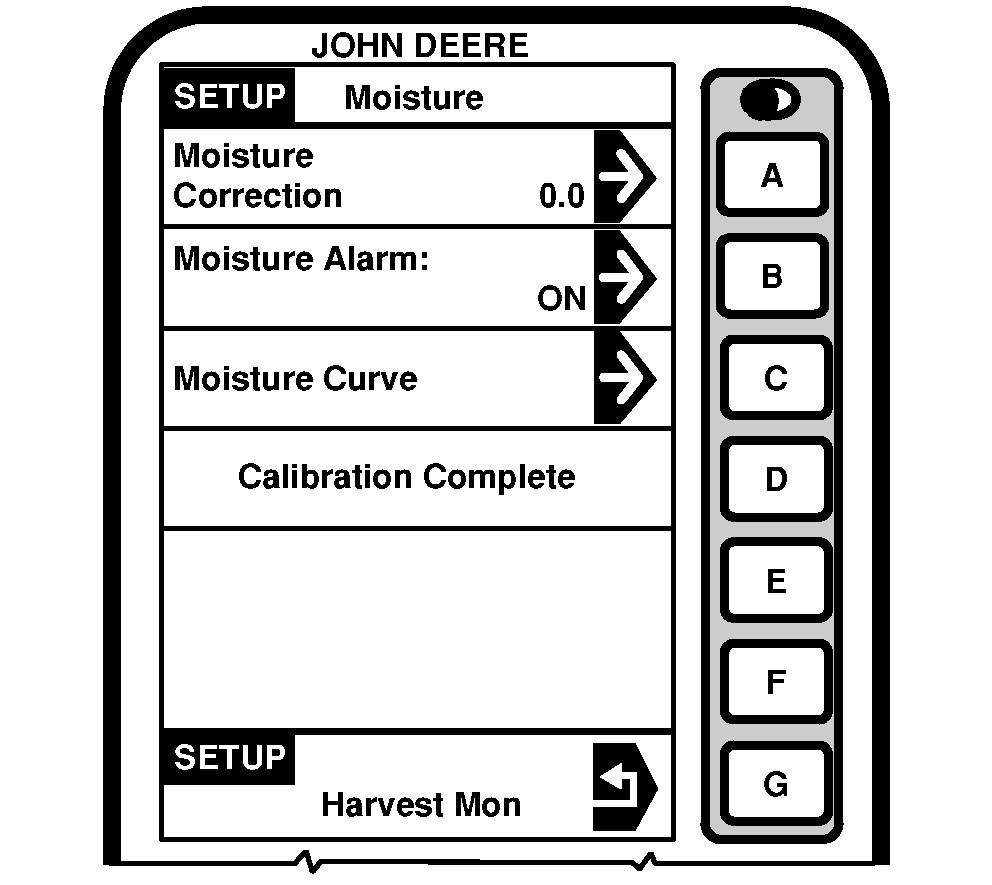
NOTE: If "Moisture Calibration NOT Necessary" screen appears this indicated the calibration process is complete and was determined that the moisture sensor was already calibrated. 4. SETUP - Moisture screen will display "Calibration Complete" when moisture sensor is successfully completed. |
5. Press letter button next to "Harvest Mon" to return to SETUP - Moisture screen |
OUO6075,0003E0F -19-16FEB05-3/3 |