Sieve Calibration-Field Operation
IMPORTANT:
Clear all debris from sieve before calibrating.
Sieve adjust motor and sieve elements are calibrated using this calibration procedure. Sieve calibration must be performed after manually adjusting the sieve motor or to restore system accuracy.
Prepare chaffer for calibration:
-
Turn key switch to "RUN" position or start combine
|
|
|
|
OUO6075,000407E -19-15AUG05-1/9
|
|
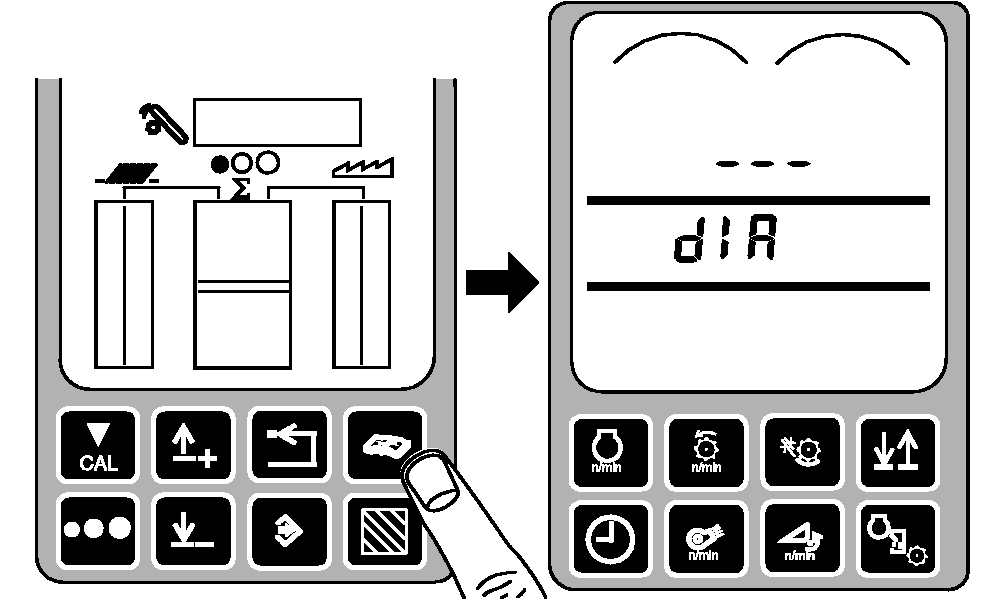
Press diagnostic button. dIA will be displayed.
|
|
|
|
OUO6075,000407E -19-15AUG05-2/9
|
|
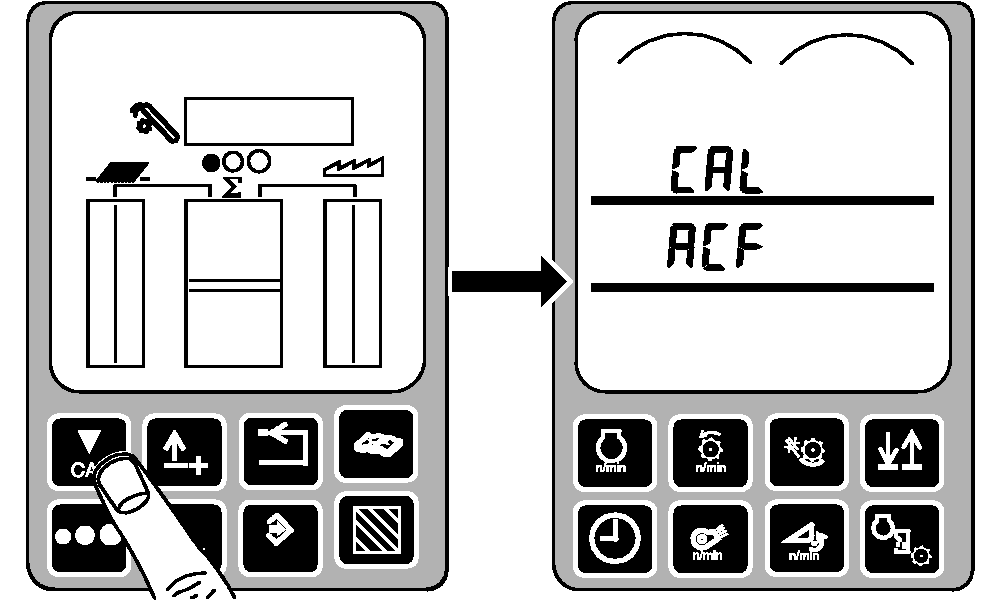
Press calibration button. CAL and ACF will be displayed.
|
|
|
|
OUO6075,000407E -19-15AUG05-3/9
|
|
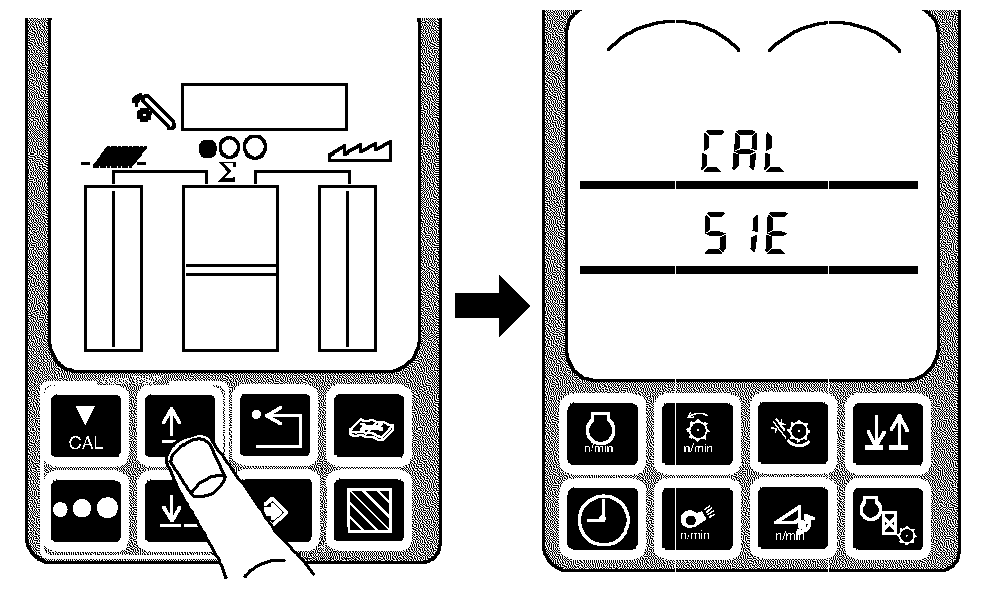
Press up or down arrow button until CAL and SIE appear.
|
|
|
|
OUO6075,000407E -19-15AUG05-4/9
|
|
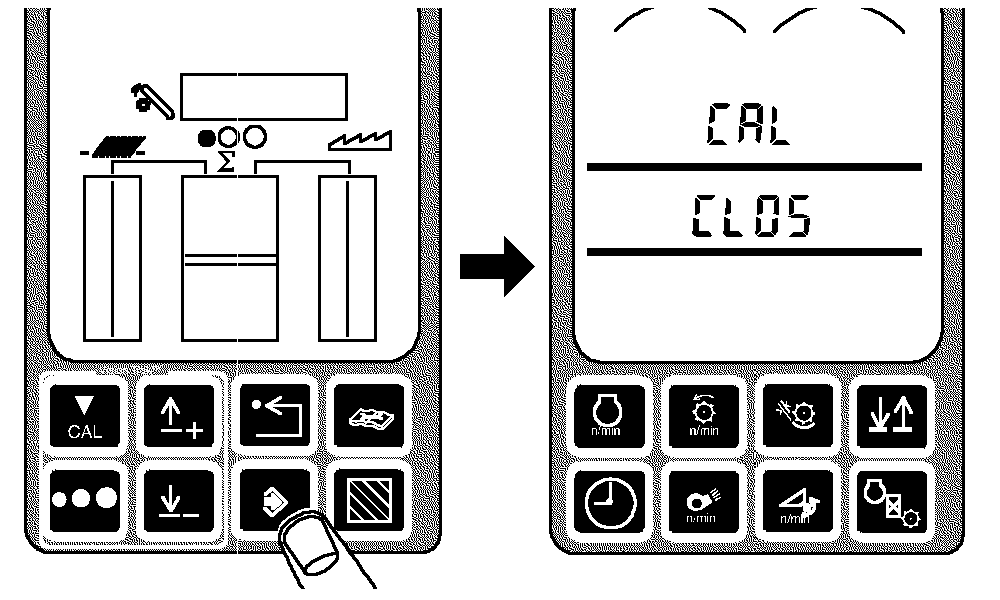
Press enter button. CLOS will be displayed.
|
|
|
|
OUO6075,000407E -19-15AUG05-5/9
|
|
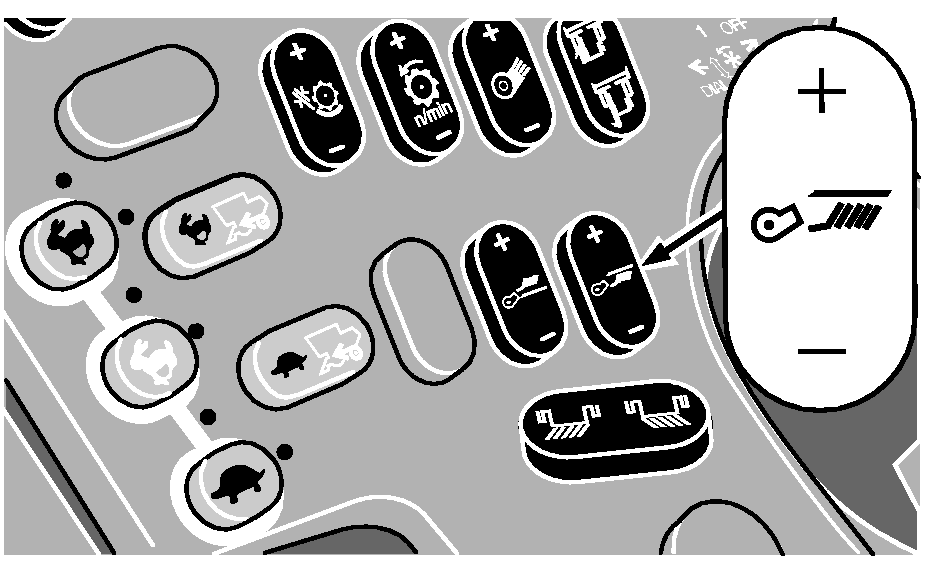
Close sieve element with sieve adjust switch until 0 mm is displayed.
|
|
|
|
OUO6075,000407E -19-15AUG05-6/9
|
|
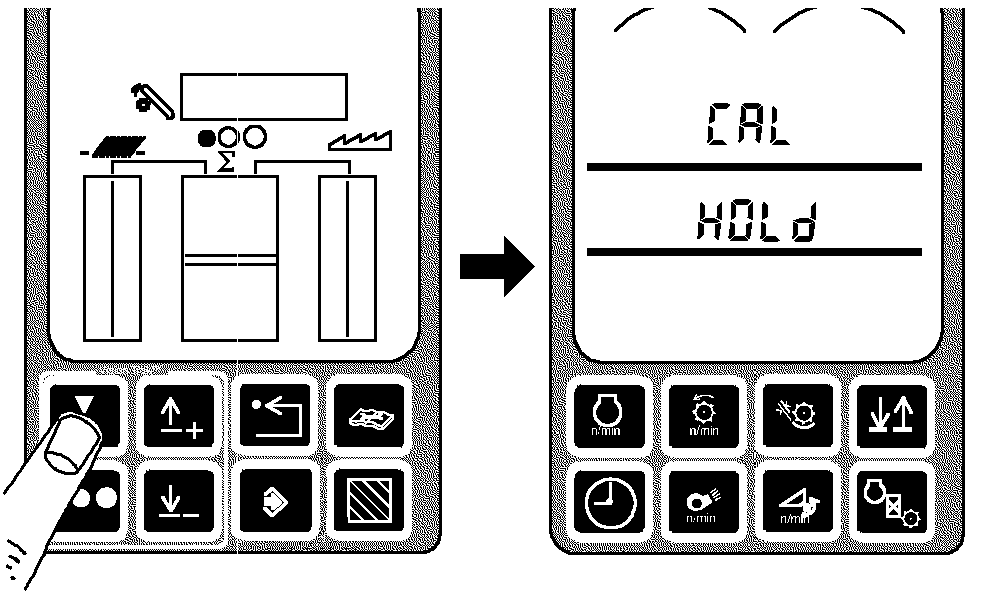
Press calibration button.
NOTE:
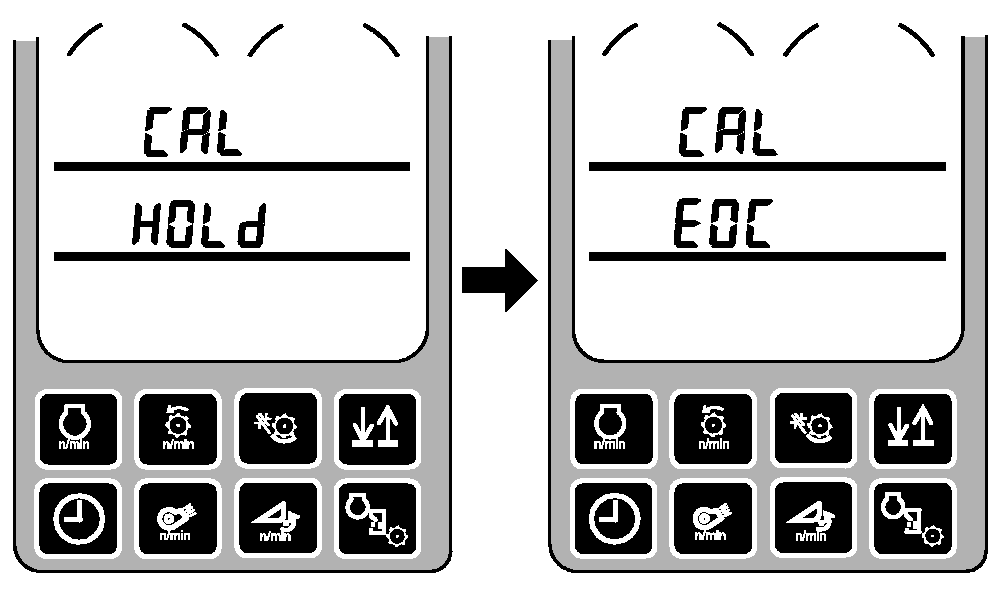
When HOLd is displayed the sieve is opening and closing automatically.
HOLd will be displayed on middle line of display.
|
|
|
|
OUO6075,000407E -19-15AUG05-7/9
|
|
HOLd will change to EOC when calibration is complete.
|
|
|
|
OUO6075,000407E -19-15AUG05-8/9
|
|
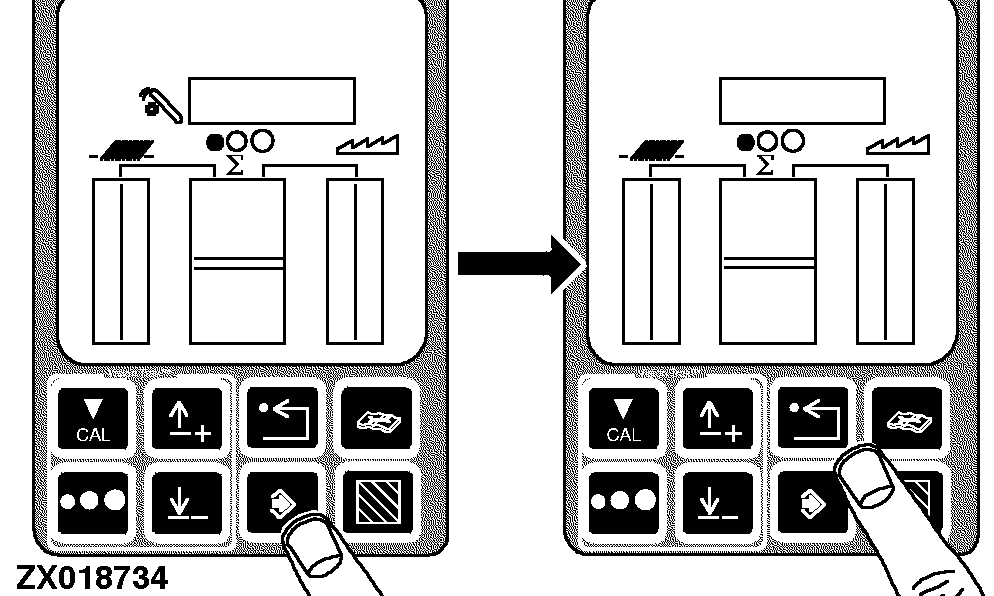
Press enter button to store calibration value or press back arrow button to abort calibration (not save values).
Press back arrow button to return to normal operation.
|
|
|
|
OUO6075,000407E -19-15AUG05-9/9
|
|