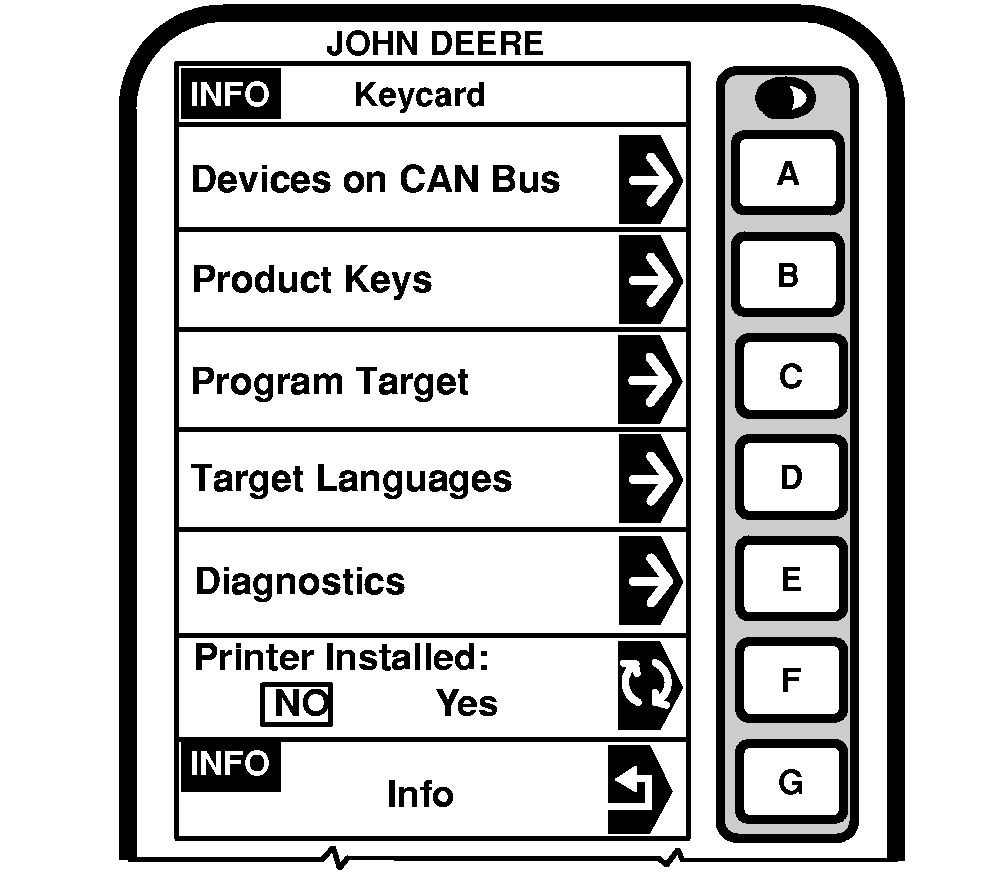
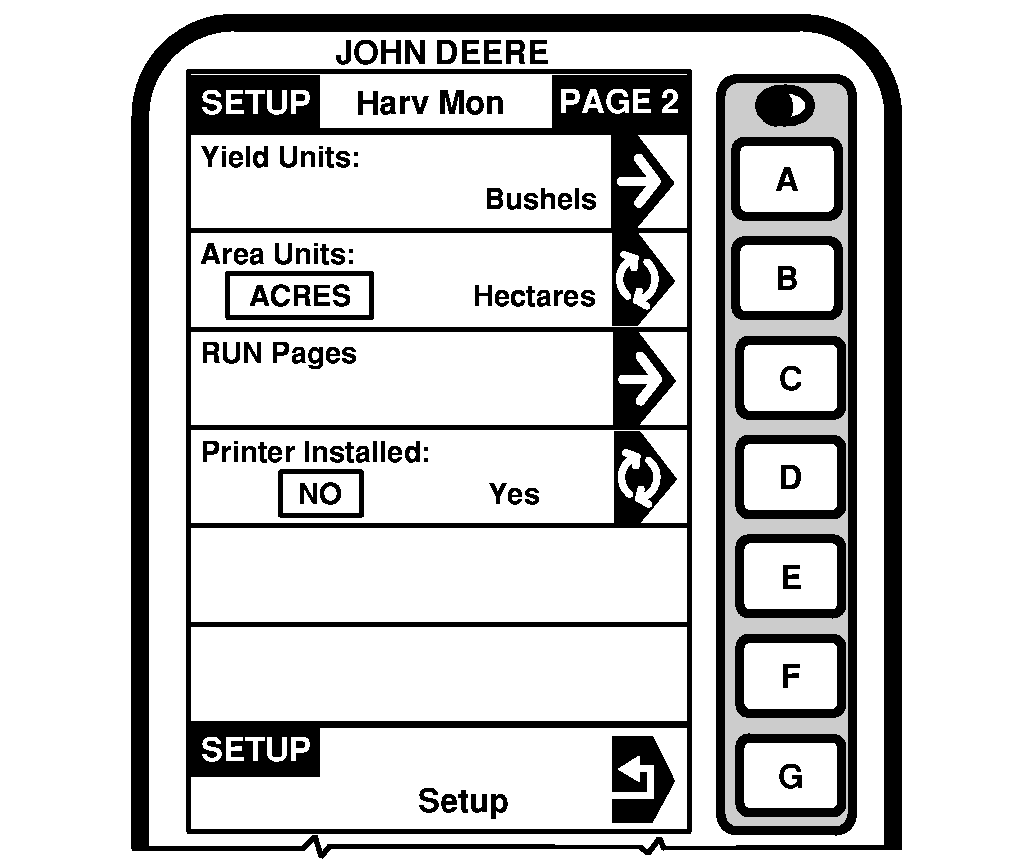
Installing Integrated PrinterWhen printer is integrated to the overhead control panel it requires installation for further use. A mobile processor and a KeyCard with server software (at least version KEY05N5_0.Y12) are required to install the printer. Proceed as follows: 1. With mobile processor installed and KeyCard inserted, press "INFO" key then press letter button next to "INFO - KeyCard".2. Press letter button next to "Printer Installed" on INFO - KeyCard screen to toggle between NO and YES. Choose YES to install printer. 3. Press "SETUP" key. 4. Press letter button next to "Harvest-Mon" then press next to "Printer Installed" on SETUP - Harv Mon - PAGE 2 screen to toggle between NO and YES. Choose YES to install printer. IMPORTANT: Repeat steps 4 and 5 after every restart (ignition ON /OFF). Once printer installation is done, KeyCard is not required anymore and can be taken away. |
|
OUZXMAG,0001DC1 -19-13SEP04-1/1 |