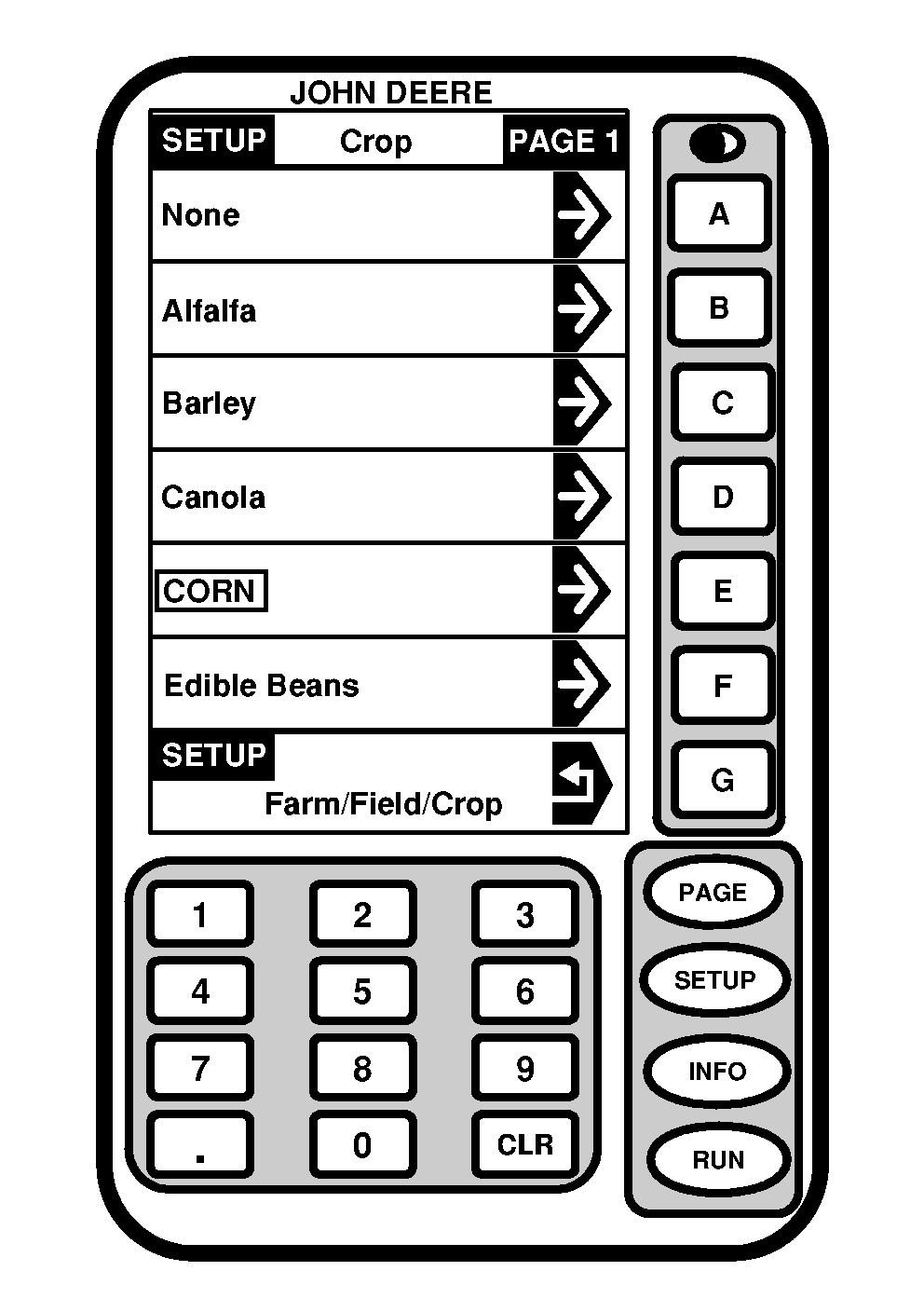
Setup Crop1. Press letter button next to "Farm/Field/Crop" on SETUP - Harv Mon - PAGE 1. SETUP - Farm/Field/Crop screen will appear.2. Press letter button next to "Crop" on SETUP - Farm/Field/Crop screen. |
|
OUO6075,0003E0A -19-16FEB05-1/2 |
|
NOTE: If desired crop is not displayed on current screen, press "PAGE" button until desired crop is shown. Refer to Specification section for Crop Percent Moisture and Crop Density Chart. If a crop is selected that does not have a calibration curve, a caution will appear on the Run Page (accuracy will be limited in those crops). If edible beans or none are selected the moisture sensor will be disabled. 3. Press letter button next to desired "Crop" (example CORN). 4. To return to SETUP - Harv Mon - PAGE 1, press letter button next to "SETUP". The following crops are selectable: |
|
| Alfalfa | Barley | Canola | Chickpeas |
| Corn | Edible Beans | Flax | Grass Seeds |
| Lentils | Lupins | Millet | Mustard |
| Navy Beans | Oats | Peas (black eyed) | Peas (field) |
| Popcorn (yellow) | Popcorn (white) | Rape Seed (Canola) | Rice (long) |
| Rice (medium) | Rye | Safflower | Sorghum |
| Soybeans | Sunflower (oil) | Sunflower (stripe) | Wheat (Durham) |
| Wheat (white) | Wheat (hard, red spring) | Wheat (hard, red winter) | Wheat (soft, red winter) |
OUO6075,0003E0A -19-16FEB05-2/2 |