Moisture Correction
|
|
|
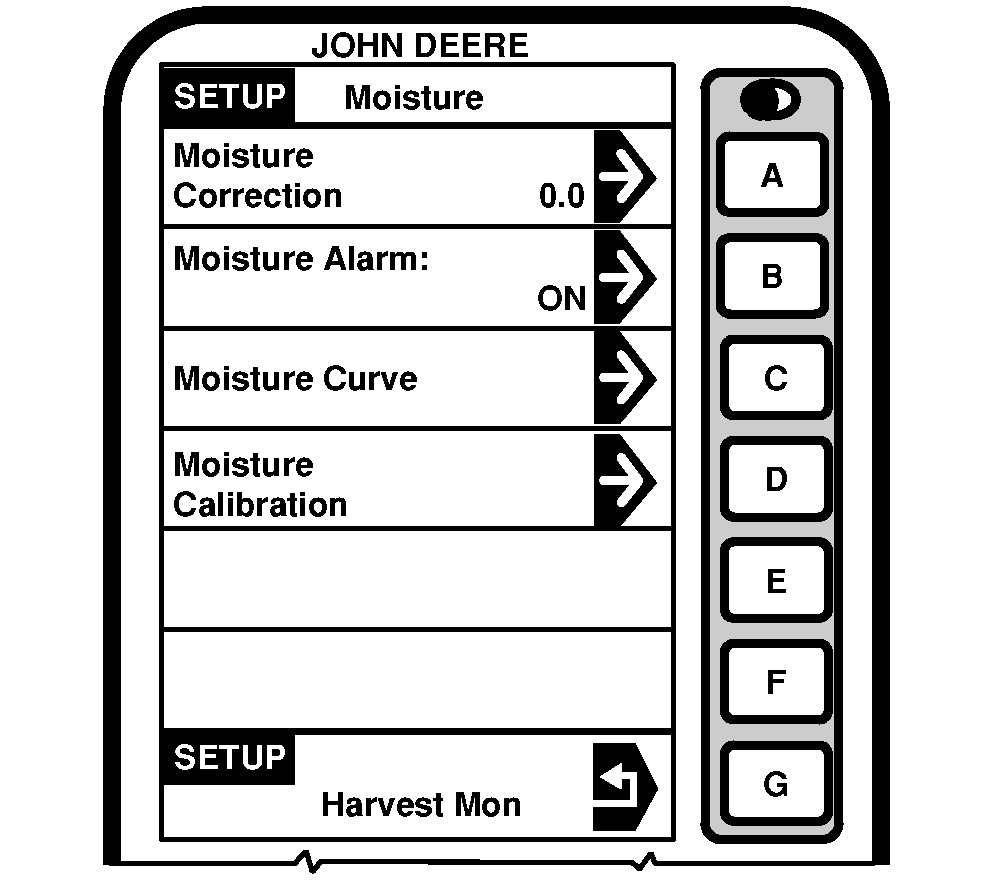
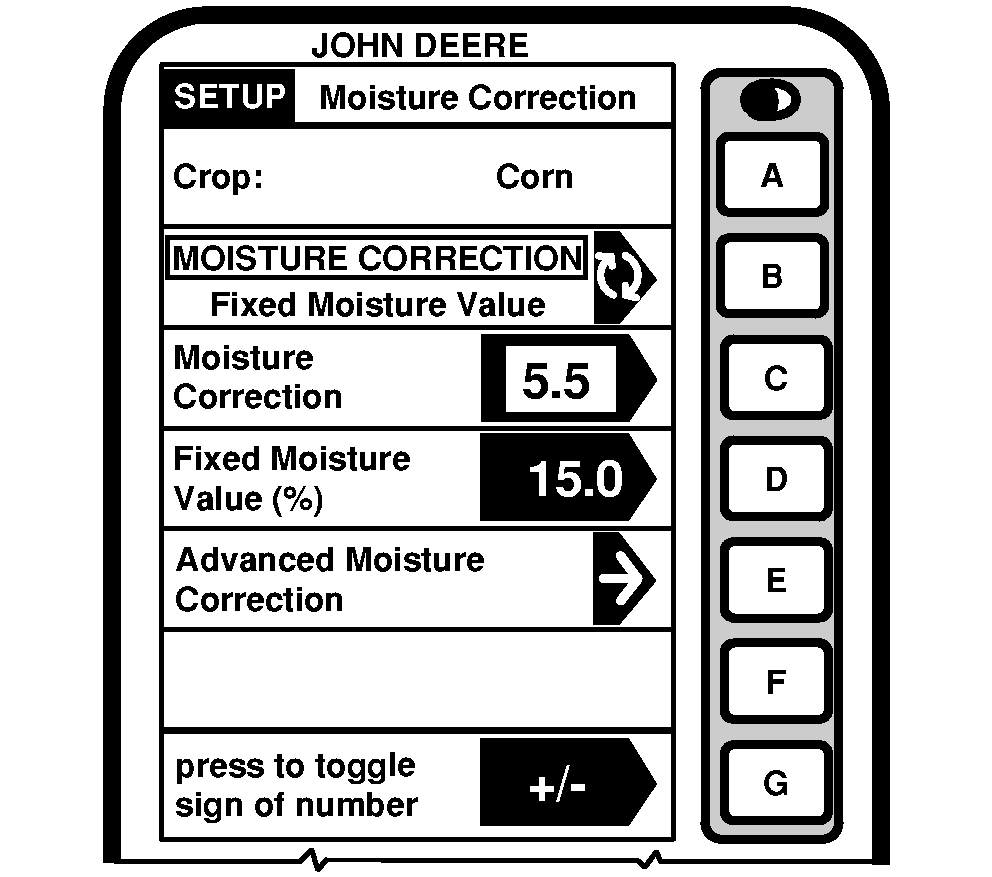
NOTE: Harvesting, recording is "ON", determine how many points the moisture correction needs to be added or removed from the instantaneous moisture. Not harvesting, recording "OFF", will display average moisture of crop. Average moisture does not need to be corrected. If average moisture is corrected, the instantaneous moisture could be over corrected. 1. Press letter button next to "Moisture Correction" on SETUP - Moisture screen. NOTE: "Crop" cell displays the selected crop. 2. Letter button next to "Moisture Correction" and "Fixed Moisture Value" allows the operator to |
correct the moisture reading on RUN PAGE 1 by toggling to "Fixed Moisture Value", moisture sensor will be disabled and forces moisture value to what was entered.
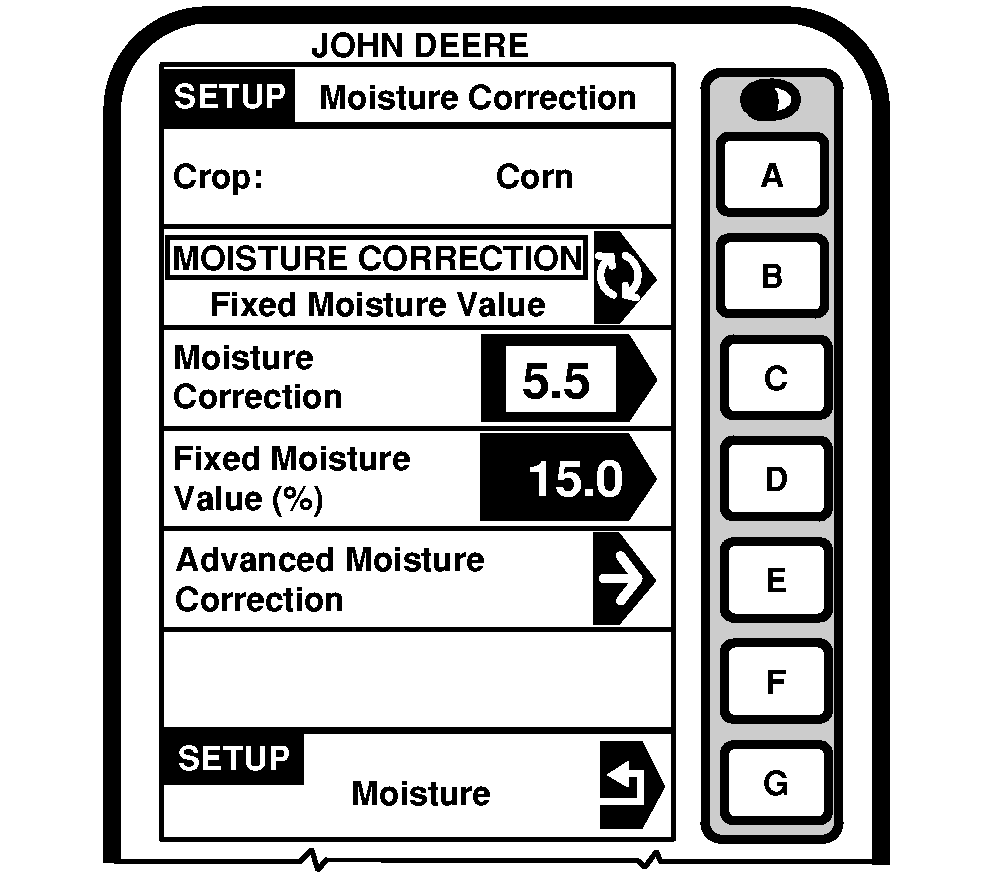
3. If using "Moisture Correction": Press letter button next to "Moisture Correction" and using numeric keypad input a number value to be added to reading displayed on RUN - PAGE 1 screen. 4. Press letter button next to "Moisture Correction" again to save this value. 5. If using fixed moisture value; Press letter button next to "Fixed Moisture Value" and using numeric keypad, input a number value (%) to be displayed on RUN - PAGE 1 screen. |
OUO6075,0003E0C -19-17FEB05-1/4 |
|
|
|
Advanced Moisture Correction
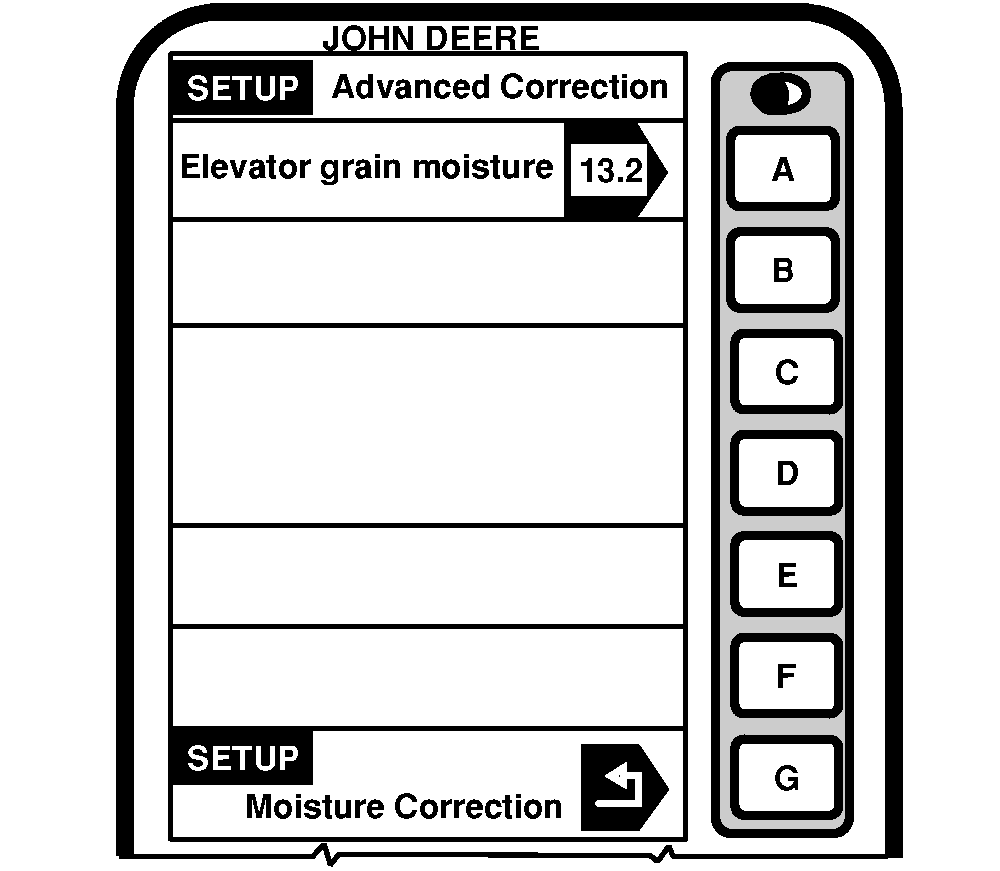
NOTE: This procedure is used to determine moisture correction when elevator readings do not agree with combine moisture readings. Do not use this procedure if crop moisture levels are above 16%. For crops above 16% enter moisture correction manually. 1. Collect 1 L (1 qt) grain sample from the grain tank and place in a sealed container and have tested by elevator. IMPORTANT: To finish this procedure the combine engine must be turned OFF. |
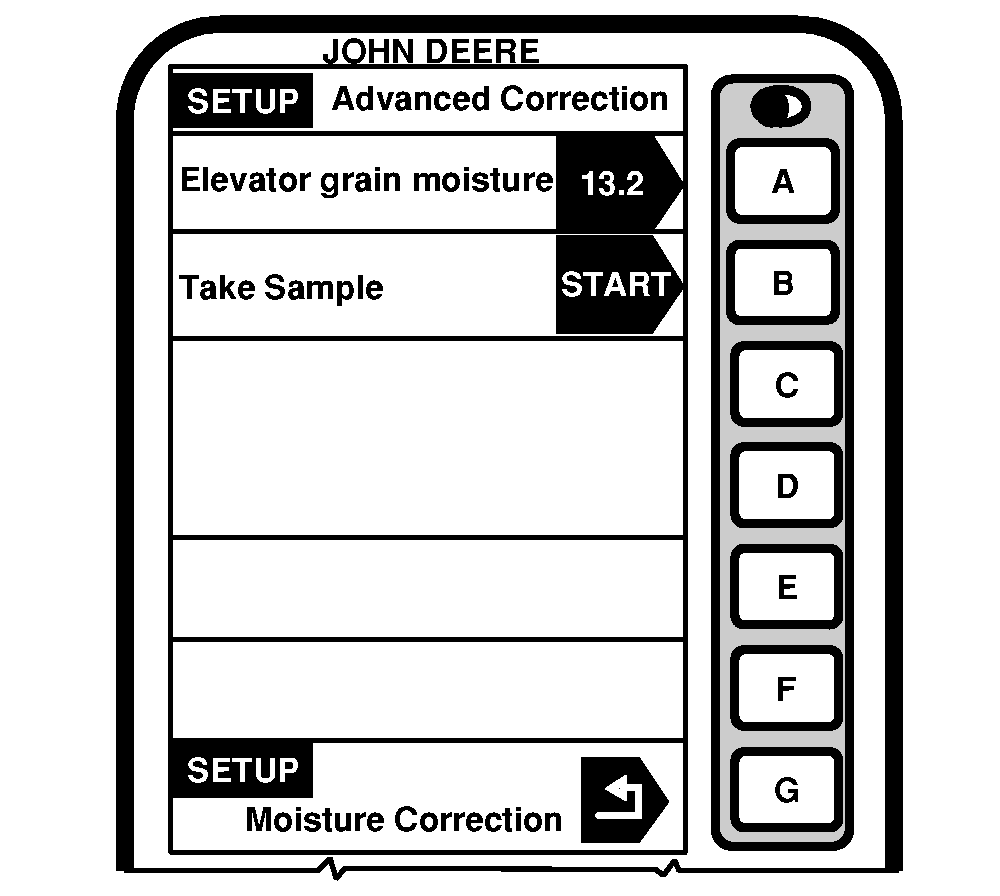
2. Press letter button next to "Advance Moisture Correction" on SETUP - Moisture Correction screen. 3. Press letter button next to "Elevator Grain Moisture" on SETUP - Advanced Correction screen. 4. Using numeric keypad, enter value from elevator. 5. Press letter button next to "Elevator Grain Moisture" to save value. |
OUO6075,0003E0C -19-17FEB05-2/4 |
|
|
|
6.
To start sampling press letter button next to "Start".
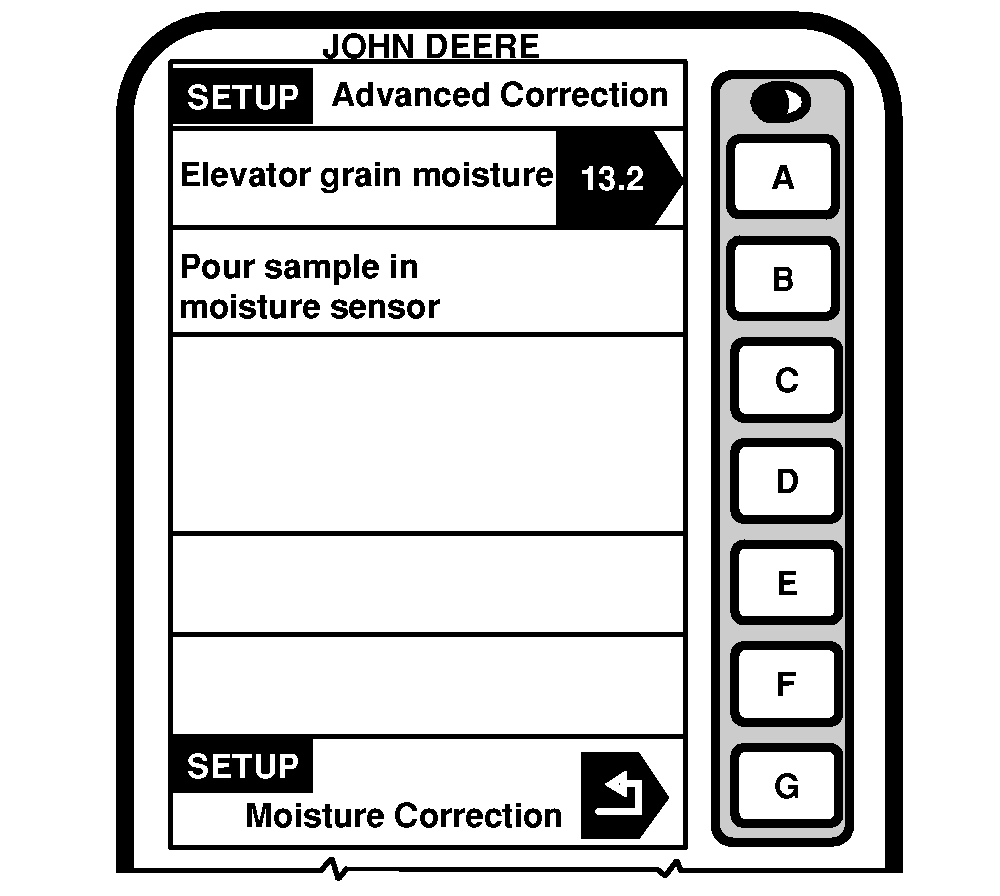
NOTE: Screen will prompt operator to "Pour Sample in Moisture Sensor". Make sure moisture sample chamber is fully filled and is free of air pockets. Air pockets will cause inaccurate moisture readings. |
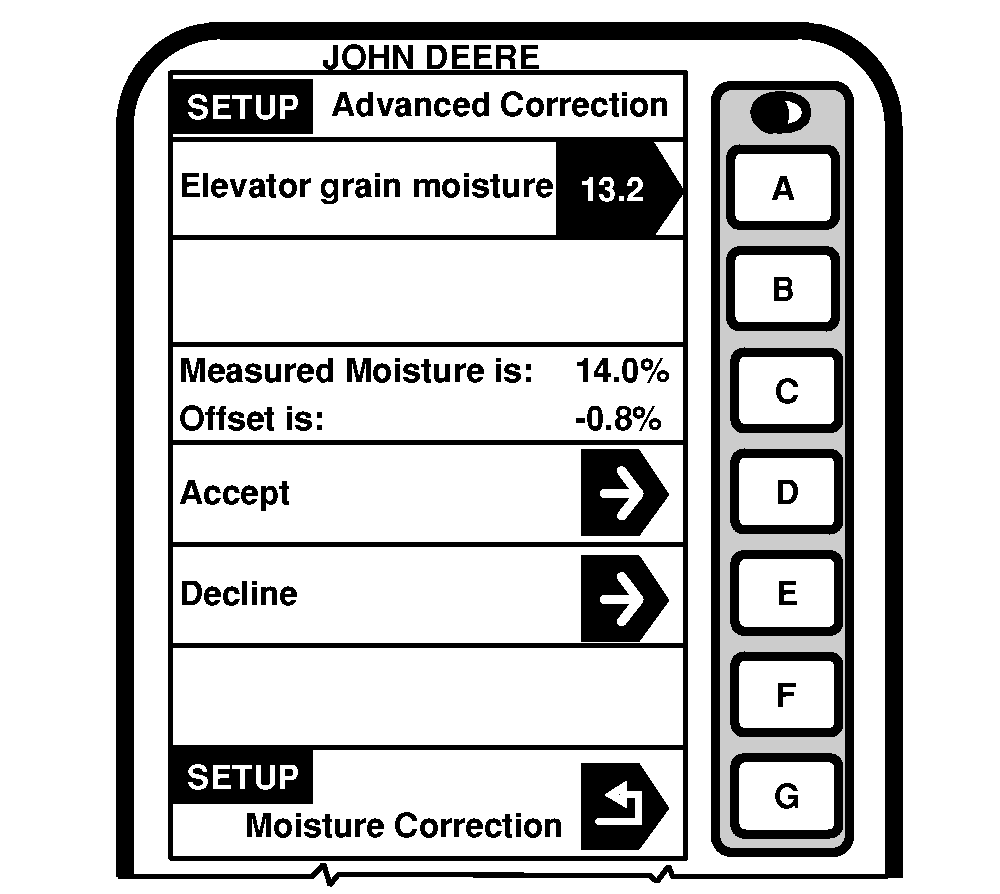
7. Pour sample into moisture sensor. 8. Screen will display "Calibration in Progress". 9. "Measured Moisture Is" cell will display the moisture of the sample in the moisture sensor. |
OUO6075,0003E0C -19-17FEB05-3/4 |
| 10. Press letter button next to "Accept" to save this value or press letter button next to "Decline" to decline this value. |
|
OUO6075,0003E0C -19-17FEB05-4/4 |