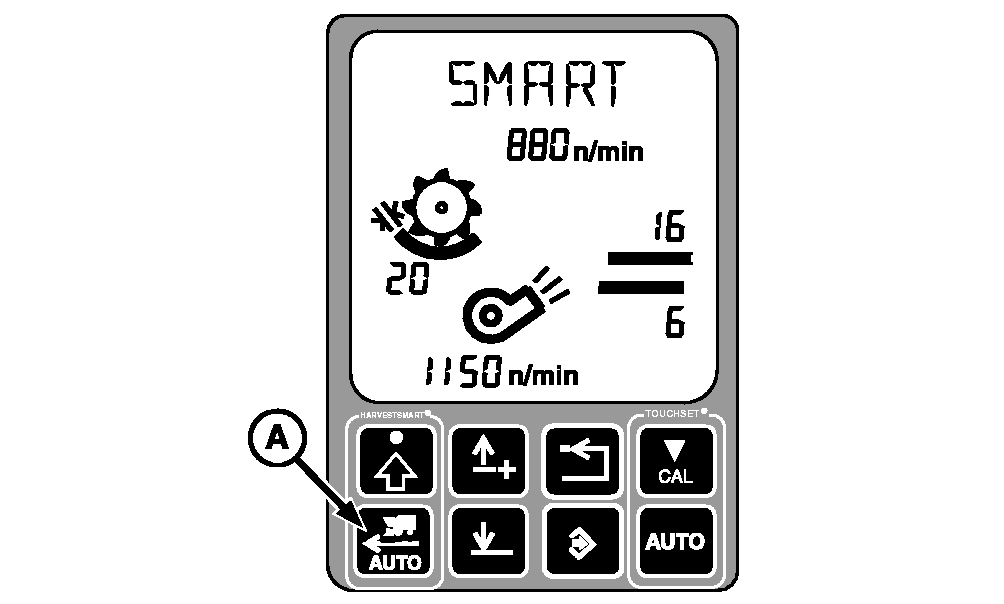
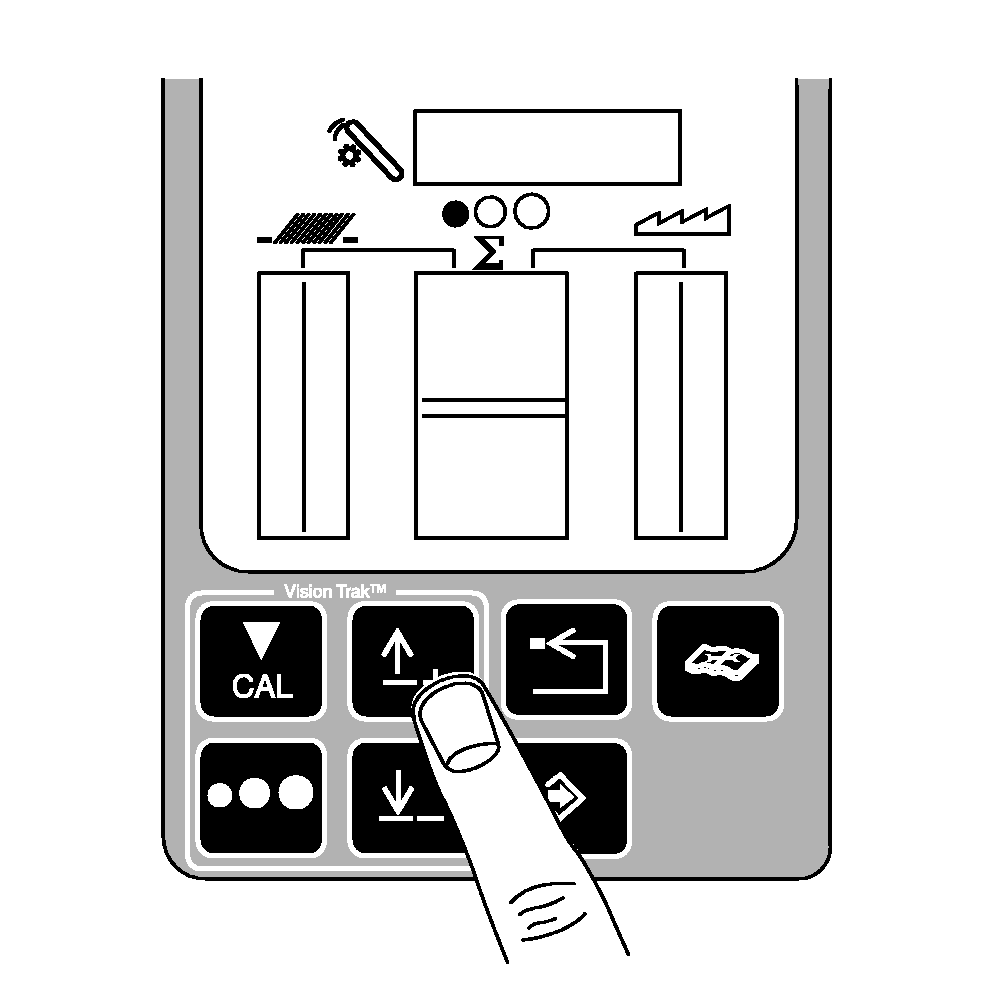
HARVESTSMART Feed Rate Control-System OperationNOTE: By pressing auto button, the display will show the active mode on Automatic Combine Adjustment (ACA) display. Press auto button to advance to next mode: SMART, Capacity (CPCTY) and OFF. OFF will only be displayed for 3 seconds. If operator leaves the seat while HARVESTSMART Feed Rate Control is activated, the system will continue to operate for three seconds before the system is disengaged and machine slowly comes to a stop. To reactivate system, place multifunction control handle in neutral and press activation buttons 2 or 3 on multifunction control handle. Turn system ON by pressing HARVESTSMART auto button (A). SMART will be appear on display. |
|
OUO6075,0000328 -19-23MAR06-1/8 |
|
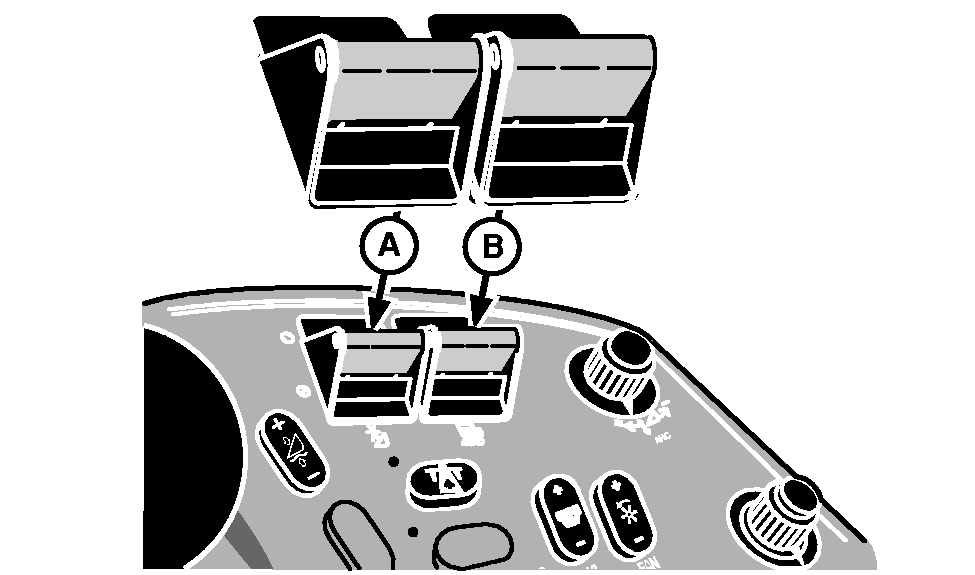
Turn header engage switch (A) and separator engage switch (B) ON and lower header.
|
|
OUO6075,0000328 -19-23MAR06-2/8 |
|
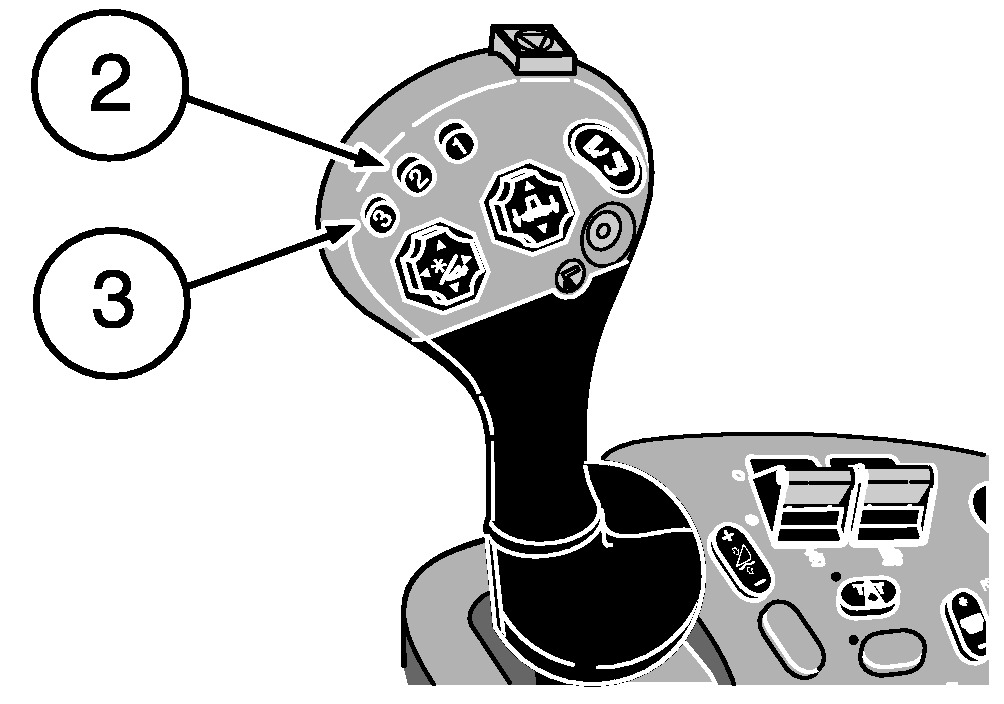
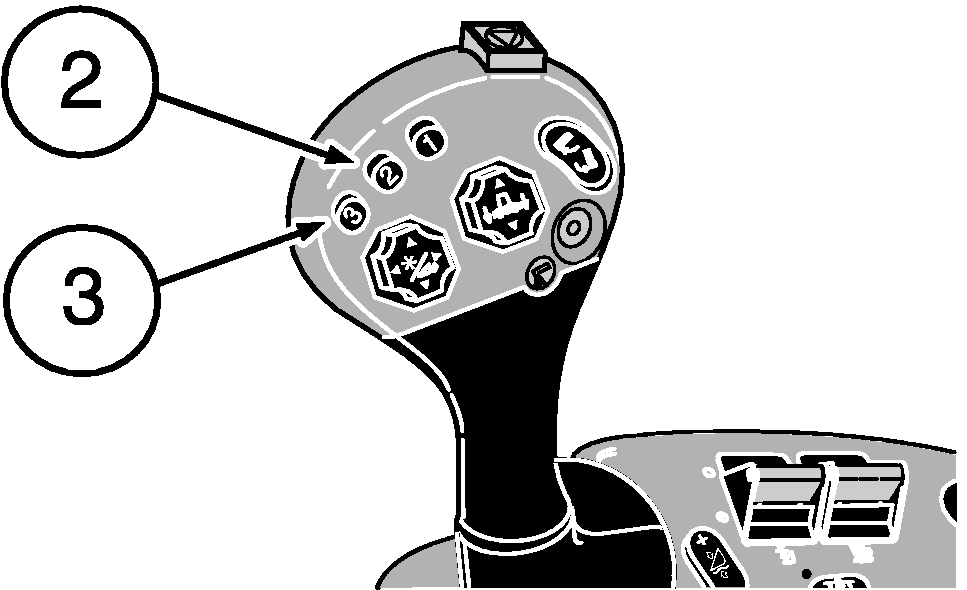
Press activation buttons 2 or 3 on multifunction control handle to activate system. Move multifunction control handle fully forward. |
|
OUO6075,0000328 -19-23MAR06-3/8 |
|
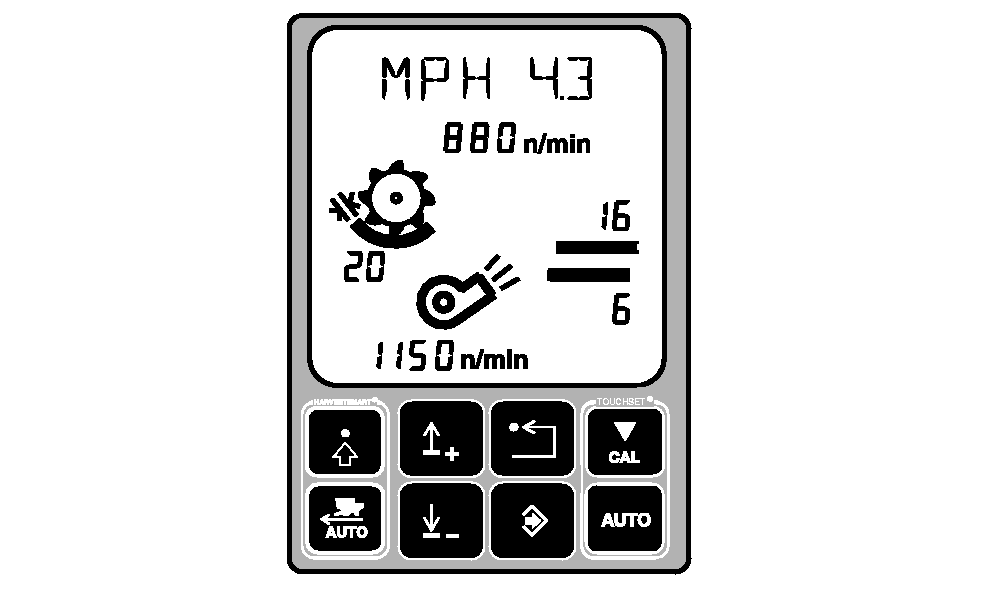
NOTE: Multifunction control handle limits the maximum ground speed of the machine. Pull multifunction control handle rearward to slow or stop the machine, or push the multifunction control handle forward to slowly allow the machine to go to the desired ground speed. The maximum allowable ground speed will appear on the top line of the display. |
|
OUO6075,0000328 -19-23MAR06-4/8 |
|
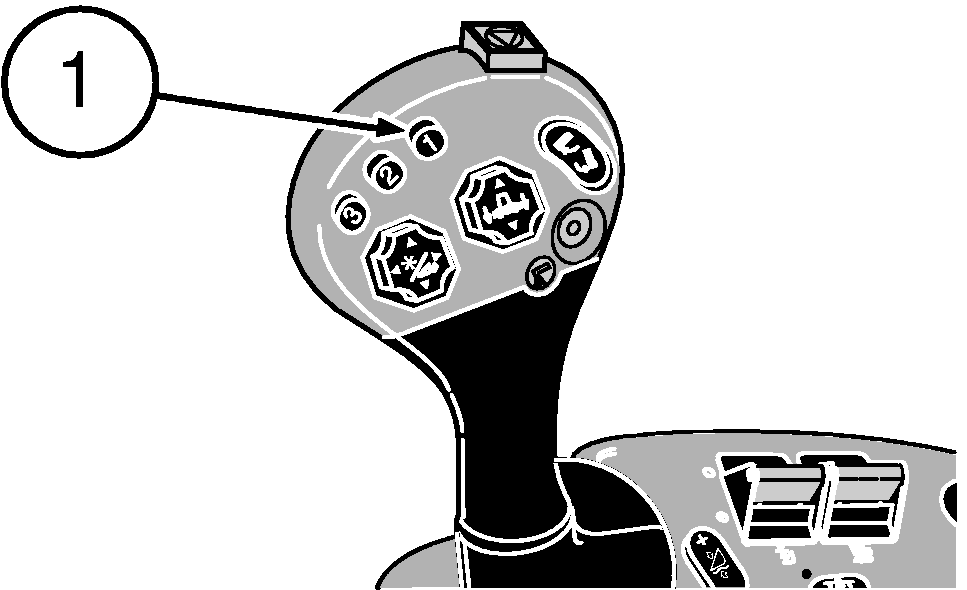
When coming to the end of the field, press activation button 1 on multifunction control handle. This temporarily deactivates the HARVESTSMART system, allowing the machine to accelerate to the set multifunction control handle position. When the system is temporarily deactivated the operator will have full control of the machine. Pull multifunction control handle rearward to slow machine. |
|
 CAUTION:
Once activation button 1 is pressed the machine will accelerate to the set multifunction control handle position, returning full control of the multifunction control handle to the operator.
CAUTION:
Once activation button 1 is pressed the machine will accelerate to the set multifunction control handle position, returning full control of the multifunction control handle to the operator.
OUO6075,0000328 -19-23MAR06-5/8 |
|
When entering crops, press activation button 2 or 3 on multifunction control handle to reactivate the system. Move multifunction control handle fully forward. |
|
OUO6075,0000328 -19-23MAR06-6/8 |
|
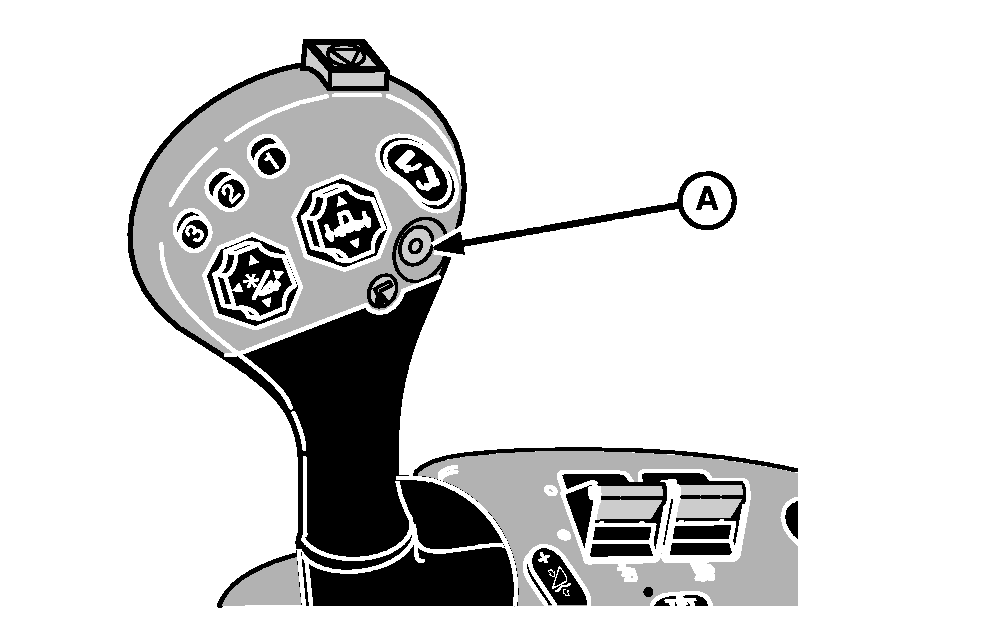
NOTE: HARVESTSMART system will control the ground speed of the machine when the unloading auger button is pressed and if multifunction control handle is not pulled rearward while unloading. Once multifunction control handle is pulled rearward the system is temporarily deactivated and the operator has full control of the ground speed, until the unloading auger button is shut OFF and multifunction control handle is pushed fully forward. When unloading auger drive switch (A) is pressed, the HARVESTSMART system will still be active. If operator wants manual control while unloading, pull multifunction control handle rearward until machines slows slightly to temporarily deactivate the system. Operator now has full control of the ground speed with the multifunction control handle. When unloading auger button is shut OFF, the system will be automatically reactivated and the system will control the ground speed. |
|
OUO6075,0000328 -19-23MAR06-7/8 |
Additional System Operation
|
|
OUO6075,0000328 -19-23MAR06-8/8 |