Setup RUN Pages
|
|
|
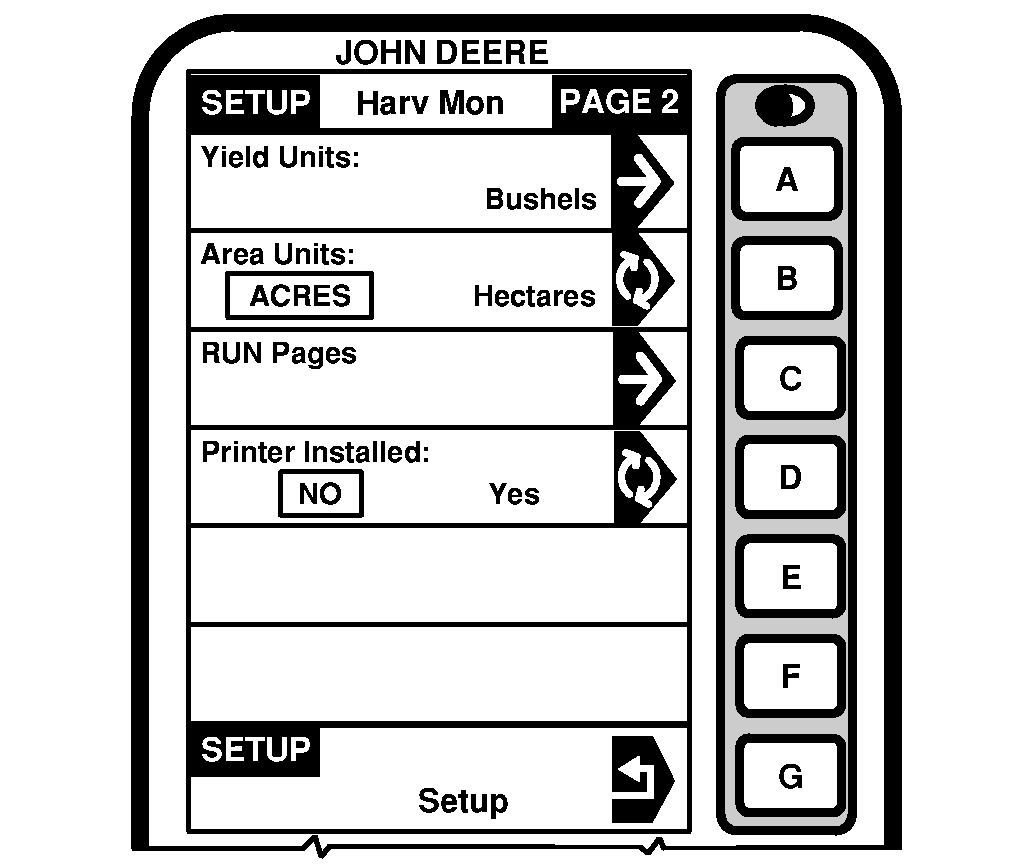
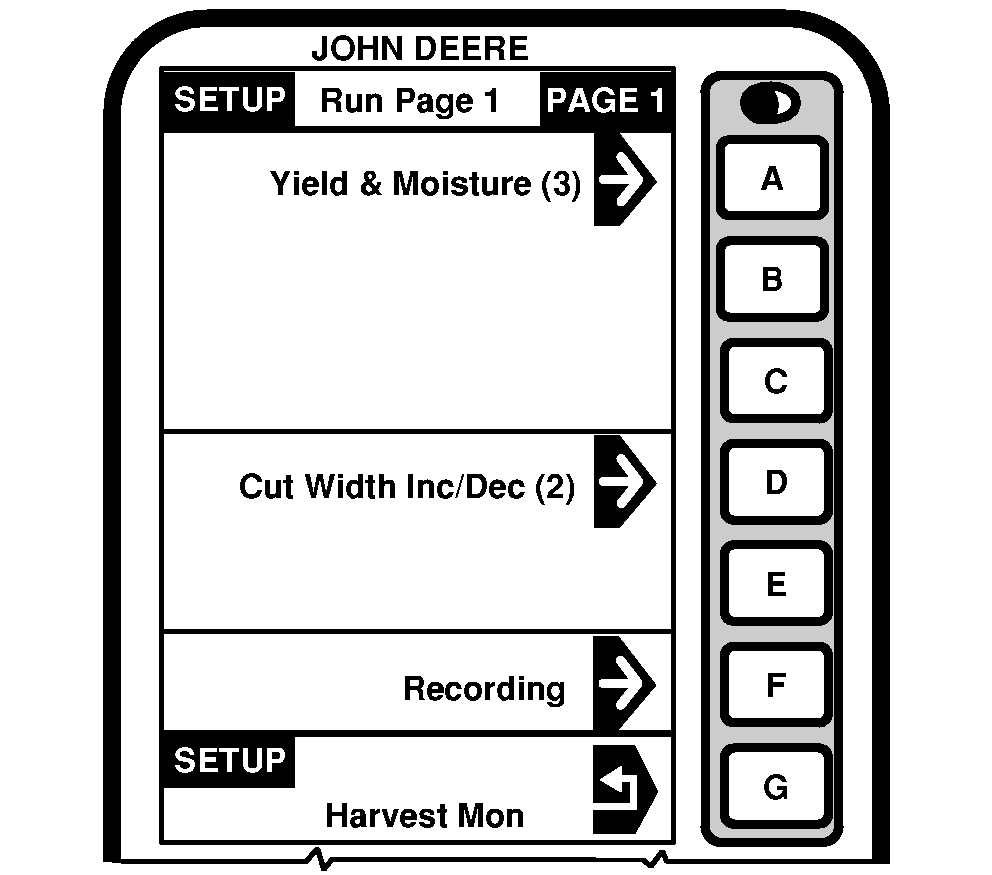
SETUP - Run Page 1 and 2 screens allows the operator to view where Harvest Monitor information will be displayed. This procedure allows the operator to select and arrange information that will be displayed on RUN PAGE 1 and 2. |
NOTE: SETUP Run Page 1 and 2 are setup using the same procedures. 1. Press letter button next to "RUN Pages" on SETUP - Hav Mon - PAGE 2 and SETUP - RUN Page 1 - PAGE 1 will appear. |
OUO6075,0003391 -19-17FEB04-1/2 |
|
2.
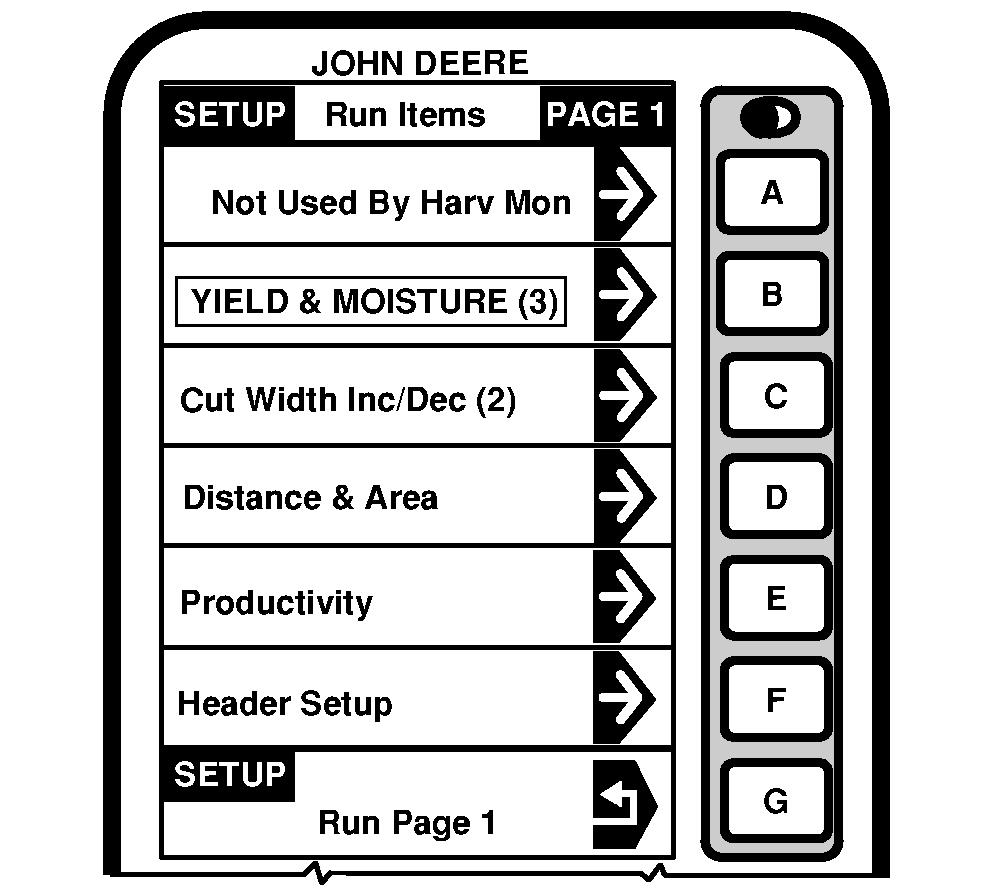
Select any cell on SETUP - Run Page 1 - PAGE 1 screen and SETUP - RUN Items - PAGE 1 will appear.
3. Press letter button next to information that you want to appear in a desired cell on RUN - PAGE 1. 4. When selection is made SETUP - Run Page 1 PAGE 1 will appear. NOTE: To check information arrangement press "RUN" button. RUN - PAGE 1 will appear. 5. Selection will appear on SETUP - RUN Page 1 - PAGE 1. 6. Continue selecting sections on SETUP - Run Page 1 - PAGE 1. 7. Press letter button next to "SETUP" to return to SETUP - Harv Mon - PAGE 2 screen. |
|
OUO6075,0003391 -19-17FEB04-2/2 |