Reel DIAL-A-SPEED SystemReel DIAL-A-SPEED provides the operator with automatic control of operating speed for reel or belt pickup headers. Operating speed will be a ratio of the combine ground speed to the reel or belt speed. Reel DIAL-A-SPEED will operate with any header that is equipped with the appropriate reel or belt pickup speed sensors. OperationReel DIAL-A-SPEED will be active when:
System is enabled by pressing button (A) on the display. Symbol (B) will appear on the display. Arrowheads on each side of the icon indicate the system is active if all the above conditions are met. NOTE: Reel DIAL-A-SPEED system will not operate if ground speed is less than 1 km/h or (0.62 mph). When activated, the system will control the reel or belt pickup speed to the ratio selected. The ratio of ground speed to reel speed is adjusted using the DIAL-A-SPEED dial. Turn dial towards the plus (+) symbol to increase reel speed and setpoint or towards the minus (-) symbol to decrease reel speed and setpoint. The selected ratio will be displayed numerically (C) on the display. The larger the ratio number selected, the faster the reel or belt pickup will operate with respect to combine ground speed. |
|


OUO6075,0003621 -19-23JUN04-1/3 |
|
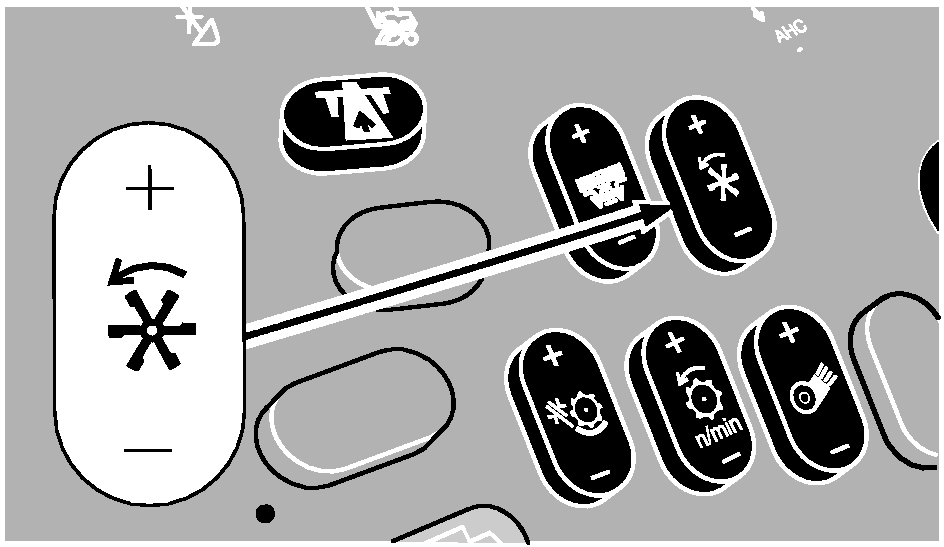
Manual reel or belt pickup speed switch has priority over the DIAL-A-SPEED system. It will change the speed of the reel or belt pickup as determined by the operator. However, as soon as the manual control is released, the DIAL-A-SPEED system will resume control. The system can be disabled by pressing the reel DIAL-A-SPEED button on the display or the following:
|
|
OUO6075,0003621 -19-23JUN04-2/3 |
|
Change Minimum Reel Speed
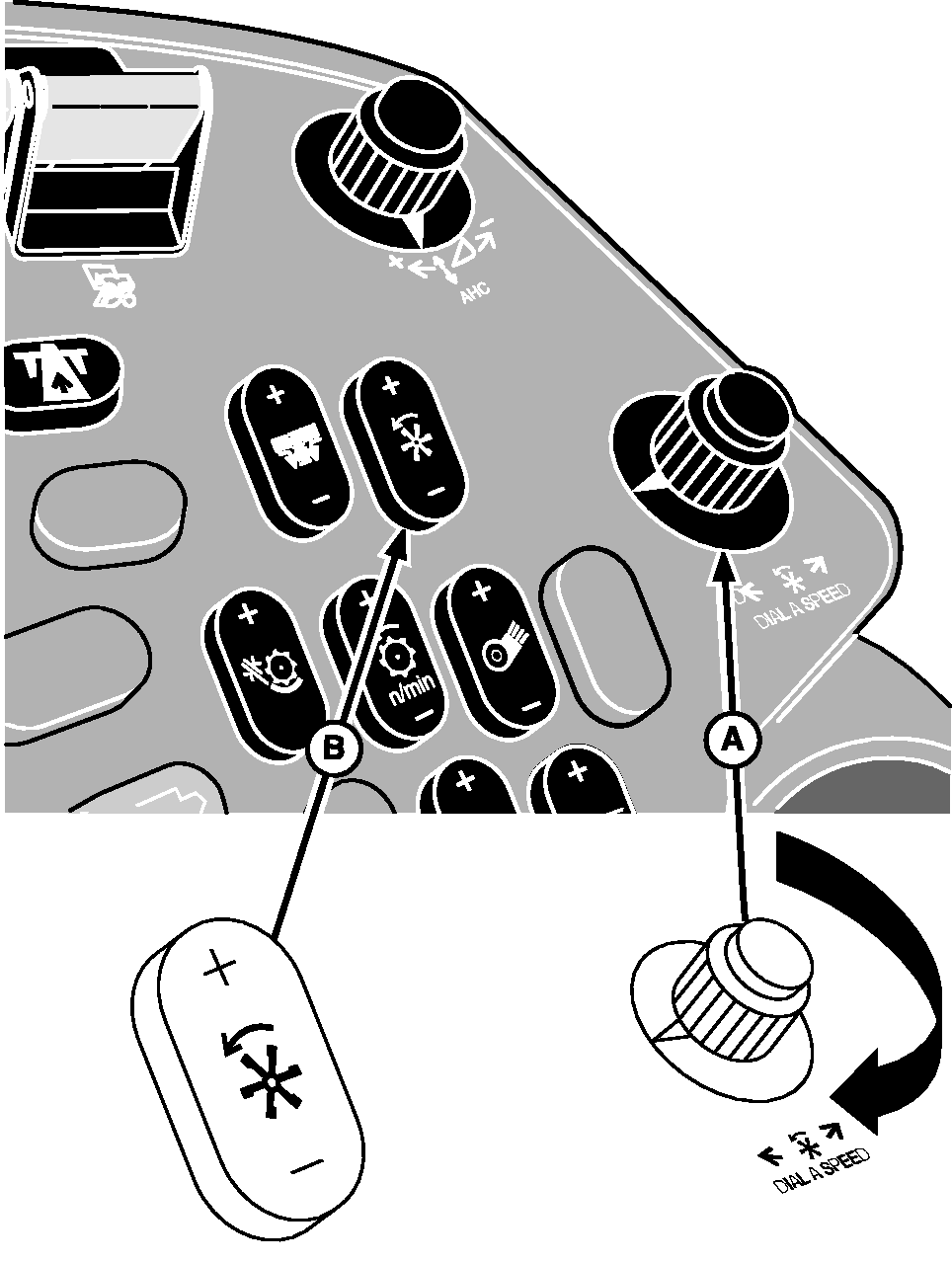
To change the minimum reel speed, turn reel DIAL-A-SPEED dial (A) counterclockwise or towards minus (-) symbol until zero appears on the cornerpost display. Press manual reel speed switch (B) to set minimum reel or belt pickup speed. Return reel DIAL-A-SPEED dial to prior setting and continue operating.
|
|
OUO6075,0003621 -19-23JUN04-3/3 |