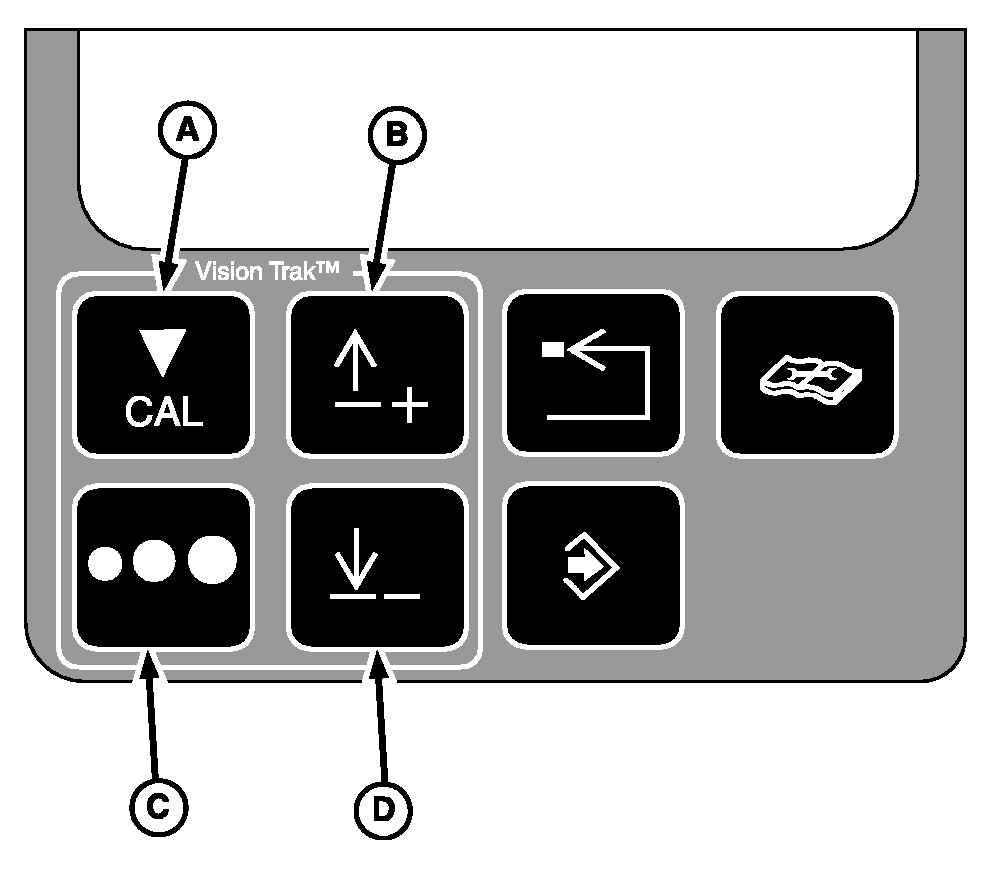
VISIONTRAK Display Control Button
A-Calibration Button
B-Up Arrow Button
C-Seed Size Button
D-Down Arrow Button
|
|
|
|
OUO6075,0003625 -19-26APR04-1/4
|
Calibration Button
Calibration button is used to calibrate the grain loss total based on the current loss levels of each sensor.
NOTE:
Using this button in the diagnostics/calibration mode will not change any calibrations for the VISIONTRAK monitor.
|
|
|
|
OUO6075,0003625 -19-26APR04-2/4
|
Seed Size Button
Press and release the seed size button will increment the seed size by one. When largest size is reached the next increment will result in the smallest seed size being shown. The last seed size displayed will be kept in memory when the combine is turned OFF. When combine is powered up, the last seed size will be displayed.
|
|
|
|
OUO6075,0003625 -19-26APR04-3/4
|
Calibration Setting Buttons
Pressing up/down arrow button will cause the unit to blank the deck plate icon (if equipped), and momentarily display the current grain loss calibration setting for the grain loss monitor. While the current calibration is displayed, pressing the up/down arrow will change the calibration setting.
|
|
|
|
OUO6075,0003625 -19-26APR04-4/4
|
|