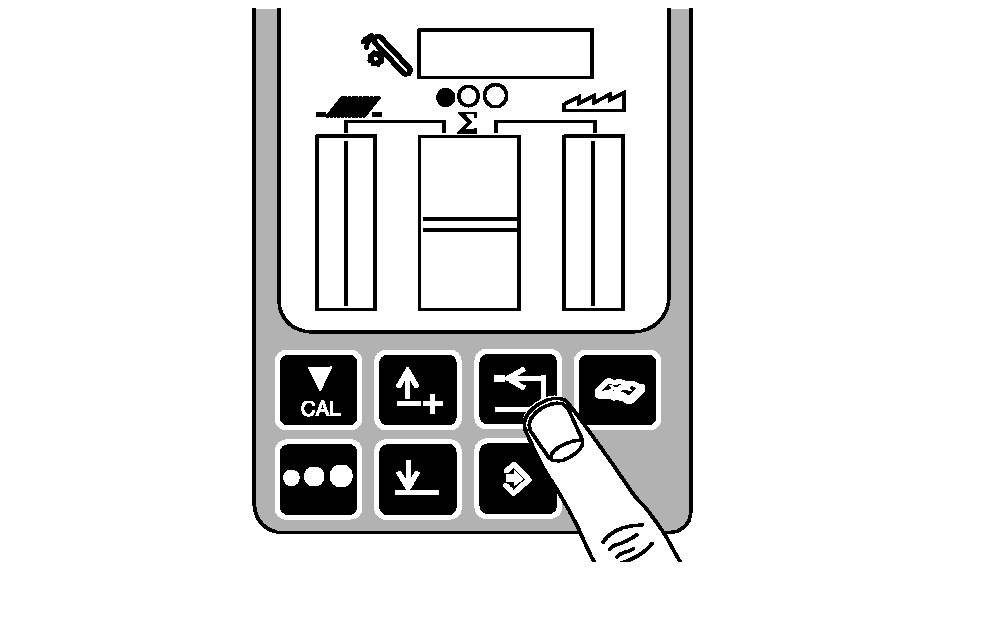
Accessing Diagnostic Trouble Codes and Addresses
1.
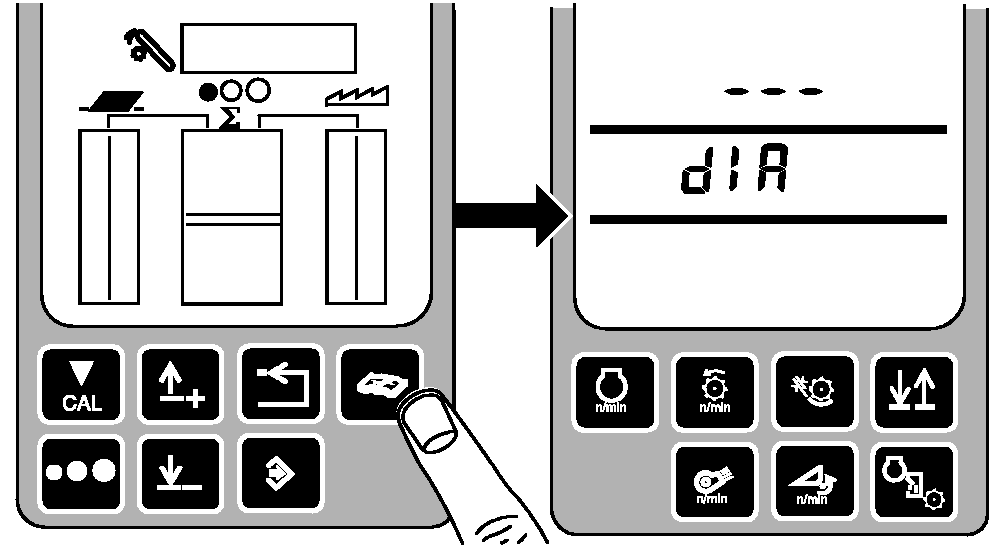
Select Diagnostic Mode:
-
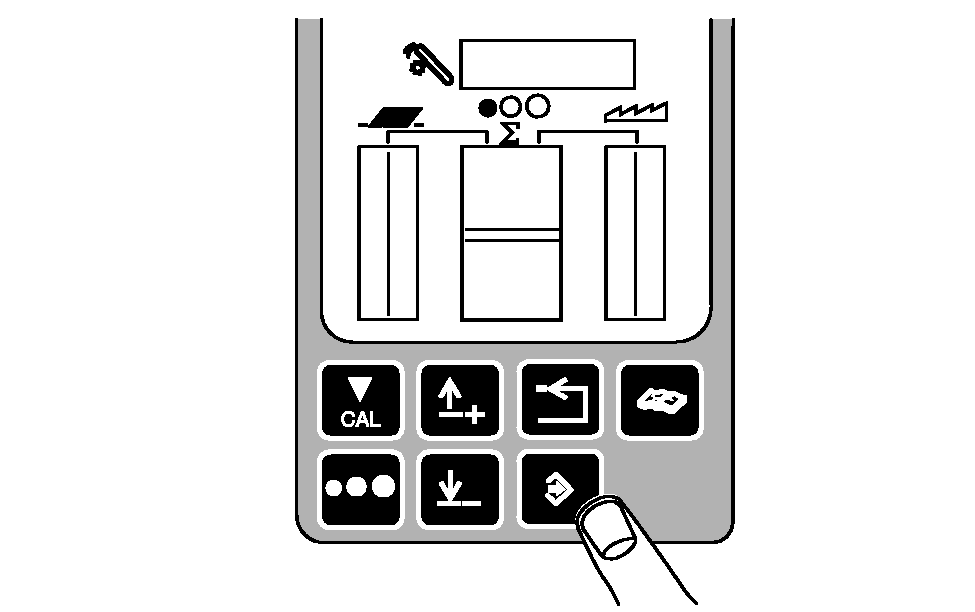
Turn key switch to "RUN" position.
-
Press diagnostic button.
-
dIA will be displayed.
|
|
|
|
OUO6075,00036AB -19-11MAY04-1/7
|
2.
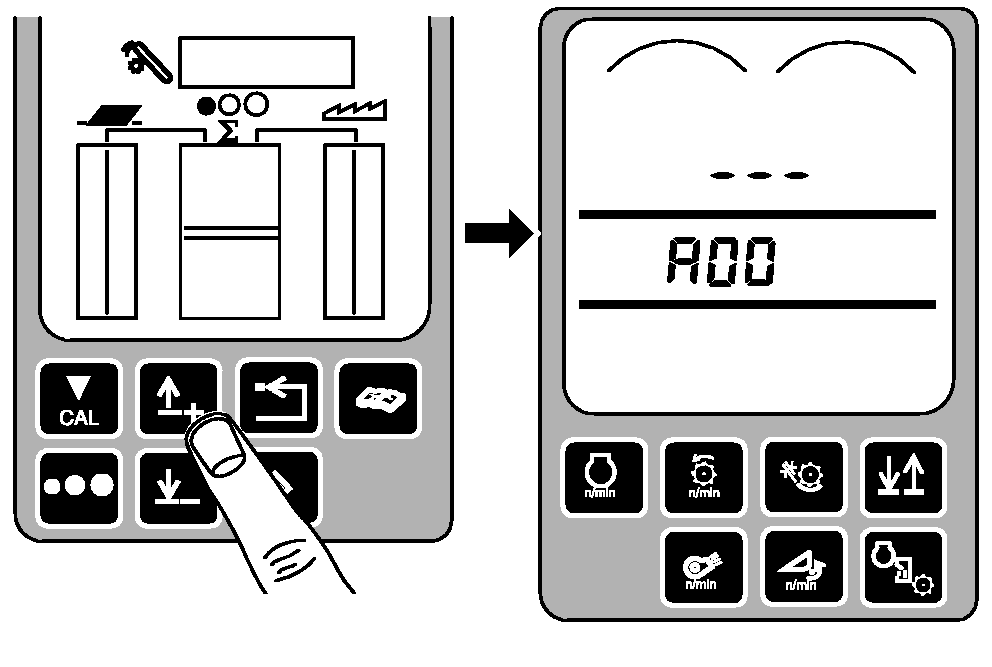
Select desired control unit:
-
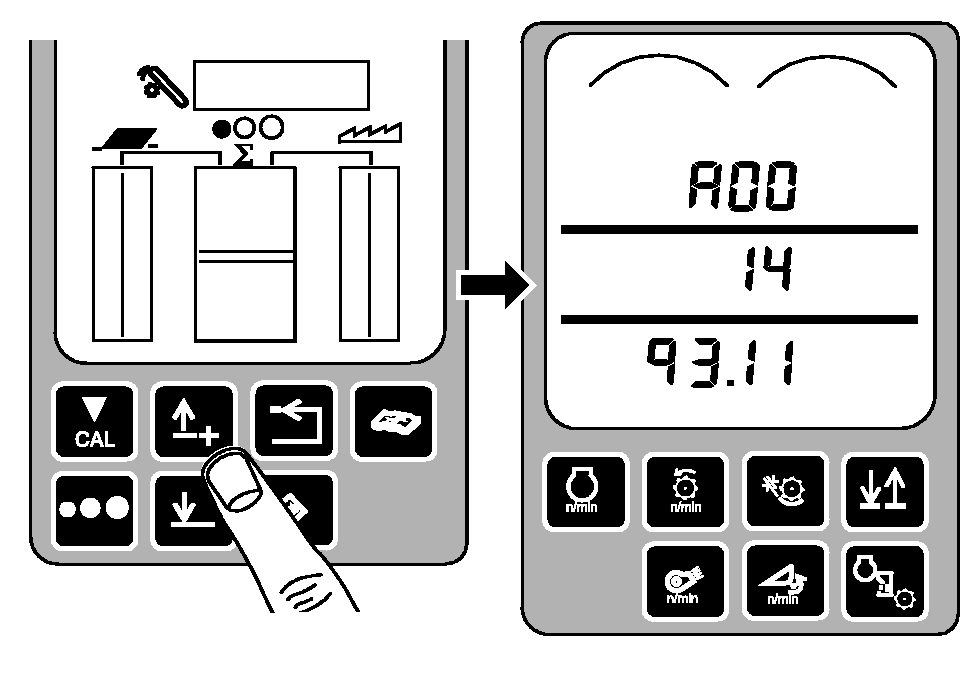
Press up or down arrow button to obtain desired address (example A00 appears on display).
|
|
|
|
OUO6075,00036AB -19-11MAY04-2/7
|
|
|
OUO6075,00036AB -19-11MAY04-3/7
|
4.
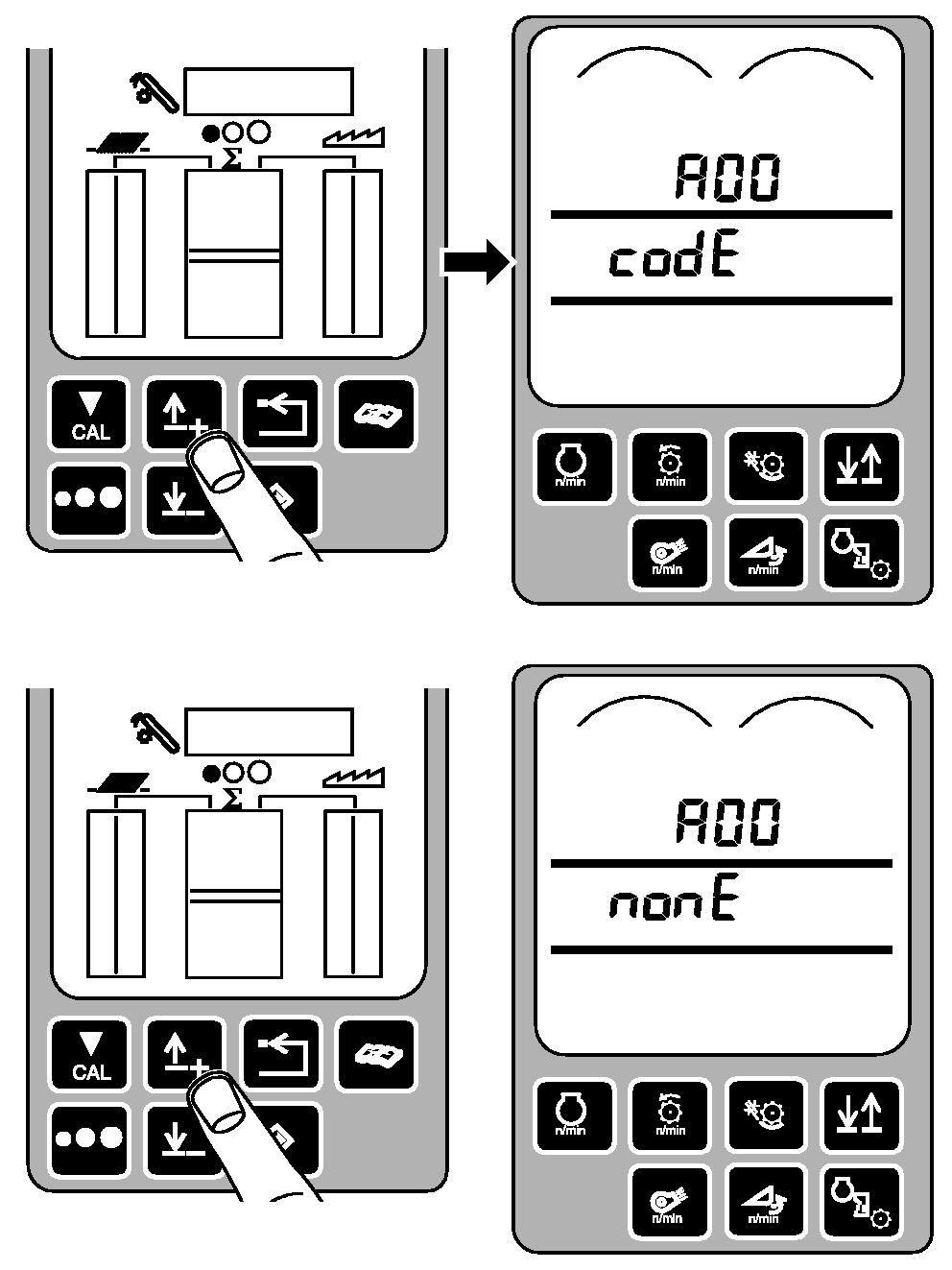
Determine if codes are available:
-
Press up or down arrow button once.
-
If diagnostic trouble codes are available, A00 and codE will displayed.
-
If no diagnostic trouble codes are available, A00 and nonE will be displayed.
|
|
|
|
OUO6075,00036AB -19-11MAY04-4/7
|
5.
Read and record diagnostic trouble codes:
-
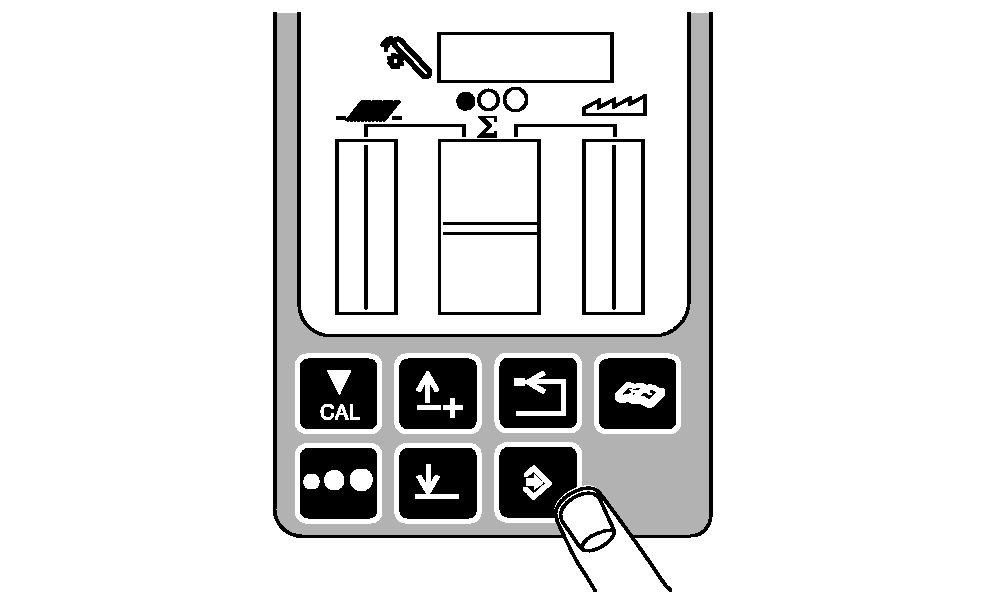
Press enter button.
-
Press up or down arrow button to scroll through diagnostic codes.
-
Record each control name (A00, E00, E01, etc. A00 shown).
-
Record each suspected parameter number (SPN) (100002,639, 200000, etc, - 1493 shown).
-
Record each failure mode identifier (FMI) (.04, .13, .04, etc. - .11 shown).
|
|
|
|
OUO6075,00036AB -19-11MAY04-5/7
|
|
NOTE:
Priority 1 codes cannot be cleared until the problem is solved.
6.
After all codes have been displayed, there is an option to clear these codes:
-
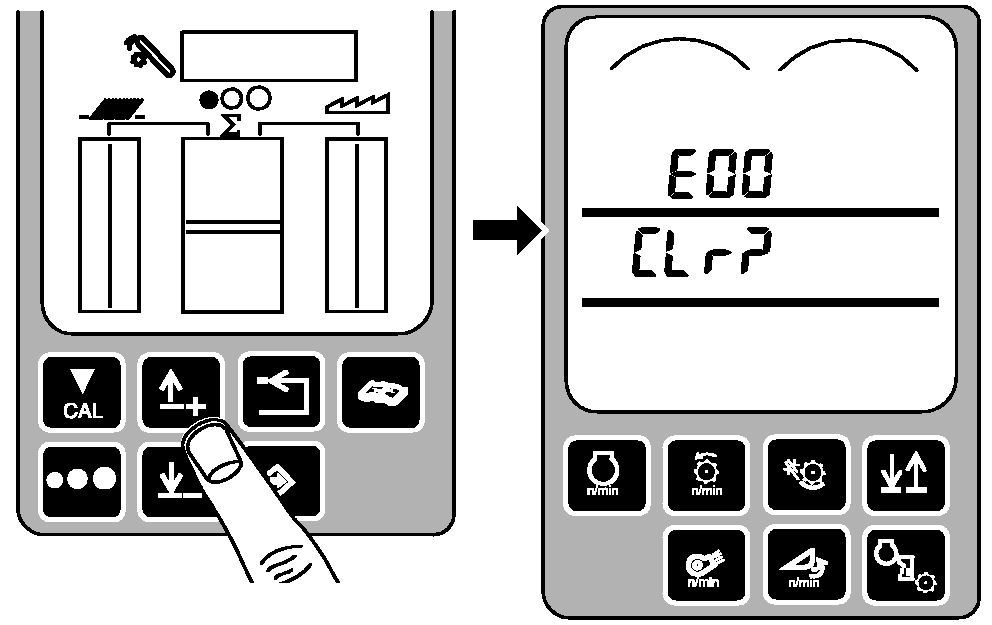
Scroll to end of code list until CLr? is displayed.
-
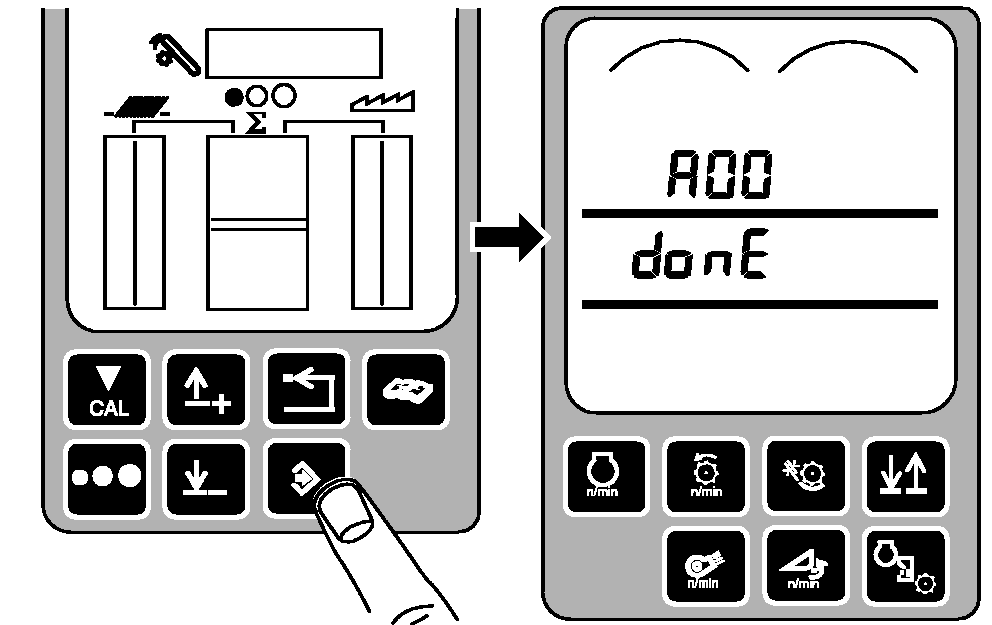
Press enter button to clear codes. A00 and donE will be displayed.
|
|
|
|
OUO6075,00036AB -19-11MAY04-6/7
|
7.
Return to operating mode:
-
Press back arrow button three times to return to normal operation.
|
|
|
|
OUO6075,00036AB -19-11MAY04-7/7
|
|