Deck Plate Sensor Zero Calibration
Deck plate position sensor is calibrated using the deck plate calibration procedure. Deck plate calibration procedure must be performed before initial use or when deck plate position sensor is replaced.
Prepare header for calibration:
-
Attach header to combine and connect header harness
-
Make sure deck plate position sensor is operating
-
Start combine
|
|
|
|
OUO6075,000388A -19-01JUN04-1/10
|
|
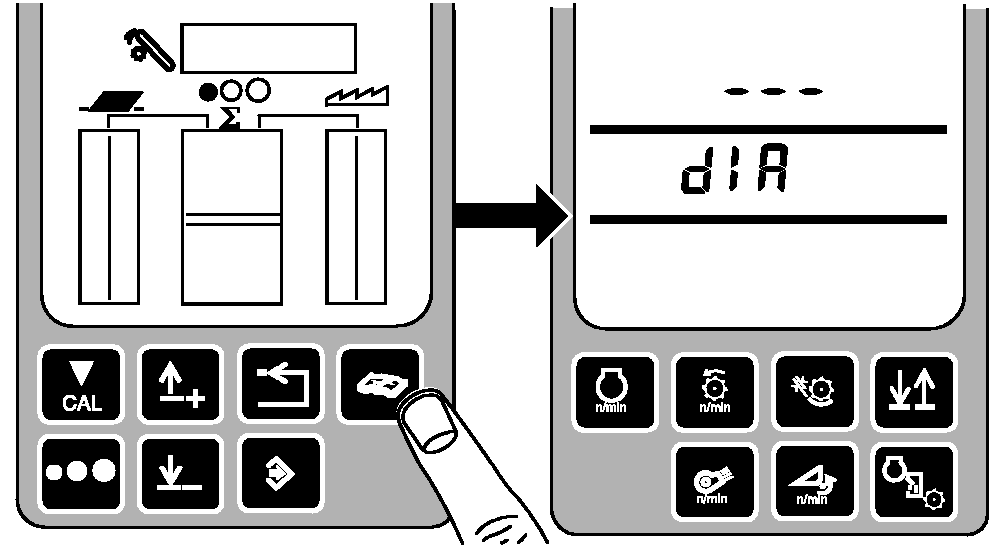
Press diagnostic button. dIA will be displayed.
|
|
|
|
OUO6075,000388A -19-01JUN04-2/10
|
|
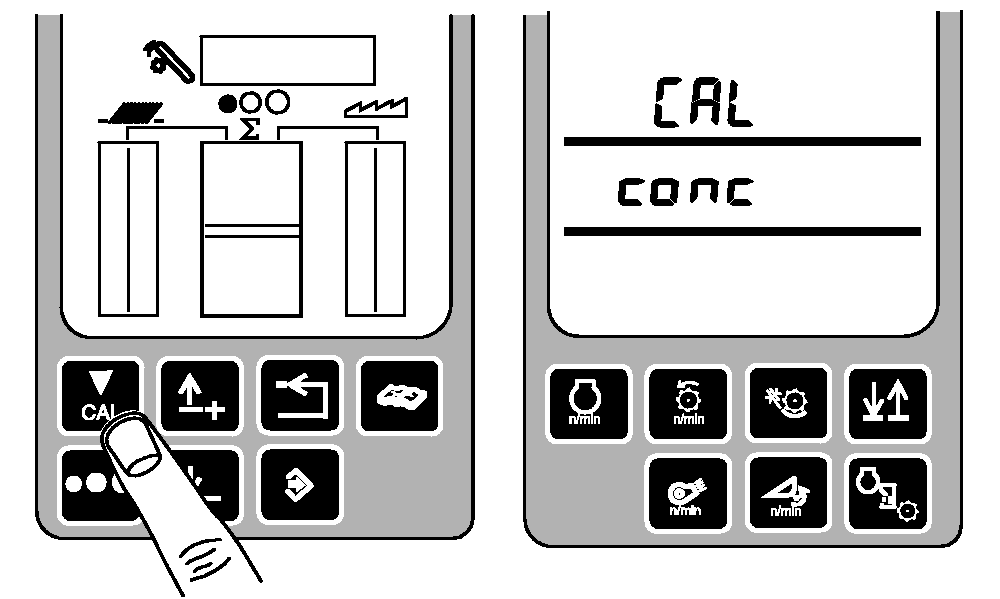
Press calibration button. CAL and conc will be displayed.
|
|
|
|
OUO6075,000388A -19-01JUN04-3/10
|
|
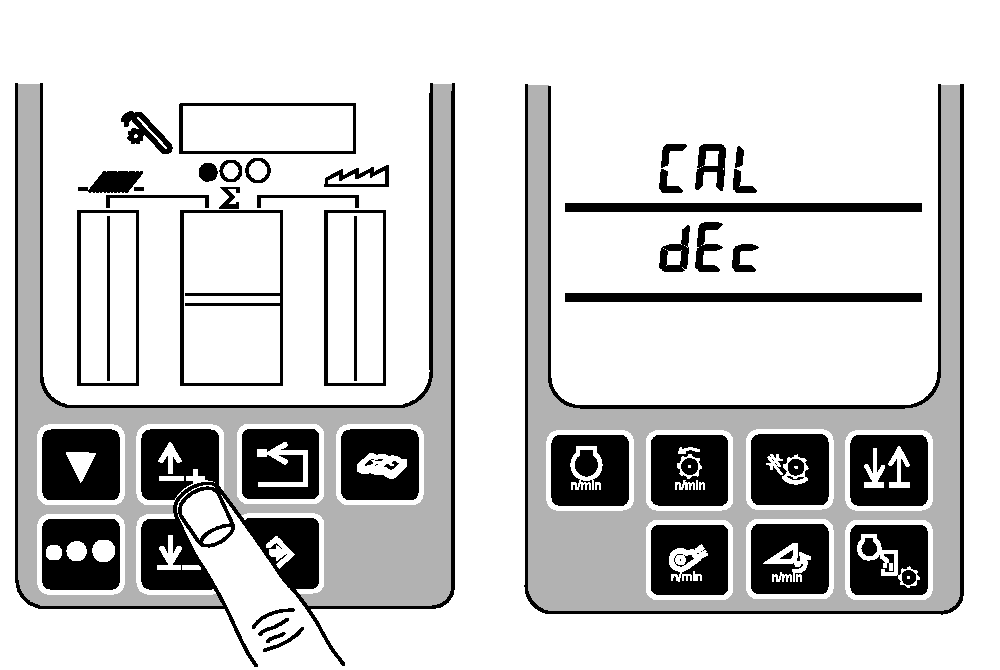
Press up or down arrow button until CAL and dEc appear.
|
|
|
|
OUO6075,000388A -19-01JUN04-4/10
|
|
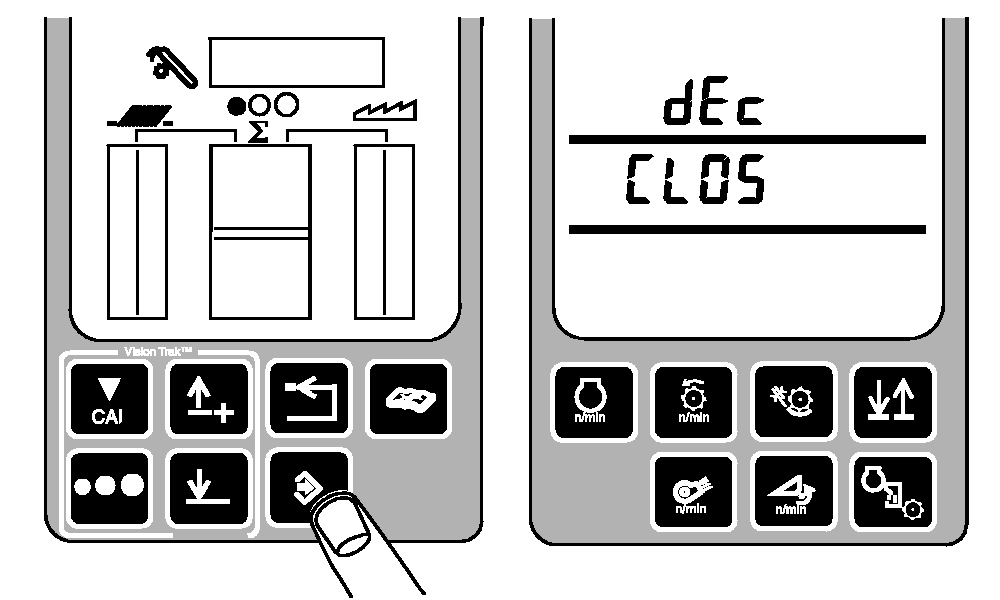
Press enter button. dEc and CLOS will be displayed.
|
|
|
|
OUO6075,000388A -19-01JUN04-5/10
|
|
To set sensor minimum setting:
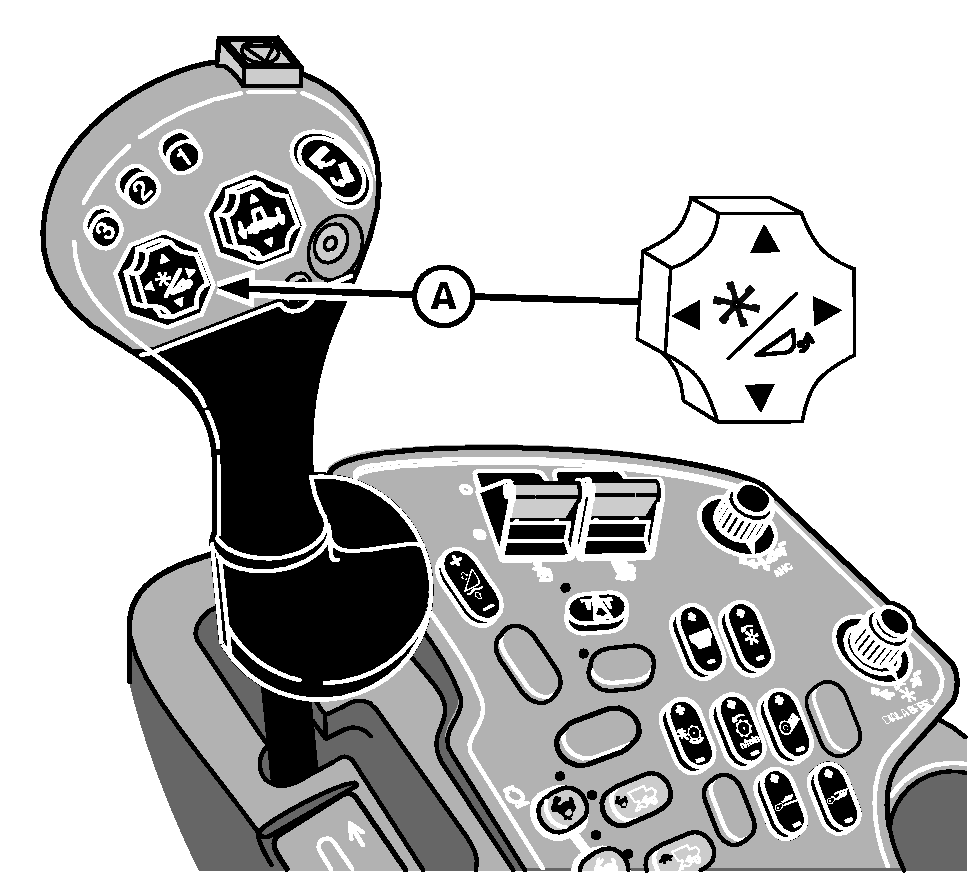
Press and hold right side of reel fore/aft switch (A) until deck plates completely close.
A-Reel Fore/Aft Switch
|
|
|
|
OUO6075,000388A -19-01JUN04-6/10
|
|
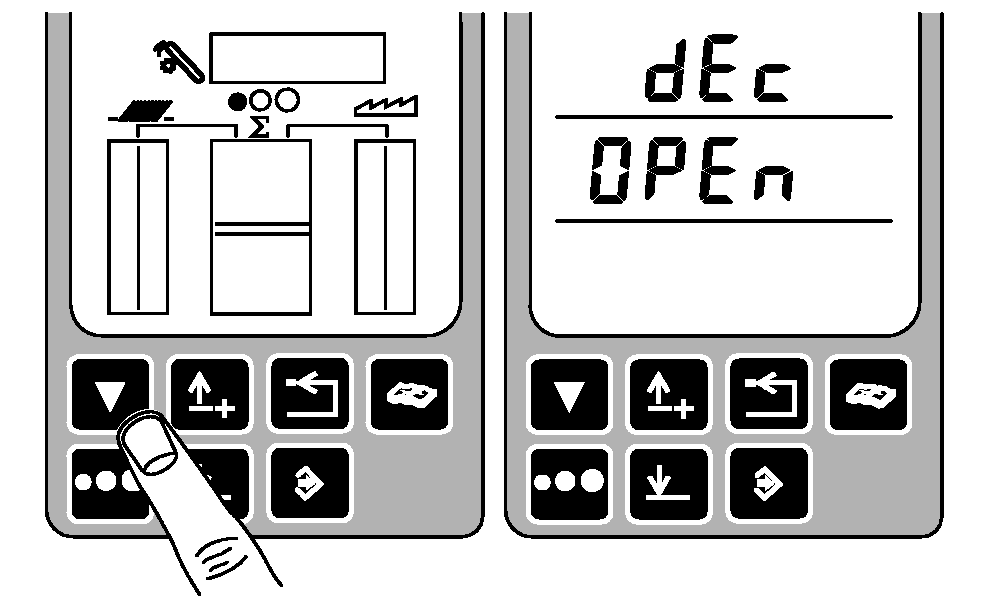
Press calibration button. dEc and OPEN will be displayed.
|
|
|
|
OUO6075,000388A -19-01JUN04-7/10
|
|
To set sensor maximum setting:
Press and hold left side of reel fore/aft switch (A) until deck plates completely open.
A-Reel Fore/Aft Switch
|
|
|
|
OUO6075,000388A -19-01JUN04-8/10
|
|
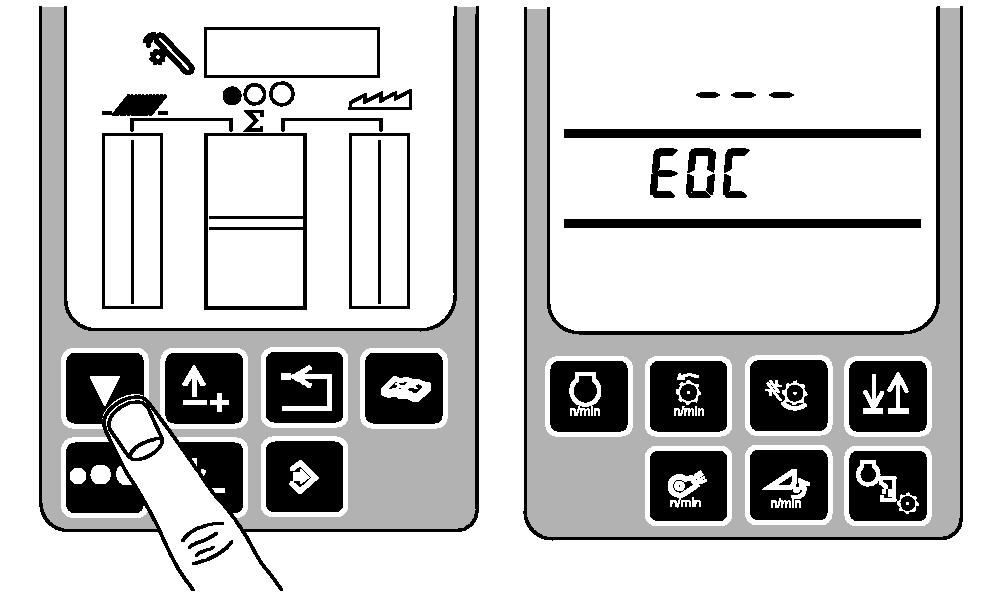
Press calibration button. EOC will be displayed.
|
|
|
|
OUO6075,000388A -19-01JUN04-9/10
|
|
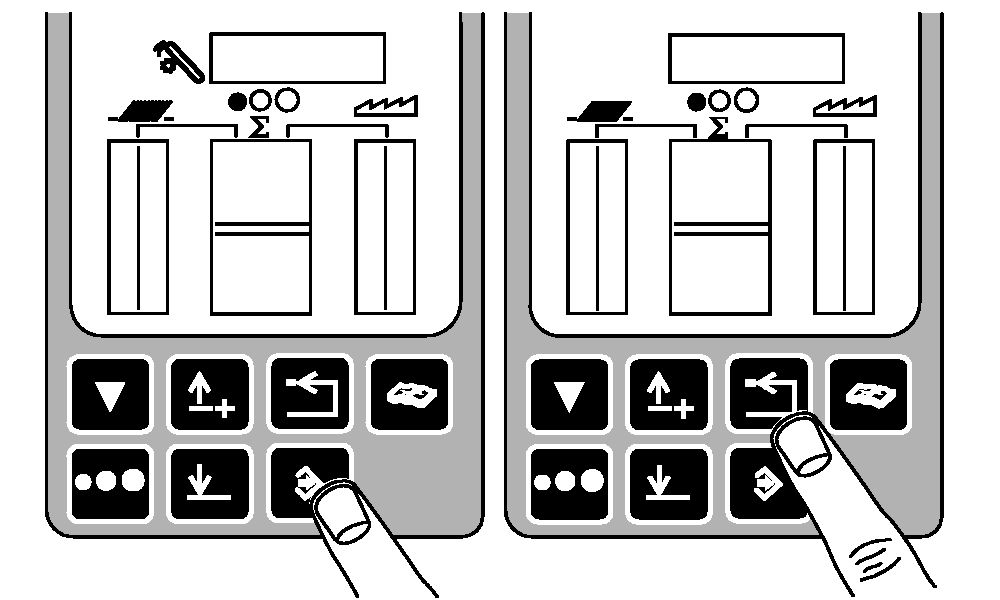
Press enter button to store calibration value or press back arrow button to abort calibration (not save values).
Press back arrow button to return to normal operation.
|
|
|
|
OUO6075,000388A -19-01JUN04-10/10
|
|