Setup Header
|
|
|
IMPORTANT: Make certain header type is correct when changing from one header to another. The wrong header selection will result in an inaccurate information. NOTE: To change from feet to meters see SETUP GREENSTAR DISPLAY. Press letter button next to "Header Type" on SETUP - Harv Mon - PAGE 1. SETUP - Header will appear. |
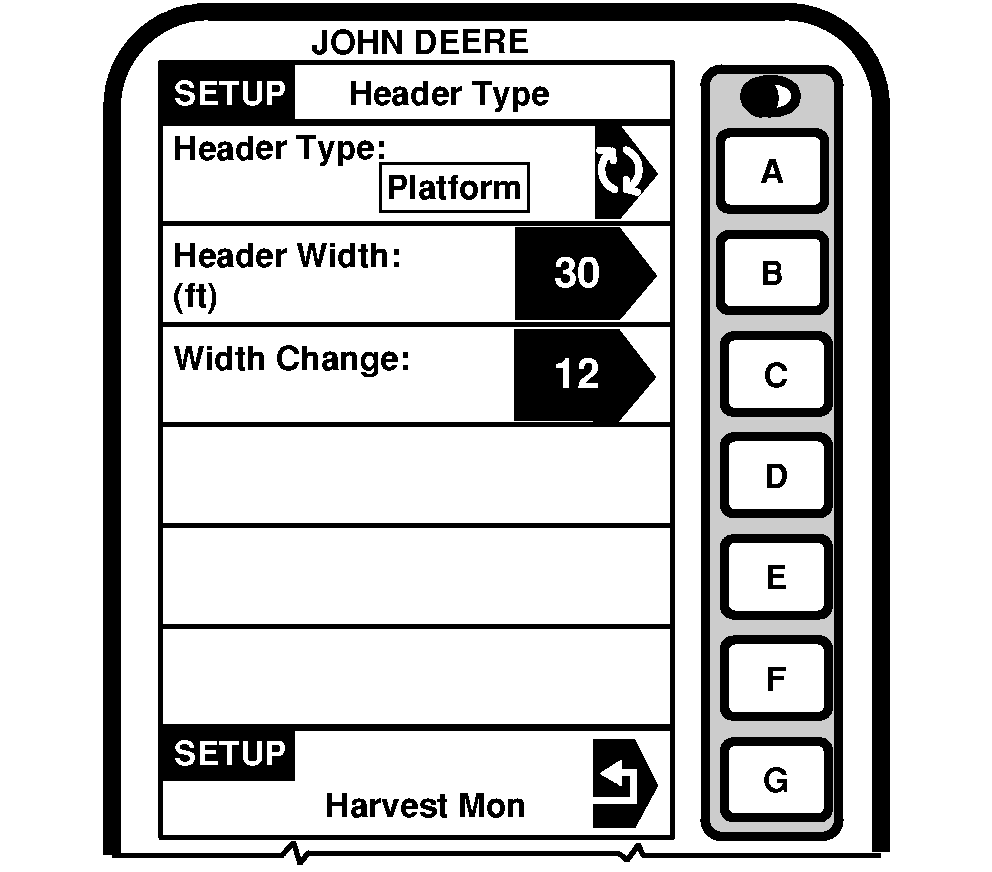
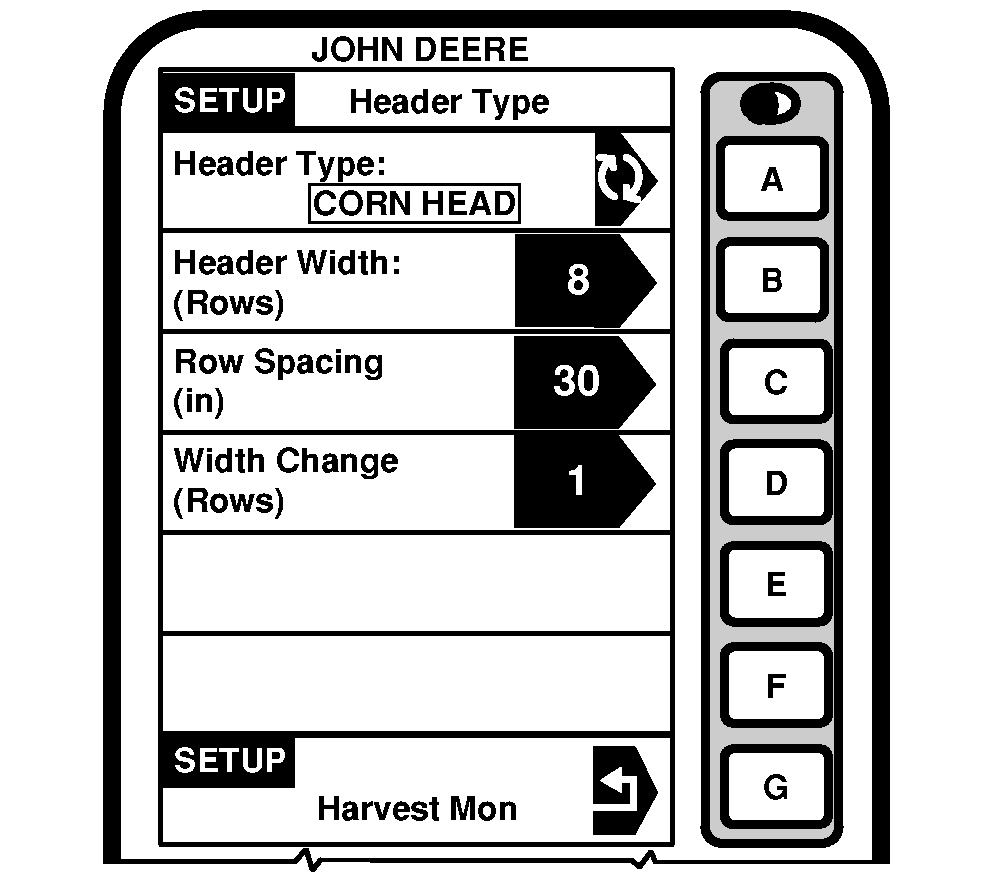
NOTE: Depending on which type of header is selected, there are additional items to be setup. Press letter button next to "Header Type" to toggle between Corn Head, Row Crop, Platform and Belt Pickup. Select desired header type. |
OUO6075,0003952 -19-18JUN04-1/3 |
|
Corn Head/Row Crop Head
Press letter button next to "Header Type" to adjust header width. Enter header (in rows) width using numeric keypad. IMPORTANT: Make certain row spacing is correct when header types are changed. The wrong row spacing will result in inaccurate area calculation. Press letter button next to "Row Spacing" to enter spacing widths (cm/in.) using numeric keypad. Press letter button next to "Rows Change" to set the increments (in rows) for cut width change on RUN - PAGE 1. Use numeric keypad to enter number. |
|
OUO6075,0003952 -19-18JUN04-2/3 |
|
Platform/Belt Pickup
NOTE: If row crop (i.e. soybeans) are being harvested with a platform, and the row spacing does not allow the use of full header width, adjust header width to the crop width being cut. Platform = Actual field cutting width in meters (feet). Belt Pickup = Actual width of grain cut to produce windrow in meters (feet). Using numeric keypad, input correct header width in meters or feet. Press letter button next to "Width Change" to change increments (in meters or feet) for cut width on RUN - PAGE 1. |
|
OUO6075,0003952 -19-18JUN04-3/3 |