Sieve Calibration (Optional)-Component Replacement
This procedure must be used when the actuator or sieve element is replaced or if the components are removed.
NOTE:
Element play will prevent correct calibration if the sieve is not closed first, then opened to 5 mm (3/16 in.).
Use remote sieve adjust switch (located on left-hand side of machine) or actuator manual adjustment knob to fully close, then open sieve to 5 mm (3/16 in.).
|
|
|
|
OUO6075,0003D7C -19-01FEB05-1/13
|
|
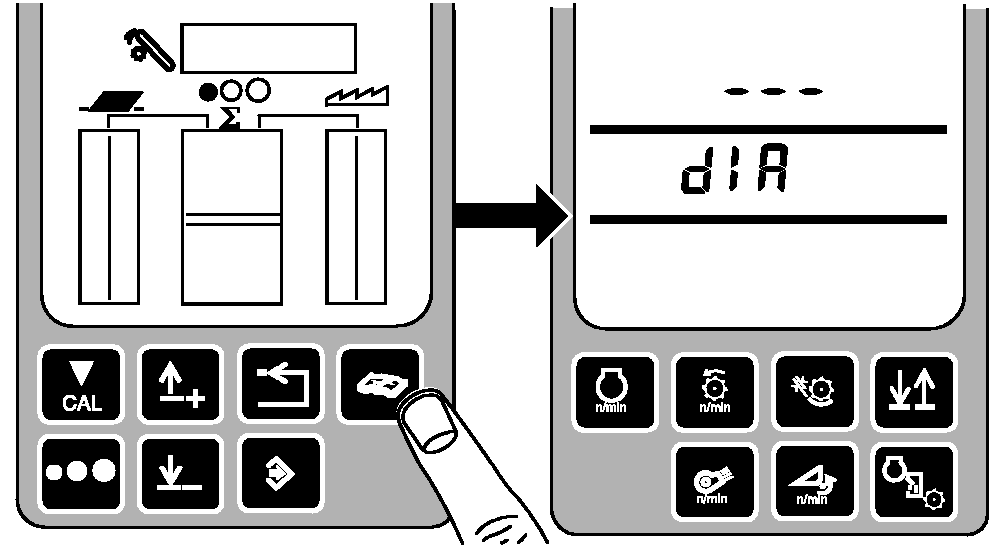
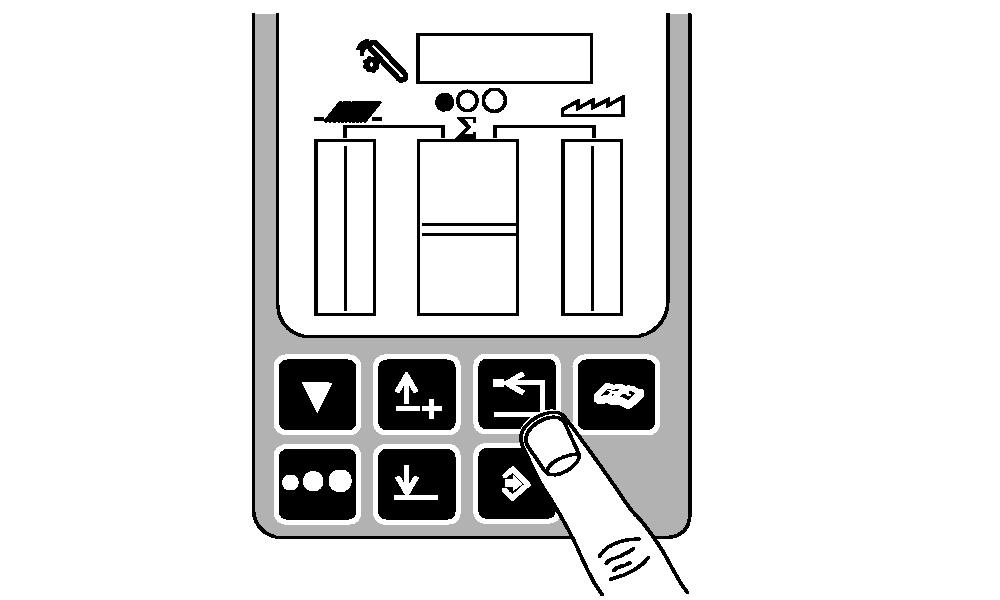
Press diagnostic button. dIA will be displayed.
|
|
|
|
OUO6075,0003D7C -19-01FEB05-2/13
|
|
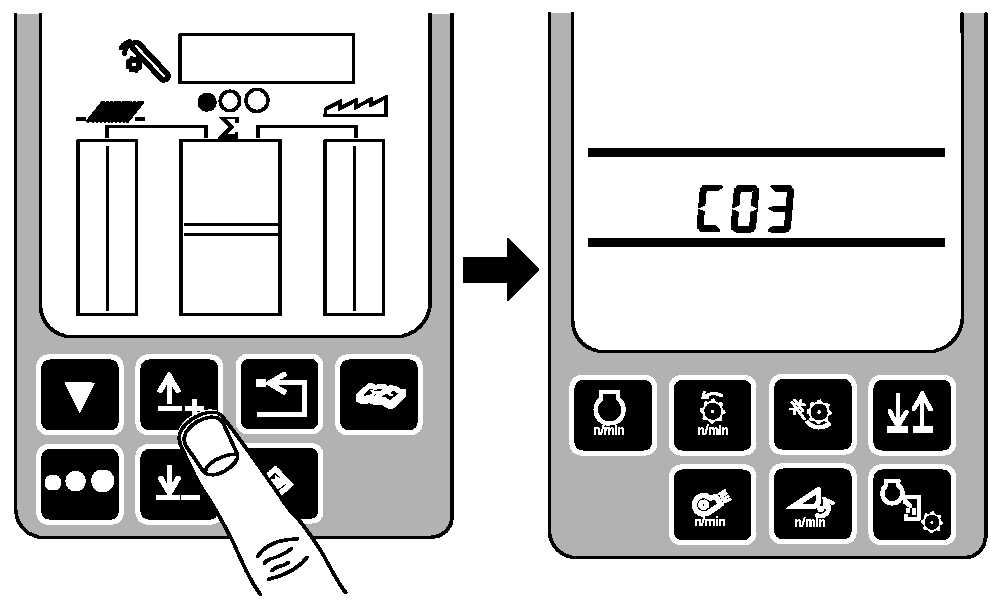
Press up arrow button until C03 is displayed.
|
|
|
|
OUO6075,0003D7C -19-01FEB05-3/13
|
|
|
OUO6075,0003D7C -19-01FEB05-4/13
|
|
NOTE:
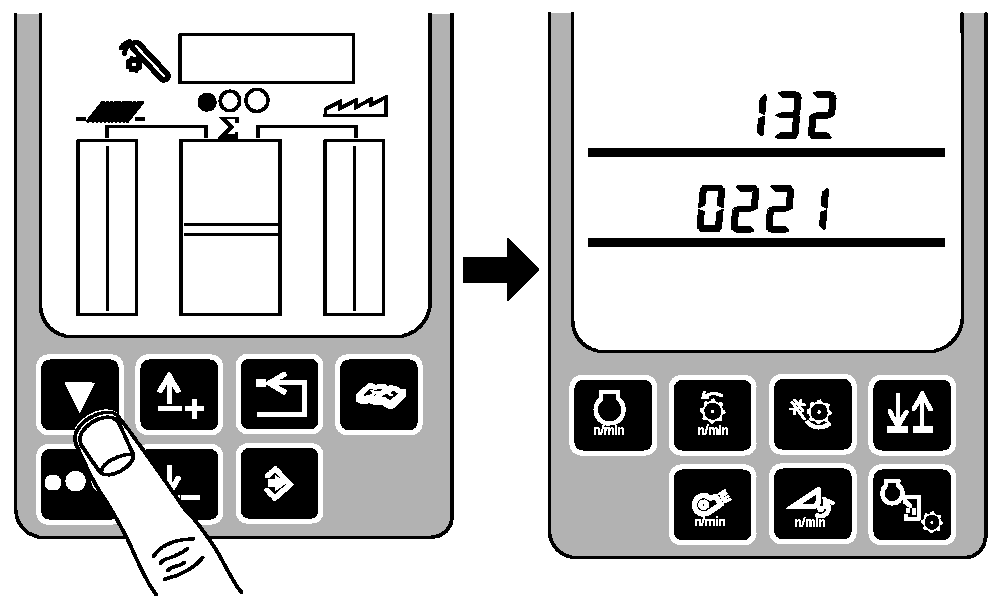
0221 is for standard sieve elements and 0331 is for deep tooth sieve elements.
132 and 1nP will alternate on top line.
Press up arrow button until 132 is displayed. Confirm that the correct sieve element numbers are displayed.
|
|
|
|
OUO6075,0003D7C -19-01FEB05-5/13
|
|
|
OUO6075,0003D7C -19-01FEB05-6/13
|
|
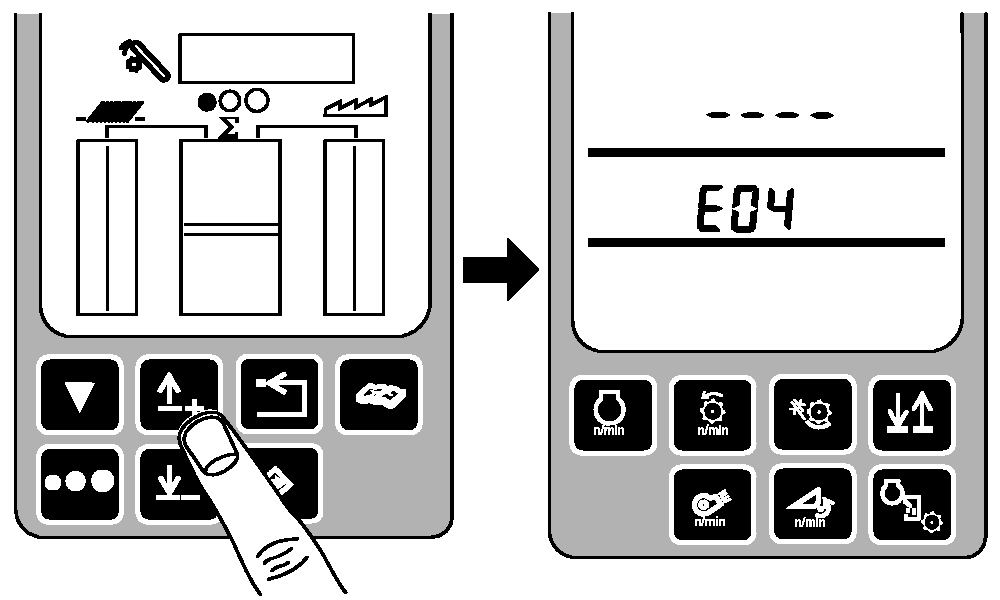
Press up or down arrow button until E04 is displayed.
|
|
|
|
OUO6075,0003D7C -19-01FEB05-7/13
|
|
|
OUO6075,0003D7C -19-01FEB05-8/13
|
|
NOTE:
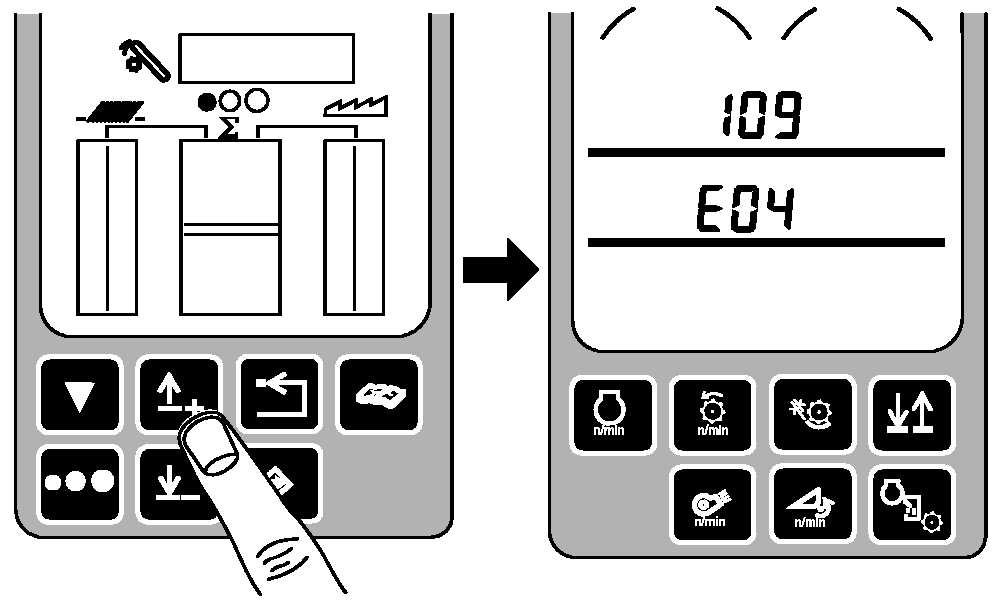
109 and CAL will alternate on top line.
Press up or down arrow button until 109 is displayed.
|
|
|
|
OUO6075,0003D7C -19-01FEB05-9/13
|
|
NOTE:
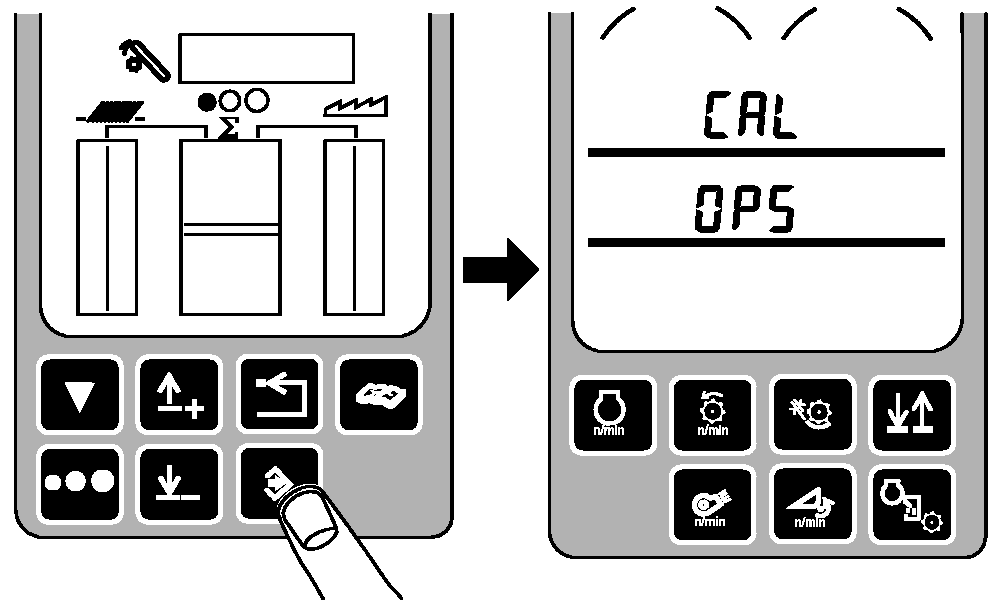
109 and CAL will alternate on top line.
Press enter button. OP5 will be displayed.
|
|
|
|
OUO6075,0003D7C -19-01FEB05-10/13
|
|
NOTE:
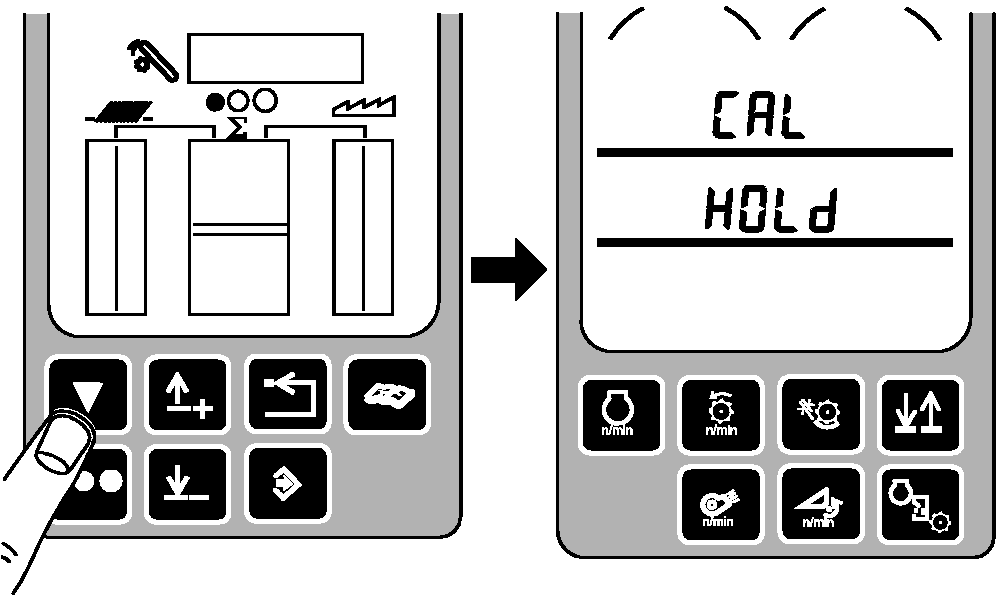
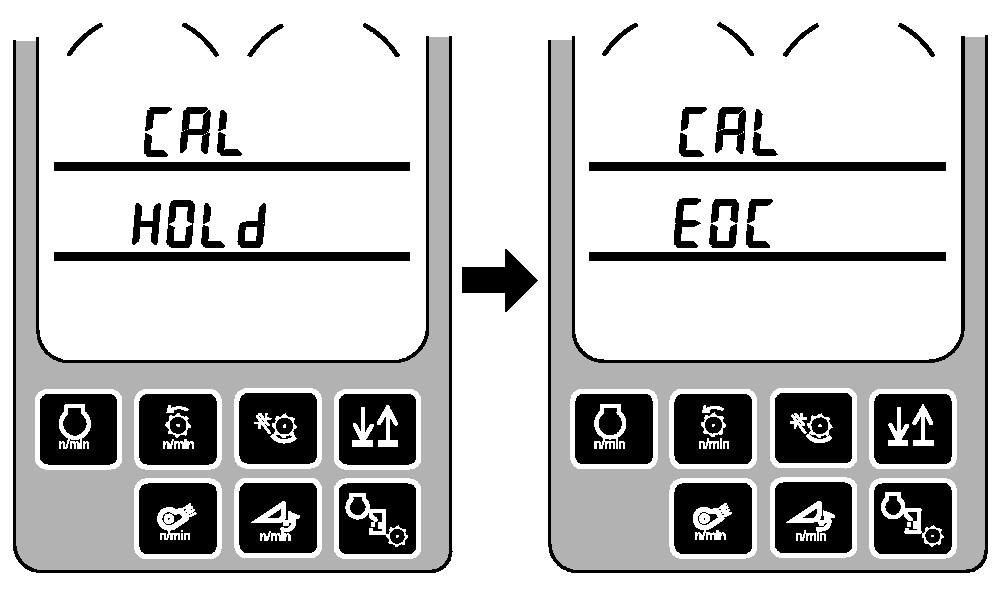
While HOLd is displayed the sieve element is calibrating itself.
109 and CAL will alternate on top line.
Press calibration button. HOLd will be displayed.
|
|
|
|
OUO6075,0003D7C -19-01FEB05-11/13
|
|
NOTE:
109 and CAL will alternate on top line.
HOLd will change to EOC when calibration is complete.
|
|
|
|
OUO6075,0003D7C -19-01FEB05-12/13
|
|
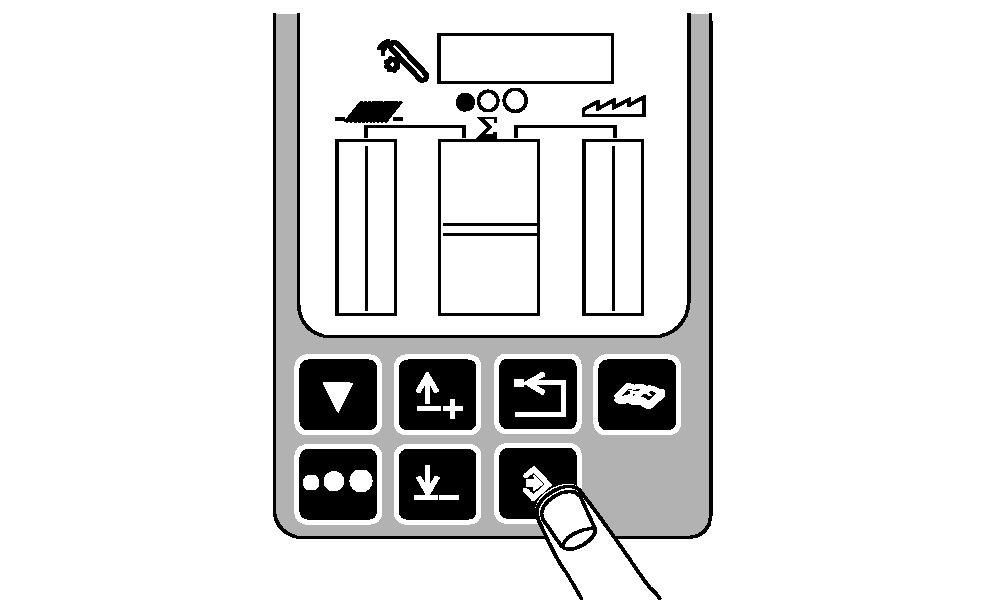
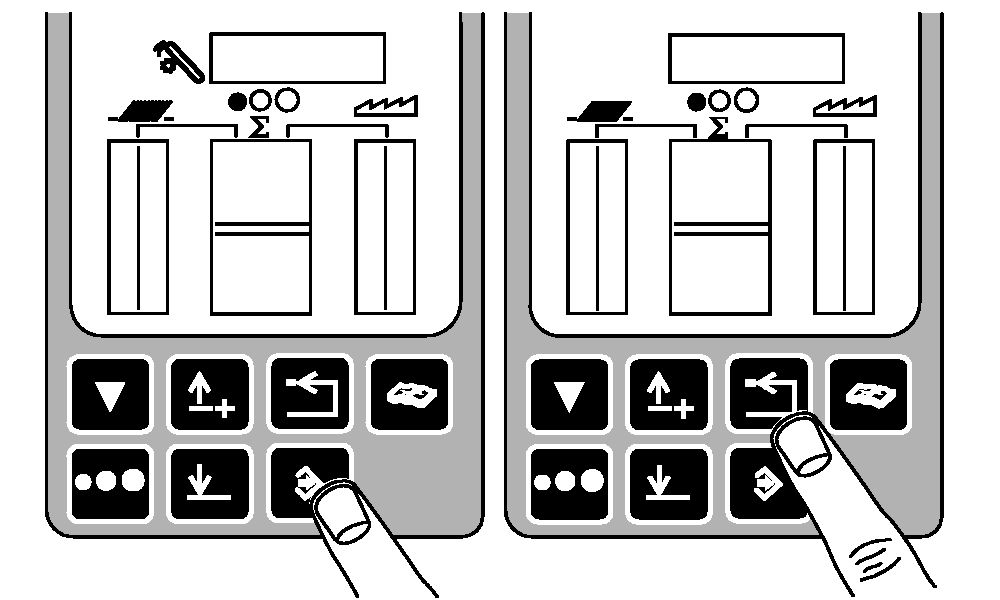
Press enter button to store calibration value or press back arrow button to abort calibration (not save values).
Press back arrow button to return to normal operation.
|
|
|
|
OUO6075,0003D7C -19-01FEB05-13/13
|
|