Moisture Curve
|
Three moisture curve choices are:
|
Refer to MOISTURE CURVE CALIBRATION CODES later in this section for the latest available codes. This screen is used to enter new moisture curves that may be provided by the factory. Use the following to enter a new curve as directed. |
OUO6075,0003E0E -19-17FEB05-1/4 |
|
|
|
1.
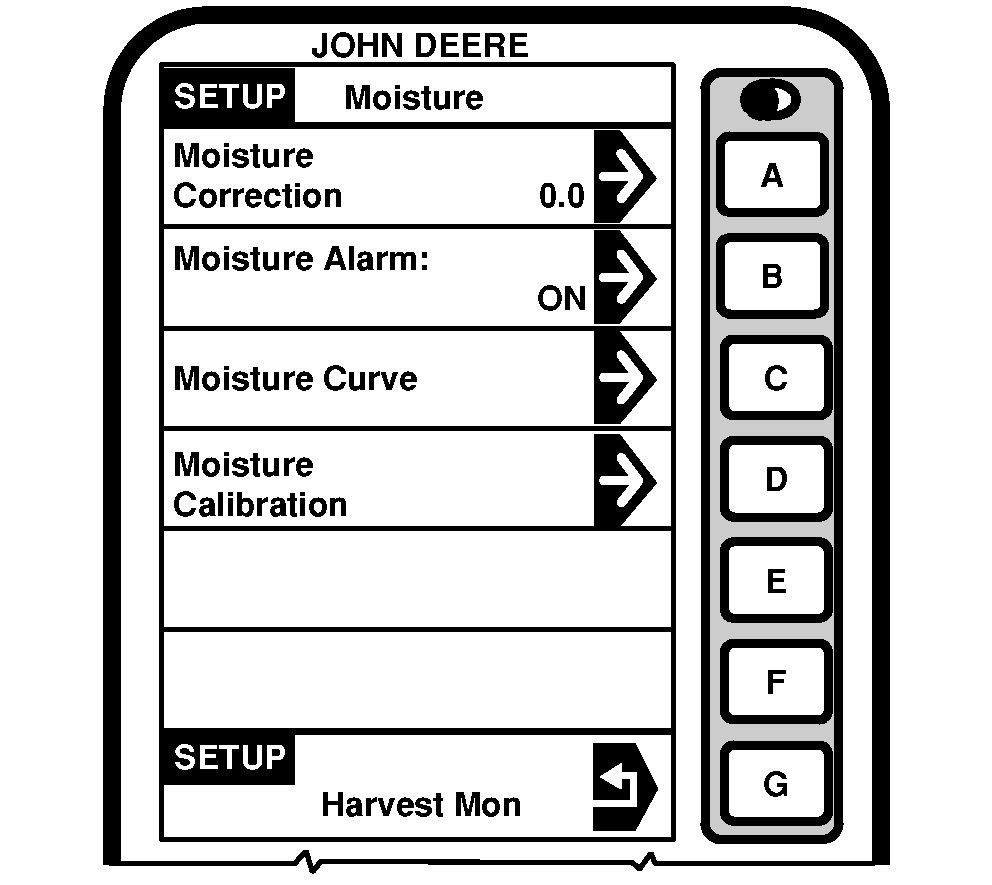
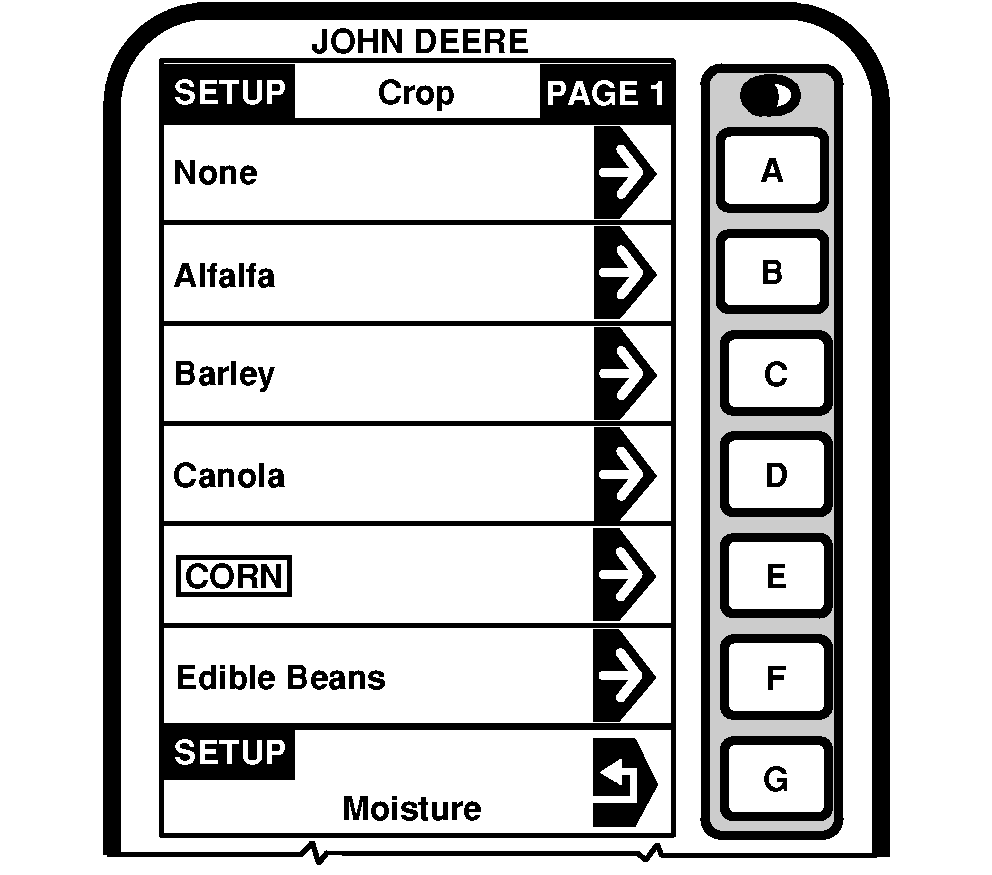
Press letter button next to "Moisture Curve" on SETUP - Moisture screen and SETUP - Crop - PAGE 1 will appear.
NOTE: If needed press page button until desired crop appears. |
2. Press letter button next to desired crop to be updated. |
OUO6075,0003E0E -19-17FEB05-2/4 |
|
|
|
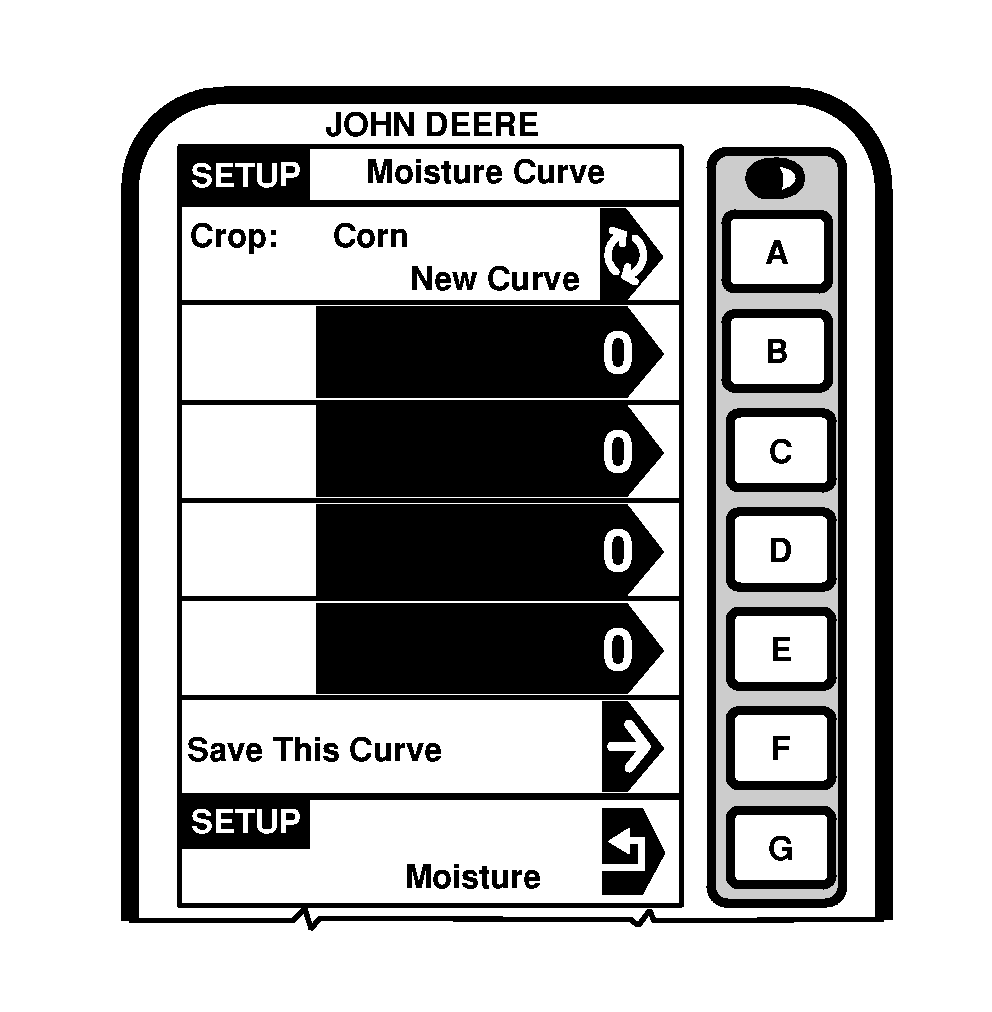
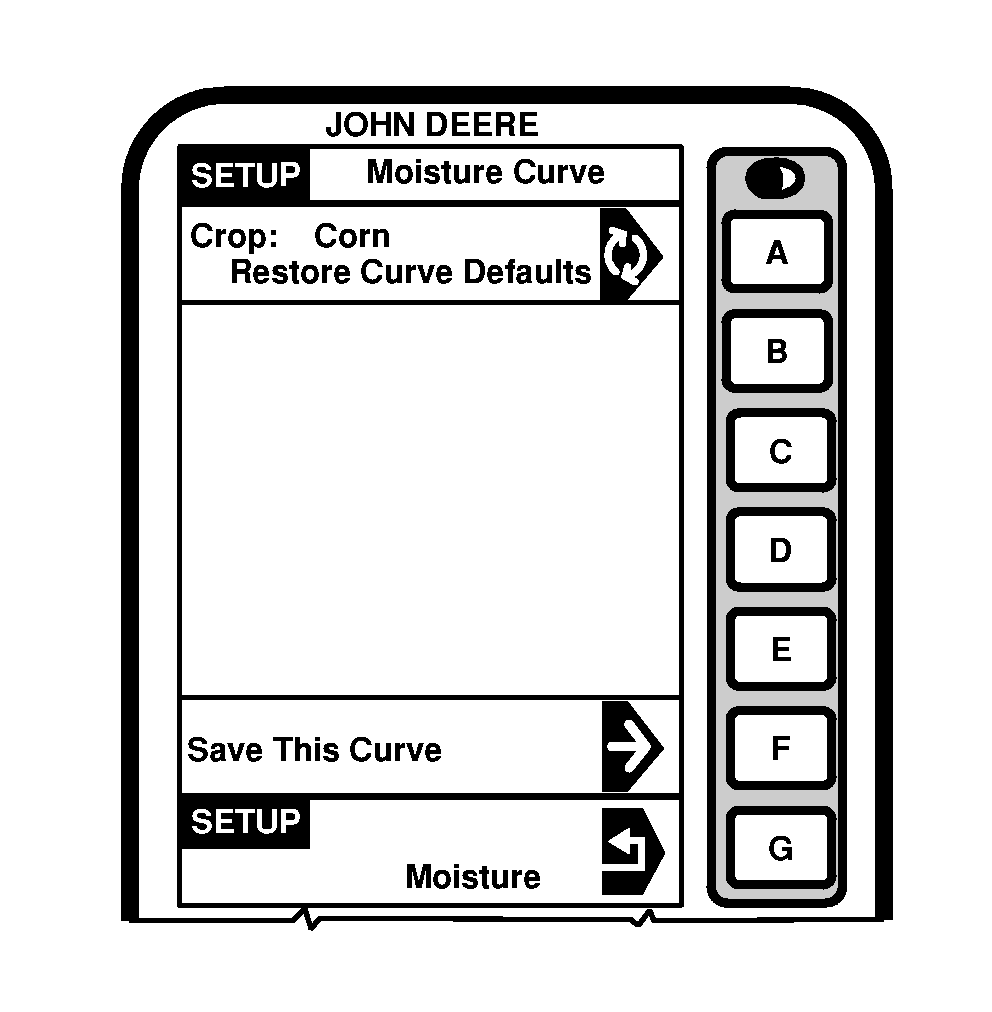
NOTE: To view current moisture curve, go to INFO Harvest Monitor section. 3. Press letter button on "Crop" cell to toggle between "Enter New Curve", "Update Curve" or "Restore Curve Defaults". 4. If "Enter New Curve" is selected press letter button next to a blank cell and using numeric keypad enter the new moisture curve number. |
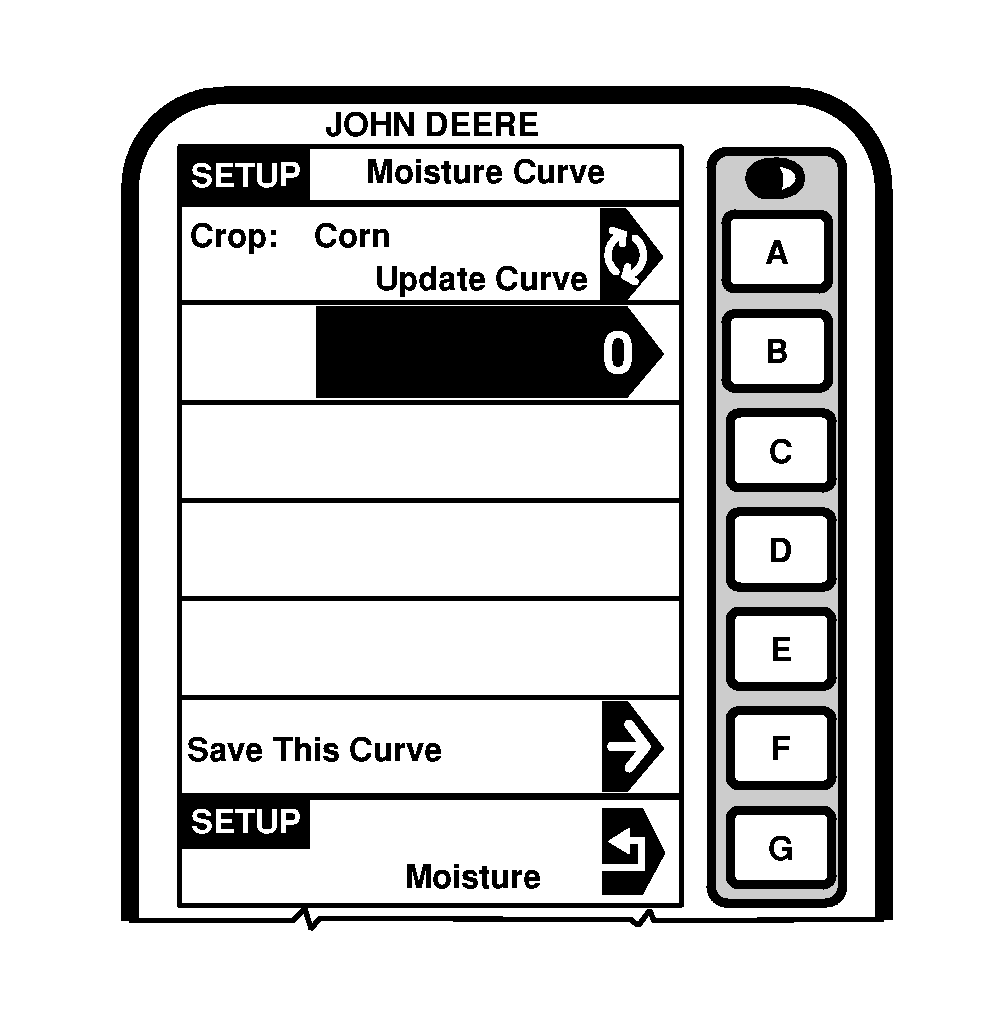
5. Press letter button next to "Save This Curve". NOTE: To update an existing curve, toggle to "Update Curve" on SETUP - Moisture Curve screen. 6. Press letter button next to blank cell and using numeric keypad enter update. 7. Press letter button next to "Save This Curve". |
OUO6075,0003E0E -19-17FEB05-3/4 |
|
8.
To restore default curves, press letter button on "Crop" cell to toggle to "Restore Curve Defaults".
9. Press letter button next to "Save This Curve" to restore default curves for the selected crop. |
|
OUO6075,0003E0E -19-17FEB05-4/4 |