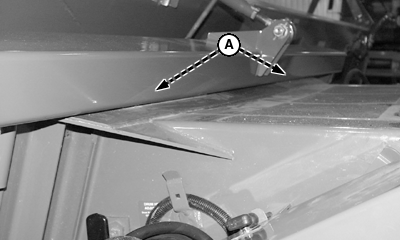
Attaching Platform to CombineIMPORTANT: Attaching platform to a pre-70 series combine requires retrofit kits. See your John Deere dealer. NOTE: The Slow Speed Integral Transport System is optional for the 630D and 635D draper platforms. Refer to Transporting section to convert Slow Speed Integral Transport System to field positions. 1. Drive combine slowly forward until feeder house is centered in platform opening. 2. Completely raise platform, pivot blocks on feeder house must be seated in pockets (A) under top beam of platform. |
|
NS43404,00005DD -19-26JUN08-1/10 |
|
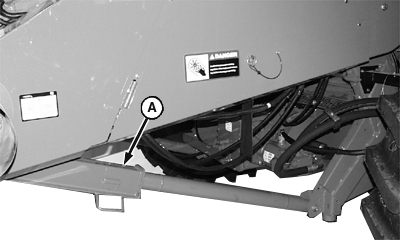
3. Set parking brake, shut OFF engine and remove key. 4. Lower safety stop (A) onto hydraulic cylinder rod.
|
|
 CAUTION:
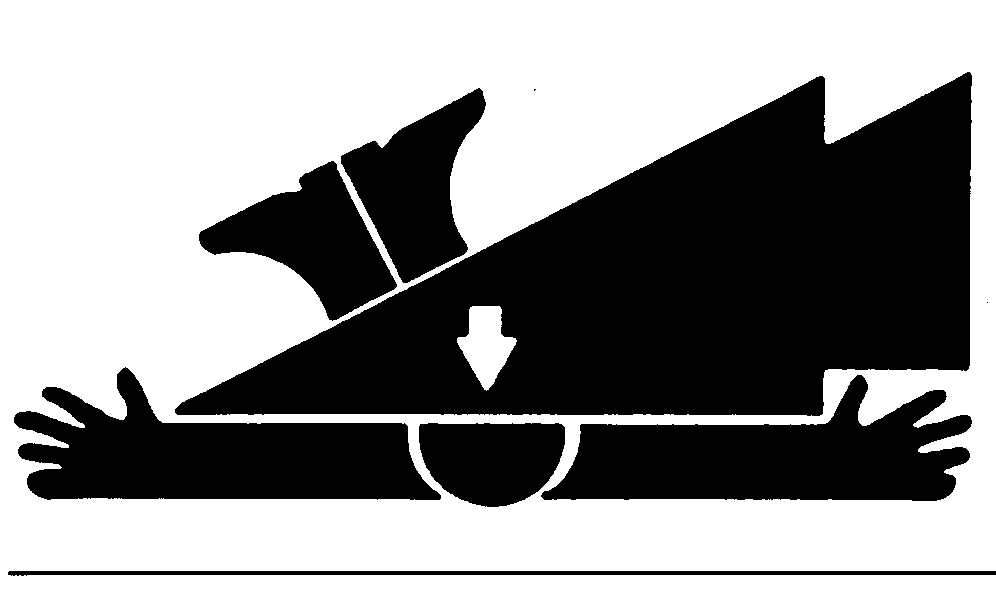
To prevent serious injury, set parking brake, shut off engine and remove key. Opening hydraulic line fittings to lower feeder house results in an immediate dropping of feeder house and header. To prevent injury, raise feeder house completely and lower safety stop (A) onto hydraulic cylinder rod.
CAUTION:
To prevent serious injury, set parking brake, shut off engine and remove key. Opening hydraulic line fittings to lower feeder house results in an immediate dropping of feeder house and header. To prevent injury, raise feeder house completely and lower safety stop (A) onto hydraulic cylinder rod.
NS43404,00005DD -19-26JUN08-2/10 |
|
5.
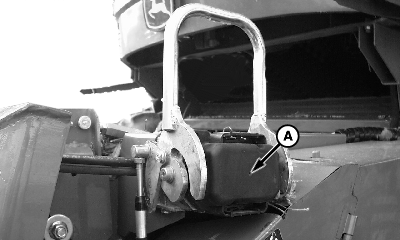
Remove cover (A) and clean multicoupler face (B).
|
|

NS43404,00005DD -19-26JUN08-3/10 |
|
6.
Open handle (A) and remove multicoupler (B) from storage bracket.
|
|
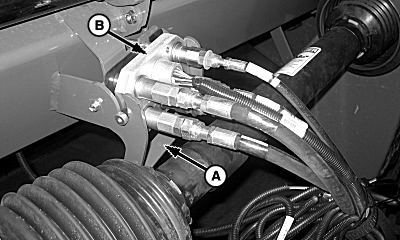
NS43404,00005DD -19-26JUN08-4/10 |
|
IMPORTANT: To prevent damage to the latching cable, do not actuate the latching pins with the header on the ground, as screws on the handle can shear. NOTE: If screw shears, see REPLACEMENT SHEAR SCREW LOCATION procedure in this section. 7. Install multicoupler (A) onto receptacle (B) and close handle (C).
|
|
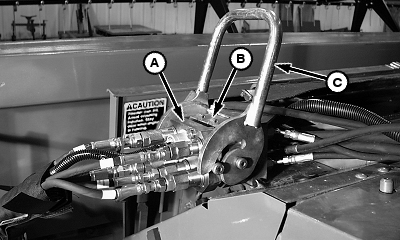
NS43404,00005DD -19-26JUN08-5/10 |
|
a. Machines Equipped with Slide Lock Multicouplers: When multicoupler handle is closed, slide lock plate (A) through multicoupler latch assembly (B) and retain with quick-lock pin (C). IMPORTANT: Failure to slide lock plate through multicoupler assembly could result in the header falling off while harvesting or transporting.
|
|

NS43404,00005DD -19-26JUN08-6/10 |
|
b. Machines Equipped with Button Lock Multicouplers: When multicoupler handle is fully closed, button lock (A) automatically locks couplers together. IMPORTANT: Failure to close multicoupler fully so button lock can engage could result in the header falling off while harvesting or transporting.
|
|
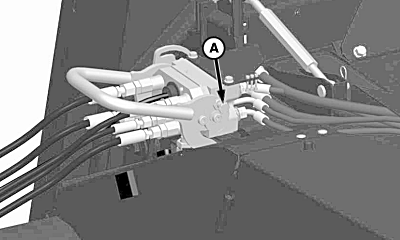
NS43404,00005DD -19-26JUN08-7/10 |
|
NOTE: With platform attached, latch pins should move freely through latch plate holes. If latch pins do not extend through the latch plates, make sure that the latching plates on the platform are properly adjusted. 8. Latch pins (A) should move freely through latch plate holes in header when multicoupler is latched. Latch plate (B) must make contact with bracket (C). Less clearance (D) should be maintained between bottom of plate and pin rather than top of plate (E) and pin. This may require latch plate to be flipped. If adjustment is needed: Remove cap screws (F), flip plate (B) end for end, reinstall, and tighten cap screws to specifications: Specification
|
|
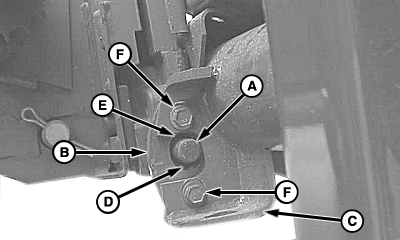
NS43404,00005DD -19-26JUN08-8/10 |
|
9.
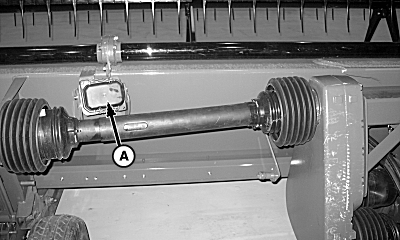
Install multicoupler cover (A) on platform storage position.
|
|
NS43404,00005DD -19-26JUN08-9/10 |
|
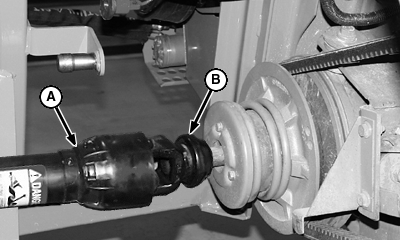
IMPORTANT: Do not operate without drive shield on feeder house. Drive shield for this photo has been removed for clarity. 10. Remove telescopic shaft (A) from storage position and install onto feeder house driveshaft. Make sure quick attach collar (B) locks fully. 11. Unlock float system (See LOCK AND UNLOCK FLOAT SYSTEM procedure in the ADJUSTMENTS - SUSPENSION AND LEVELING section of this manual).
|
|
NS43404,00005DD -19-26JUN08-10/10 |