Communications/CB Radio Mounting
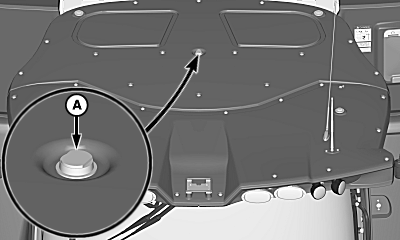
H119749-UN-31OCT16
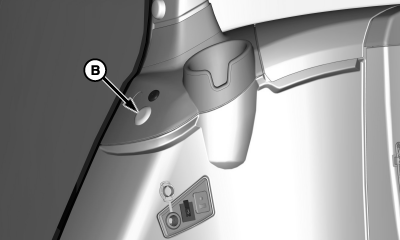
H119854-UN-31OCT16
Antenna Cable Hole (Deluxe Cab Location)
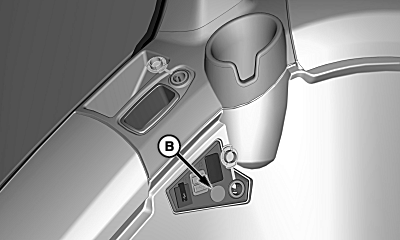
H119851-UN-31OCT16
Antenna Cable Hole (Premium Cab Location)
A - Antenna Mount
B - Plug
Do not install a radio requiring more than 3 amps or electrical system may malfunction.To install additional communications radio, see your John Deere dealer for further information.
Antenna mount (A) is located in the center of the cab roof.
- Remove dust cap from the antenna base.
- Remove brass nut from the antenna base.
- Discard rubber washer.
- Reinstall antenna base with O-ring facing downward.
- Install antenna.
Antenna cable is located inside the right-hand console.
- Remove plug (B) from various locations shown.
- Remove cup holder and locate antenna cable.
- Route antenna cable through hole opening.
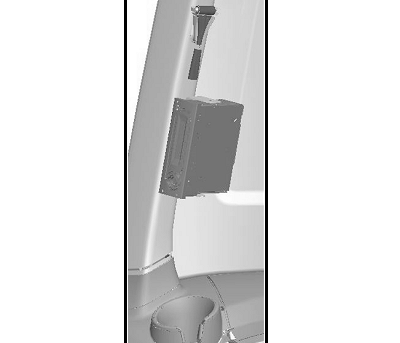
H101604-UN-18MAY11
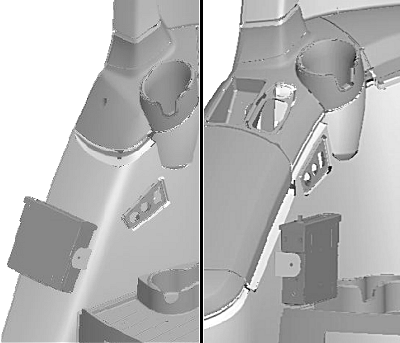
Rear Corner Post Location (Right-Hand Rear)
H101603-UN-18MAY11
Deluxe Cab Location / Premium Cab Location
Corner post cover must be removed before drilling. Be careful not to damage wiring harnesses and coolant hoses in locations shown when drilling holes or installing hardware.Use bracket supplied by manufacturer as a template to locate and drill holes as required in various locations shown. Use self-tapping screws or cap screws with nuts to mount bracket.
Certain broadcast bands may cause interference with the position receiver. Select a different broadcast band or see your John Deere dealer if signal losses are noticed with the position receiver.
|
OUO6075,000439C-19-20161031 |