Height Sensing—On Ground
On ground Height Sensing allows you to adjust cutterbar ground pressure and return to that setting automatically.
Modify When:
Calibration is needed when changing the header regardless of size and type unless previously calibrated.
- Cutterbar is not following contour of the ground.
- Increase HydraFlex™ pressure when cutterbar appears to be pushing.
- Decrease HydraFlex™ pressure when cutterbar rides over the top or leaves uncut crop.
- Changing header type.
System Is Enabled When:
- Properly equipped header is connected to machine.
- Engine is running.
- Road transport disconnect switch is in field position.
- Height Sensing system is ON.
- Header is engaged.
H116962-UN-19DEC16
Auto Control
Procedure to Modify:-
Select Auto Control on Header application main page.
-

H116165-UN-19DEC16ON/OFF
Select to turn Height Sensing ON/OFF.
H116168-UN-19DEC16Alert Icon
When a given automation option has issues preventing it from being enabled, the toggle switch is replaced with a generic issue alert icon button. Selecting this button brings up a message dialogue with information to aid in troubleshooting the issues.NOTE: Depending on machine configurations and the setup of your configurable switches and buttons on the multi-function lever, many combinations exist.
-

H116346-UN-19DEC16Activation Buttons
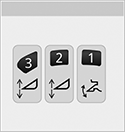
Press the desired activation button.Height Sensing will return to last known adjustment setting.

H116358-UN-19DEC16Height Sensing
Height Sensing icon appears on the corner post display.
H116354-UN-19DEC16Activation Number
Activation number on the corner post display indicates which button was selected. -
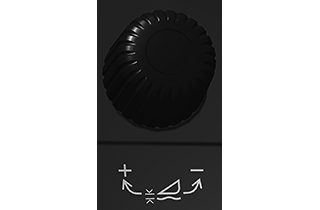
H116347-UN-20DEC16Adjustment Dial
Change the height setpoint by pressing desired activation button and adjust height using header adjustment dial.- Turn header adjustment dial clockwise to raise the header and setpoint.
- Turn header adjustment dial counterclockwise to lower the header and setpoint.
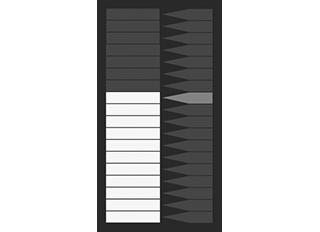
H116356-UN-20DEC16Bar Graph
Bar graph on the corner post display shows the header's relative position based on header height sensor linked to the feeder house.
H118305-UN-19DEC16Numeric Display
Numeric display on the corner post display shows pressure setpoint based on pressure in the cutterbar on the platform.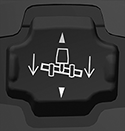
H116348-UN-19DEC16Raise/Lower
Using the header raise/lower switch temporarily deactivates system.Pressing and holding the header raise/lower switch for 5 s disables the system.
-
Manually adjusting the header height with header lower switch
temporarily overrides system until released. Once switch is released,
system returns back to automatic mode.
Header lower switch can be set to immediately disable
system until activation button is pressed. See your John Deere dealer
for further information.
-
Manually adjusting the header height with header raise switch
temporarily deactivates system until header lower switch is pressed.
Once switch is pressed, system reactivates.
Header lower switch can be set not to reactivate system
when header lower switch is pressed. See your John Deere dealer for
further information.
Press activation buttons 1, 2, or 3 to reactivate system. Header automatically moves to last known setting.
-

H116648-UN-19DEC16Close
Select to close.
|
HydraFlex is a trademark of Deere & Company |
SS43267,00007F0-19-20170516 |