Feeder House Float
Feeder House Float allows you to select how firmly a rigid header contacts the ground and maintains a set pressure.
Modify When:
- Decrease pressure when ground conditions are firm and the head is leaving taller stubble or not following the ground as desired.
- Increase pressure when ground conditions are soft and the head is pushing material or not following the ground as desired.
System Is Enabled When:
- Properly equipped header is connected to machine.
- Engine is running.
- Road transport disconnect switch is in field position.
- Feeder House Float system is ON.
- Header is engaged.
H116962-UN-19DEC16
Auto Control
Procedure to Modify:-
Select Auto Control on Header application main screen.
-

H116165-UN-19DEC16ON/OFF
Select to turn Active Header Float ON/OFF.
H116168-UN-19DEC16Alert Icon
When a given automation option has issues preventing it from being enabled, the toggle switch is replaced with a generic issue alert button. Selecting this button brings up a message dialogue with information to aid in troubleshooting the issues.NOTE: Depending on machine configurations and the setup of your configurable switches and buttons on the multi-function lever, many combinations exist.
-

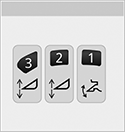
H116346-UN-19DEC16Activation Buttons
Press the desired activation button.Header Height Float will return to last known adjustment setting.

H116972-UN-19DEC16Feeder House Float
Header Height Float icon appears on the corner post display.
H116354-UN-19DEC16Activation Number
Activation number on the corner post display indicates which button was selected. -
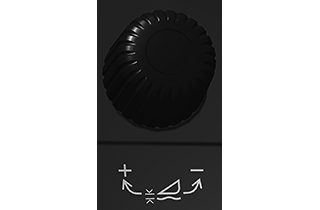
H116347-UN-20DEC16Adjustment Dial
Change pressure by pressing desired activation button and adjust the height using header adjustment dial.- •Turn header adjustment dial clockwise to raise the header lift cylinder pressure and setpoint.
- •Turn header adjustment dial counterclockwise to lower the lift cylinder pressure and setpoint.
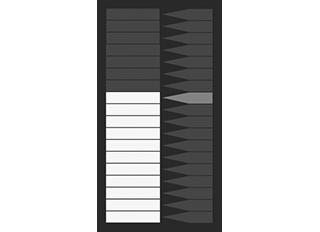
H116356-UN-20DEC16Bar Graph
Bar graph display shows the actual header float pressure.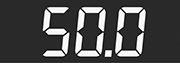
H118305-UN-19DEC16Numeric Display
Numeric display shows the actual header float pressure.
H116348-UN-19DEC16Raise/Lower
Pressing and holding the header raise/lower switch for 5 s disables the system.Press activation buttons 1, 2, or 3 to reactivate system. Header automatically moves to last known setting.
-

H116648-UN-19DEC16Close
Select to close.
|
SS43267,00007F1-19-20170516 |