Reel Position Resume
Reel Position Resume allows you to select position of the reel relative to belts, auger, cutterbar, floor and so forth and return to that position automatically.
Modify To:
- Assist in picking up downed crop.
- Clean off the cutter bar at the end of a cut.
- Harvest standing crop of different heights in the same field.
System Is Enabled When:

H116361-UN-19DEC16
Reel Position Resume
Reel Position Resume icon appears on the corner post display.- Properly equipped header (with reel position sensors) is connected to machine and is calibrated.
- Engine is running.
- Feeder house is engaged.
- Road transport disconnect switch is in field position.
H116962-UN-19DEC16
Auto Control
Procedure to Modify:-
Select Auto Control on Header application main screen.
-

H116165-UN-19DEC16ON/OFF
Select to turn Reel Position Resume ON/OFF.Depending on machine configurations and the setup of your configurable switches and buttons on the multi-function lever, many combinations exist.
-
H116349-UN-19DEC16Reel Lift
Use reel lift switch to obtain desired reel height position. -

H116346-UN-19DEC16Activation Buttons
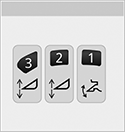
Press and hold the desired activation button for 2 seconds to enter desired setting into memory.
H116361-UN-19DEC16Reel Position Resume
Reel Position Resume icon flashes indicating setpoint is saved.
H116354-UN-19DEC16Activation Number
Activation number on the corner post display indicates which button was selected.Manually moving reel lift switch on the multi-function lever deactivates reel position.
Press activation buttons 1, 2, or 3 to reactivate system. Reel automatically moves to preselected height.
-

H116648-UN-19DEC16Close
Select to close.
|
SS43267,00007F6-19-20170516 |