Deck Plate Position Resume
Deck Plate Position Resume allows you to select spacing of the hydraulic deck plates and return to that position automatically.
Modify When:
Decrease Deck Plate Spacing When:
- Ear shelling at deck plates.
- For an area that has smaller stalks due to flooding or low nutrient level.
- To reduce grain loss and damage at the header if the condition exists.
Increase Deck Plate Spacing When:
- Excessive trash intake from the corn head causes shelled corn to come out of rear of combine.
- Pulling up corn stalks and ears. Gradually open deck plates until stalks feed through rolls more freely.
- For less material other than grain to reduce shoe load.
- For picking up downed corn to improve feeding and reduce the amount of trash the machine takes in.
- To clean out any buildup of material around the deck plates when coming to an end of cut.
System Is Enabled When:
- Properly equipped header (with the deck plate sensors) is connected to machine and is calibrated.
- Engine is running.
- Feeder house is engaged.
- Road transport disconnect switch is in field position.
H116962-UN-19DEC16
Auto Control
Procedure to Modify:-
Select Auto Control on Header application main screen.
-

H116165-UN-19DEC16ON/OFF
Select to turn Deck Plate Position Resume ON/OFF.Depending on machine configurations and the setup of your configurable switches and buttons on the multi-function lever, many combinations exist.
-

H116349-UN-19DEC16Reel Lift and Fore/Aft
Use reel fore/aft switch to obtain desired deck plate spacing.- Left side of switch increases spacing.
- Right side of switch decreases spacing.
Minimum: 0
Maximum: 9
Increment: 1
-

H116346-UN-19DEC16Activation Buttons
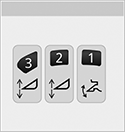
Press and hold the desired activation button for 2 seconds to enter desired setting into memory.
H116362-UN-19DEC16Deck Plate Position Resume
Deck Plate Position Resume icon appears on the corner post display.
H116354-UN-19DEC16Activation Number
Activation number on corner post display indicates which button was selected.Manually moving fore/aft switch on the multi-function lever deactivates deck plate resume.
Press Activation Buttons 1, 2, or 3 to reactivate system. Deck plates automatically move to preselected position.
|
SS43267,00007F7-19-20170516 |