Draper Belt Speed
Draper Belt Speed controls the speeds of the side draper belts. Set belt speed for prevailing crop conditions and adjust for an even distribution of crop material across the side draper belts.
Increase Belt Speed When:
- Heavy loading of side belts.
- Heavy loading of material along sides of the center belt.
- Excessive plugging of the feed drum and/or feeder house.
- Crops pulled under platform by side draper belts.
- Leaving standing uncut crop can result if too much material builds up on belts blocking the knife.
Decrease Belt Speed When:
- Crops feeding under opposing side draper belt.
- Slow belts to reduce shatter loss for long green straw/stems.
H114075-UN-19DEC16
Draper Belt Speed
Procedure to Modify:-
Select screen area under Draper Belt Speed to open Draper Belt Speed page.
-

H116145-UN-19DEC16Standard
Use toggle button to select desired belt mode.
H116144-UN-19DEC16Reduced Speed
Use Reduced Speed when not harvesting with the full width of platform.In Reduced Speed mode, belts slow down to a factory default setting and a turtle icon flashes below the draper belt speed icon.
Increasing belt speed overrides Reduced Speed.
-
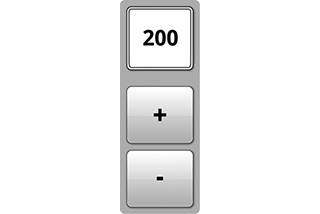
H116146-UN-20DEC16Adjustment
Select plus (+) to increase or minus (-) to decrease desired speed.Minimum: 0
Maximum: 240 rpm
Increment: 10 rpm
No default
-

H116648-UN-19DEC16Close
Select to close.
Recommended Settings:
160—220 n/min
Faster belt speeds are typically required in tougher crop conditions.

H116147-UN-19DEC16
Input Field
Alternative Procedure to Modify:-
Select to activate Navigation Bar and Armrest Adjustment Dials.
-
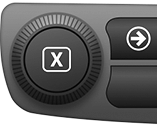
H115035-UN-14MAR16Navigation Bar Adjustment Dial
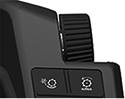
H115034-UN-28MAR16Armrest Adjustment Dial
Use Navigation Bar or Armrest Adjustment Dial to select desired setting.- Turn dial clockwise to increase value.
- Turn dial counterclockwise to decrease value.
|
SS43267,00007FA-19-20170127 |