Residue Management
H120317-UN-03JAN17
Residue Management
Underscored text identifies that additional information is available within this section or another section of this publication.Main page shown is for example only. Your main page may differ depending on options or connected equipment.
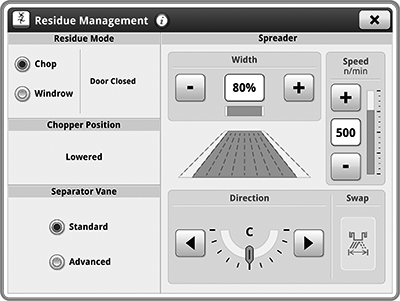
Residue Management allows you to adjust residue distribution as desired based on machine configuration.
H116638-UN-03JAN17
Residue Mode
Items Accessible on Residue Management Main Page:Some items below are only displayed if machine is equipped with the associated option.
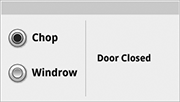
Residue Mode— select between Chopping and Windrowing functions.

H116639-UN-03JAN17
Chopper Position
Chopper Position— shows current position of chopper.
H118116-UN-03JAN17
Separator Vane
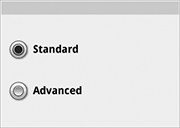
Separator Vane— select between Standard and Advanced separator vane position.
H116988-UN-03JAN17
Width
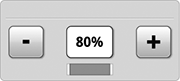
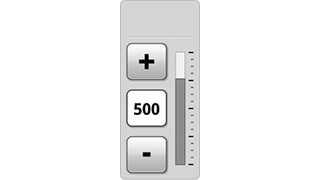
Width— controls the spread width of chaff and straw by adjusting spreader speed or shroud position based on machine configuration.
H116987-UN-04JAN17
Speed
Speed— increases or decreases spreader speed.

H117001-UN-03JAN17
Direction
Direction— changes chaff and straw spreading direction.

H118304-UN-03JAN17
Swap
Swap— quickly adjusts the residue dispersal in the opposite direction.Out of Cab Adjustments— mechanical adjustments made outside of the cab.
H116641-UN-04JAN17
Spread
Run Page ModulesModules for this application can be added to run pages using Layout Manager.
Example:
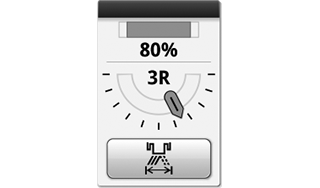
Spread— controls the width and direction of chaff and straw distribution.
Different modules can be available for your application.

H116642-UN-03JAN17
Residue
Shortcut KeysShortcut keys for this application can be added to the shortcut bar using Layout Manager.
Example:
Residue— use for quick access to change residue dispersal direction. Light is illuminated toward direction of residue dispersal. If no illumination then residue dispersal is centered.
Different shortcut keys can be available for your application.
|
SS43267,0000804-19-20170203 |