Grain Handling Main Page
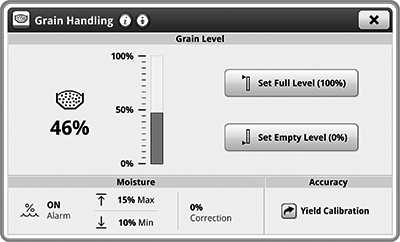
H119900-UN-10JAN17
Grain Handling
Underscored text identifies that additional information is available within this section or another section of this publication.Main page shown is for example only. Your main page may differ depending on options or connected equipment.
Grain Handling application is used to access and modify Grain Level settings, Moisture, and Accuracy. Advanced Settings are used to modify Grain Level Auto Beacon, Tank Unloading Offset, and Custom Level Alarm.
Some items below are only displayed if machine is equipped with the associated option.

H114778-UN-10JAN17
Moisture
Items accessible on Grain Handling Main Page:Moisture— enable or disable moisture alarm, set maximum and minimum moisture alarm settings, and set moisture correction.

H114779-UN-10JAN17
Yield Calibration
Accuracy— access Yield Calibration.
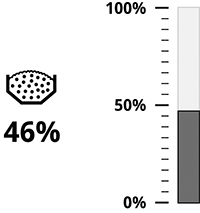
H115000-UN-10JAN17
Grain Level
Grain Level ItemsGrain Level— displays current grain tank level.

H114776-UN-10JAN17
Set Full Level
Set Full Level— set grain tank full level.

H114777-UN-10JAN17
Set Empty Level
Set Empty Level— set grain tank empty level.

N118004-UN-22OCT15
Advanced Settings
Advanced Settings ItemsAdvanced Settings— access further adjustments and less common settings.
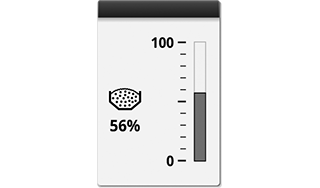
H116266-UN-31JAN17
Grain Level
Run Page ModulesModules for this application can be added to run pages using Layout Manager.
Example:
Grain Level— gives you direct access to Grain Level application.
Different modules can be available for your application.
|
SS43267,0000807-19-20170517 |