Engine Main Page
H119898-UN-04JAN17
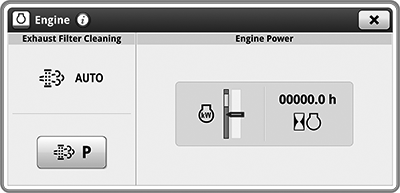
Engine
Underscored text identifies that additional information is available within this section or another section of this publication.Main page shown is for example only. Your main page may differ depending on options or connected equipment.
The Engine application is used to access and adjust engine settings.
H113549-UN-04JAN17
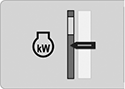
Engine Power
Items Accessible on the Engine Main Page:Some items below are only displayed if machine is equipped with the associated option.
Engine Power— amount of power the engine is using.
H115017-UN-04JAN17
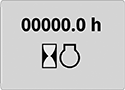
Engine Hours
Engine Hours— accumulated engine hours.

H113829-UN-04JAN17
Auto Exhaust Filter Cleaning
AUTO Exhaust Filter Cleaning— automated process that performs exhaust filter cleaning during normal operation as required.

H113830-UN-04JAN17
Parked Filter Cleaning
Parked Filter Cleaning— process which allows the system to perform additional exhaust filter cleaning when required.
H114602-UN-04JAN17
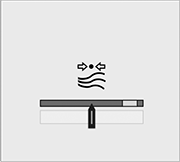
Debris Management
Debris Management Filter Capacity— indicator of used and remaining filter capacity.
H118112-UN-04JAN17
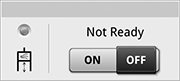
Air Compressor
Air Compressor— toggle button to enable or disable air compressor system.
H115023-UN-04JAN17
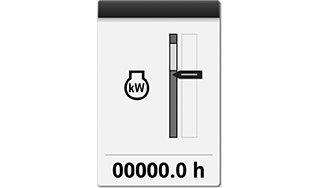
Engine Power
Run Page ModulesModules for this application can be added to run pages using Layout Manager.
Example:
Engine Power— shows engine hours and power output of the engine.
Different modules can be available for your application.

H118309-UN-04JAN17
Air Compressor
Shortcut KeysShortcut keys for this application can be added to the shortcut bar using Layout Manager.
Air Compressor Shortcut Key— allows you quick access to turn air compressor ON/OFF.
|
SS43267,000080A-19-20170203 |