Transmission Main Page
H120318-UN-10JAN17
Transmission
Underscored text identifies that additional information is available within this section or another section of this publication.Main page shown is for example only. Your main page may differ depending on options or connected equipment.
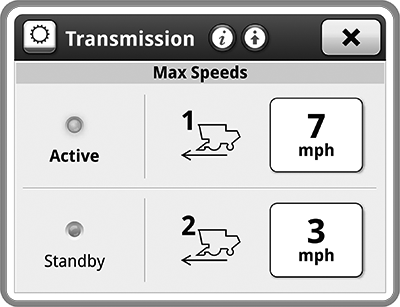
Transmission application is used to display transmission information and adjust settings.
Select Transmission
ProDrive™
Push-Button Shift Transmission

N118020-UN-22OCT15
Orange
Items accessible on ProDrive™ Transmission main page:Status indicator—shows you which Max Speed mode is active and which mode is in standby.
Active

N118019-UN-22OCT15
Gray
Standby
H114766-UN-22OCT15
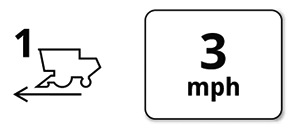
Max Speed 1
Max Speed 1— maximum speed when max speed 1 is active. Select input box to adjust setting.
H114767-UN-22OCT15
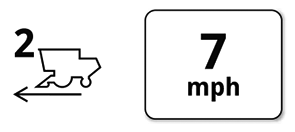
Max Speed 2
Max Speed 2— maximum speed when max speed 2 is active. Select input box to adjust setting.

N118004-UN-22OCT15
Advanced Settings
Advanced Settings— allows you to access further adjustments and less common settings.

H114765-UN-22OCT15
Current Gear
Items accessible on Push-Button Shift Transmission main page:Current Gear— shows you the current gear that is selected.
Press Push-Button Shift Transmission buttons to change the current gear.
N118004-UN-22OCT15
Advanced Settings
Advanced Settings— allows you to access further adjustments and less common settings.|
ProDrive is a trademark of Deere & Company |
SS43267,000080C-19-20170127 |