Draper Float Position
Draper Float Position controls the pressure in the cylinders for the gauge wheels and center section.
Higher numbers make the header lighter, which increases oil pressure to gauge wheels/center section float. Lower numbers make the header heavier with less pressure in the float system.
Modify When:
For off ground cutting only:
- Increase float setting to reduce unwanted ground contact.
- Decrease float setting to reduce wavy cutting.
- Decrease float setting if the head is slow to react to changing ground conditions.
Downed crop:
- Increase float setting if the header begins to push material in front of the cutterbar as can sometimes be seen in soft ground conditions.
- Decrease float setting if the header begins to leave uncut crop behind the cutterbar as can sometimes be seen in firm ground conditions.
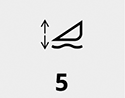
H116130-UN-19DEC16
Draper Float Position
Procedure to Modify:-
Select screen area under Draper Float Position to open Draper Float Position page.
-
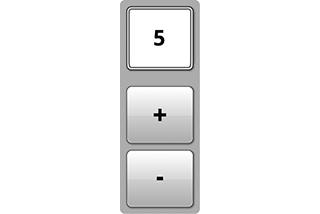
H116148-UN-20DEC16Adjustment
Select plus (+) to increase or minus (-) to decrease desired position.Minimum: 1
Maximum: 10
Default 5
Increment: 1
-

H116648-UN-19DEC16Close
Select to close.

H116149-UN-19DEC16
Input Field
Alternative Procedure to Modify:-
Select to activate Navigation Bar and Armrest Adjustment Dials.
-
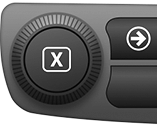
H115035-UN-14MAR16Navigation Bar Adjustment Dial
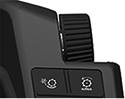
H115034-UN-28MAR16Armrest Adjustment Dial
Use Navigation Bar or Armrest Adjustment Dial to select desired setting.- Turn dial clockwise to increase value.
- Turn dial counterclockwise to decrease value.
|
SS43267,0000811-19-20170127 |