Yield | Record Sample
Record Sample page allows you to collect a yield sample, monitor flow rate, and view the recorded weight of the sample.
H119379-UN-18JAN17
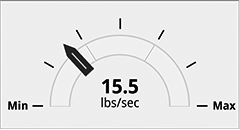
Mass Flow Rate
Items Accessible on Record Sample Page:Mass Flow Rate—indicates the flow of crop being harvested.
H119418-UN-18JAN17
Medium Flow
Flow Rate Range—indicates the current range that the sample is being harvested in.Low flow rate is displayed using dashes.

H119380-UN-18JAN17
Weight
Weight—calculated weight of the sample.
H119399-UN-18JAN17
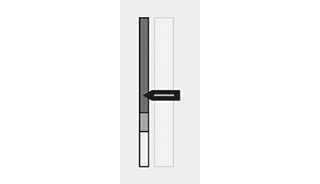
Weight Status
Weight Status—indicates when enough crop has been harvested to perform the calibration.
H119419-UN-18JAN17
Crop Type: Corn
Crop Type—crop being harvested.
H119400-UN-18JAN17
Recording Sample
Recording Status—displays status of sample recording.
H119401-UN-18JAN17
Delete
Delete—deletes the current sample data.

H119421-UN-18JAN17
Start
Start—begins recording sample data.

H119420-UN-18JAN17
Done
Done—stops sample recording and stores the information.

H119235-UN-18JAN17
Record
Procedure to Modify:-
Select Record.
-
Begin harvesting crop.
-
H119421-UN-18JAN17Start
Select Start button. -
Adjust ground speed until desired flow rate range is obtained.
-
Continue harvesting until the necessary amount of crop is harvested.
-
H119420-UN-18JAN17Done
Select Done button to store the sample information.
|
SS43267,0000871-19-20170117 |