Width
Width adjusts the spread range for chaff and straw by controlling spreader speed or shroud position depending on machine configuration.
Adjust the spread width setting before adjusting the spreader speed.
Modify When:
- Increase when chopped material and chaff are not reaching the full width of the cut made by header.
- Decrease when chopped material and chaff are being thrown on to the uncut crop.
Procedure to Modify:
-
Turn on the machine.
-
Engage separator.
-
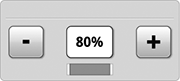
H116988-UN-03JAN17Width
Current setting is displayed by bar gauge.Select plus (+) to increase or minus (-) to decrease desired percentage.
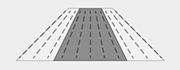
H118119-UN-03JAN1750% Width Percentage
When changes are made to the width percentage, the spreader diagram changes as well.

H113699-UN-03JAN17
Input Field
Alternative Procedure to Modify:When width is changed, the bar gauge representing it turns yellow to match the yellow bounding box of the input field.
-
Select to activate Navigation Bar and Armrest Adjustment Dials.
-
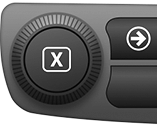
H115035-UN-14MAR16Navigation Bar Adjustment Dial
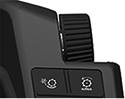
H115034-UN-28MAR16Armrest Adjustment Dial
Use Navigation Bar or Armrest Adjustment Dial to select desired percentage.- Turn dial clockwise to increase value.
- Turn dial counterclockwise to decrease value.
-

H114674-UN-03JAN17Close
Select to close.
|
SS43267,0000894-19-20170516 |