Multi-Function Lever
Multi-Function Lever Controls Setup is used to assign Applications and Functions to buttons on the Multi-Function Lever.
Procedure to Modify:

H118141-UN-20JAN17
Multi-Function Lever
Select the Multi-Function Lever assignments tab.

H114656-UN-05JAN17
Active State
As you select the Control Group Lock button all previously assigned custom controls are illuminated "Green" to indicate their active state, and the on-screen Lock Indicator is hidden.

H118140-UN-20JAN17
Lock Indicator
If there are no custom assignments present, the application does not open upon unlocking the Control Group.
H118143-UN-20JAN17
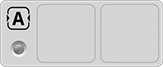
Programmable Button A
H118147-UN-20JAN17
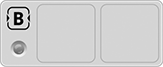
Programmable Button B

H118149-UN-20JAN17
Programmable Button E
Buttons A, B, and E— are used for applications that require you to select from single position assignments.The on-screen Lock Indicator is present whenever the displayed Control Group is locked with the Control Group Lock button on the CommandARM™. Control Group locks re-engage on key cycle.

H118144-UN-20JAN17
Programmable Button C
H118148-UN-20JAN17
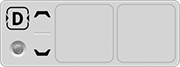
Programmable Button D
Buttons C and D— are used for applications that require you to select from multiple positions, to increase or decrease a value, or to make a left-hand or right-hand adjustment.
H118145-UN-20JAN17
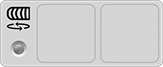
Scroll Button
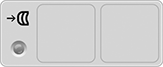
H118146-UN-20JAN17
Scroll Press Button
The Scroll Button bypasses the "Select Application" list, offering a limited and distinct number of functional options.Scroll Button— is used to select function assignments, increase or decrease a value, or make a left-hand or right-hand adjustment.
Assigning functions to either the Scroll Button "roll" or "press" action works the same as other assignments.
H118140-UN-20JAN17
Lock Indicator
Lock Indicator— illuminates to indicate that the Control Group Lock button is locked.

H116648-UN-19DEC16
Close
Select to close the Controls Setup application.|
SS43267,0000910-19-20170516 |