Create Dual Position Assignments
Buttons C and D or 1 and 2 allow you to assign and activate your preferred Applications, then make Function assignments.
For additional Application and Function information, select the Help Contents button.
Procedure to Modify:
Use Controls Setup reconfigurable buttons to personalize your machine and perform tasks quickly with the press of a button.
The Example shown is typical for making Application and Function assignments. Select to view a list of available Application or Function assignments.
Example: This example will assign the Unloading Auger Tip Fold/Unfold function to button C. This will allow you to fold/unfold the auger tip any time you press button C.
-
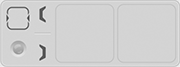
H118508-UN-20JAN17Select Application
Select to activate the Select Application display.
H118506-UN-20JAN17Remove Assignment
If an assignment is already present on the Control Setup display, the "Remove Assignment" option is placed at the top of the list. Select to close and clear the assignment. -
H118166-UN-20JAN17Folding
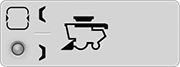
H118536-UN-20JAN17Folding Selected
Select the Folding application. -
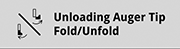
H118165-UN-20JAN17Unloading Auger Top Fold/Unfold
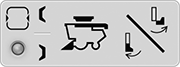
H118537-UN-20JAN17Unloading Auger Tip Fold/Unfold Selected
Select Unloading Auger Tip Fold/Unfold function.After selecting the function, the control assignment is made.
-

H116648-UN-19DEC16Close
Select to close the Controls Setup application.
|
SS43267,0000914-19-20170621 |