Interactive Combine Adjustment (ICA) Main Page
H120314-UN-21JUN17
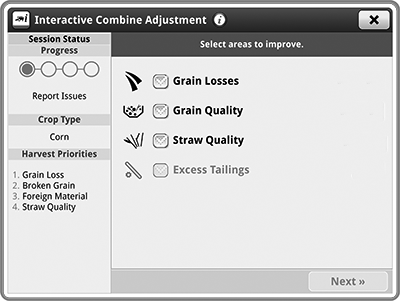
Interactive Combine Adjustment
Underscored text identifies that additional information is available within this section or another section of this publication.Main page shown is for example only. Your main page may differ depending on options or connected equipment.
The Interactive Combine Adjustment (ICA) application is actively seeking to optimize machine settings based on your feedback.
- Use Harvest Settings for initial machine settings for selected crop.
- Use Interactive Combine Adjustment to optimize the machine settings.
While in a session, any time you close the ICA application a message appears on the display and can be viewed in the Status Center on the display.
Some items below are only displayed if machine is equipped with the associated option.
H116301-UN-25JAN17
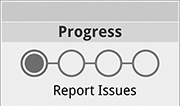
Report Issues
Items Accessible on "Interactive Combine Adjustment" Main Page:Session Status— communicates the current system Progress, Crop Type, Harvest Priorities, Reported Issues, and Last Adjustment.
Stage 1 — Report Issues
Select areas to improve..— select an area needing improvement.
What type of Grain Quality issues?— select specific grain quality types which need performance improvement.
ICA2 Detected Issues
ICA2 Detected Issues— displays a summary of the issues that ICA2 has detected when opening ICA from ICA2.
H116306-UN-25JAN17
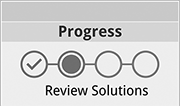
Review Solutions
Stage 2 — Review SolutionsICA is finding recommendations.— finds recommended machine settings based on the issues you reported.
Select "Apply" to have ICA adjust settings using the shown solution.— apply Interactive Combine Adjustment (ICA) recommended solution.
Select "Next" to proceed with manual adjustment.— requires you to make in-cab or out-of-cab adjustments.
H116327-UN-25JAN17
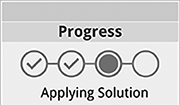
Applying Solution
Stage 3 — Applying SolutionICA is applying the setting adjustment...— performs the selected setting adjustment.
ICA is monitoring performance changes...— monitors performance change of selected recommended setting.
ICA is awaiting operator action...— make manual machine adjustments that need to take place in order for the Interactive Combine Adjustment (ICA) to auto-advance to the next step of the solution evaluation.
H116329-UN-25JAN17
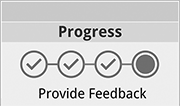
Provide Feedback
Stage 4 — Provide FeedbackSince the last adjustment, how has performance been impacted?— communicate to Interactive Combine Adjustment (ICA) the state of the harvest performance since the last adjustment was made.
How should ICA proceed?— allows you to select the following if "Unreported Issues" are unacceptable:
H118256-UN-30JAN17
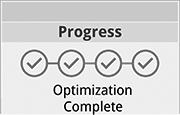
Optimization Complete
Stage 5 — Optimization CompleteICA Session Complete— machine has been optimized.
H116646-UN-31JAN17
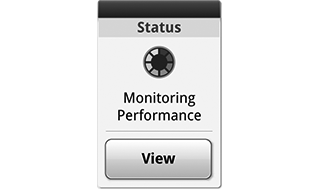
ICA Status
Run Page Modules:Modules for this application can be added to the run pages using Layout Manager.
ICA Status— each distinct "stage" of the ICA process can be represented on the run page module while that stage is active.
Different modules can be available for your application.

H116325-UN-25JAN17
Shortcut Key
Shortcut Keys:Shortcut keys for this application can be added to the shortcut bar using Layout Manager.
ICA Shortcut Key— quick access to open ICA.
If Integrated Combine Adjustment is OFF and the shortcut key flashes, a message appears indicating the machine needs to be optimized again through ICA.
Different shortcut keys can be available for your application.
|
SS43267,0000924-19-20170516 |