Select "Next" to proceed with manual adjustment.
"Select 'Next' to proceed with the manual adjustment." are adjustments that require you to make manual or out-of-cab adjustments.
These adjustments replace the "Apply" button with the "Next" button indicating more actions may be required for you to make.
Items Accessible on "Select 'Next' to proceed with manual adjustment." Page:
H116308-UN-25JAN17
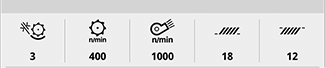
Current Settings
Current Settings— communicates the current selected settings.
H116604-UN-30JAN17
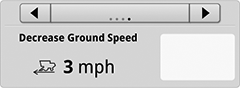
Solution
Recommended Solutions— allows you to toggle through the current settings list of the Interactive Combine Adjustments (ICA) recommended solutions.Solutions that require you to manually adjust settings, or climb out of the cab, have a slightly different appearance within the Solutions multi-pane toggle view. These solutions are indicated by a "hand icon", "Manual" or "Out of Cab" wording on the screen. These types of adjustments replace the "Apply" button with a "Next" button, indicating there may be more actions required.
For out-of-cab manual adjustments, refer to the machine Operator's Manual.

H116582-UN-30JAN17
Edit Issues
Edit Issues— allows you to begin a new session and change the reported issues, or return to the previous display.

H116292-UN-30JAN17
Stop Session
Stop Session— select to end the session.Stop Session is the best method to close the application without resolving all issues and starting over if you re-open the application. Adjustments that were made by ICA will not be undone if Stop Session is chosen to close the system.
Stop session is only available if you are reporting new issues in the middle of an ICA session.

H116293-UN-30JAN17
Next
Next— select to advance the system to ICA is awaiting operator action...

H116310-UN-30JAN17
Close
Select to close the ICA application.ICA will resume in the same place when you re-enter after closing.
|
SS43267,0000934-19-20170526 |