ICA is monitoring performance changes...
"ICA is monitoring performance changes..." is the system waiting for you to continue harvesting so you can monitor the performance change.

H116307-UN-25JAN17
Progress Indicator
Items Accessible on "ICA is monitoring performance changes..." Page:Progress— shows the progress of monitoring performance.

H116292-UN-30JAN17
Stop Session
Stop Session— select to end the session, clear the issue list, and return to the "Select areas to improve" display.Stop Session is the best method to close the application without resolving all issues and starting over if you re-open the application. Adjustments that were made by ICA will not be undone if Stop Session is chosen to close the system.

H116310-UN-30JAN17
Close
Select to close the ICA application.ICA will resume in the same place when you re-enter after closing.
System auto advances to feedback.
While ICA is closed, a message appears on the display, which can be viewed in the Status Center on the display, while ICA is monitoring for consistent harvesting conditions.

H116326-UN-25JAN17
ICA Shortcut Button
ICA indicators on shortcut buttons and status bar will have a yellow frame flashing while waiting for your feedback.
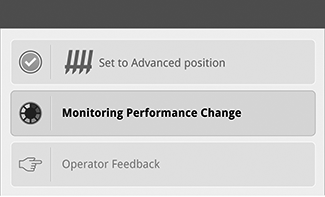
H116585-UN-31JAN17
Monitoring Performance Change
Normal Operation:The system begins the process of evaluating consistent harvesting conditions before advancing normally.
You can return to harvesting.
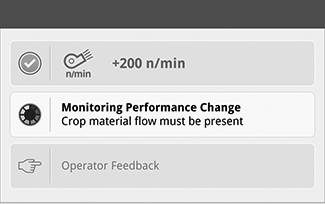
H118265-UN-30JAN17
Monitoring Performance Change
Machine must be in consistent harvesting conditions:A message appears on the display.
If ICA is not detecting consistent harvesting conditions, a condition is listed to help you understand what steps need to be taken to continue.
- Separator must be engaged.
- Header must be engaged.
- Engine must be in high idle.
- Header must be below record stop height.
- Machine must have a steady ground speed.
- Crop material flow must be present.
|
SS43267,0000940-19-20170621 |