Current Settings | Threshing Clearance
Threshing Clearance allows you to modify the threshing clearance for varying crops and conditions.
For the threshing clearance settings, refer to Crop Settings section in your Operator's Manual.
Modify To:
Increase Threshing Clearance To:
- Improve straw quality; making longer straw and generates less breakage of material.
- Improve grain quality; reduce splits and grain damage.
- Reduce power consumption; for easy threshing grain.
- Improve sample cleanliness; reduce chaff load on the cleaning shoe.
Decrease Threshing Clearance To:
- Reduce unthreshed separator loss; unhulled grain or grain on the cob behind the machine.
- Improve grain tank sample; reduce white caps or unopened pods.
Adjustment States— depending on machine options, different adjustment states may appear as current settings are changed.

H113683-UN-27JAN17
Threshing Clearance
Procedure to Modify:-
Select to set the threshing clearance.
-
H113698-UN-30JAN17Adjustment
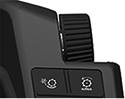
Select plus (+) to increase or minus (-) to decrease threshing clearance or select the input field and use the Armrest Adjustment Dial to make desired clearance changes.-

H116282-UN-27JAN17Input Field
H115034-UN-28MAR16Armrest Adjustment Dial
Turn the dial clockwise to increase the value. - Turn the dial counterclockwise to decrease the value.
Depending on machine configurations, some values may not be reached.
Maximum value may not be attainable if dense pack elements are installed.
Minimum: 0
Maximum: 40
Increment: 1
-
-

H116113-UN-27JAN17Close
Select to close.
|
SS43267,000096B-19-20170517 |