Current Settings | Sieve Clearance
Sieve Clearance allows you to modify the opening of the sieve to improve grain cleanliness and manage tailings volumes for varying crops and conditions.
For the sieve clearance settings, refer to Crop Settings section in your Operator's Manual.
Modify To:
Increase Sieve Clearance To:
- Reduce tailings; allows more grain to fall through to clean grain sooner before it is recirculated in tailings.
- Increase cleaning fan air flow; increasing sieve clearance allows more cleaning fan air up through the chaffer.
Decrease Sieve Clearance To:
- Increase tailings; for any hard threshing grain, force any unthreshed material back through the separator.
- Improve sample quality; reduce the amount of foreign material in the grain tank.

H113693-UN-27JAN17
Sieve Clearance
Procedure to Modify:-
Select to set the sieve clearance.
-
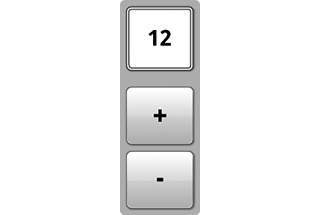
H116994-UN-30JAN17Adjustment
Select plus (+) to increase or minus (-) to decrease the desired sieve clearance.-

H118090-UN-27JAN17Input Field
Turn the dial clockwise to increase the value. -
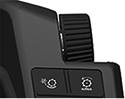
H115034-UN-28MAR16Armrest Adjustment Dial
Turn the dial counterclockwise to decrease the value.
Depending on machine configurations, some values may not be reached.
General Purpose:
Minimum: 0
Maximum: 22
Increment: 1
Deep Tooth:
Minimum: 0
Maximum: 30
Increment: 1
-
-

H116113-UN-27JAN17Close
Select to close.
|
SS43267,000096F-19-20170126 |